
#5852: Quire Feedback
狀態: 已完成
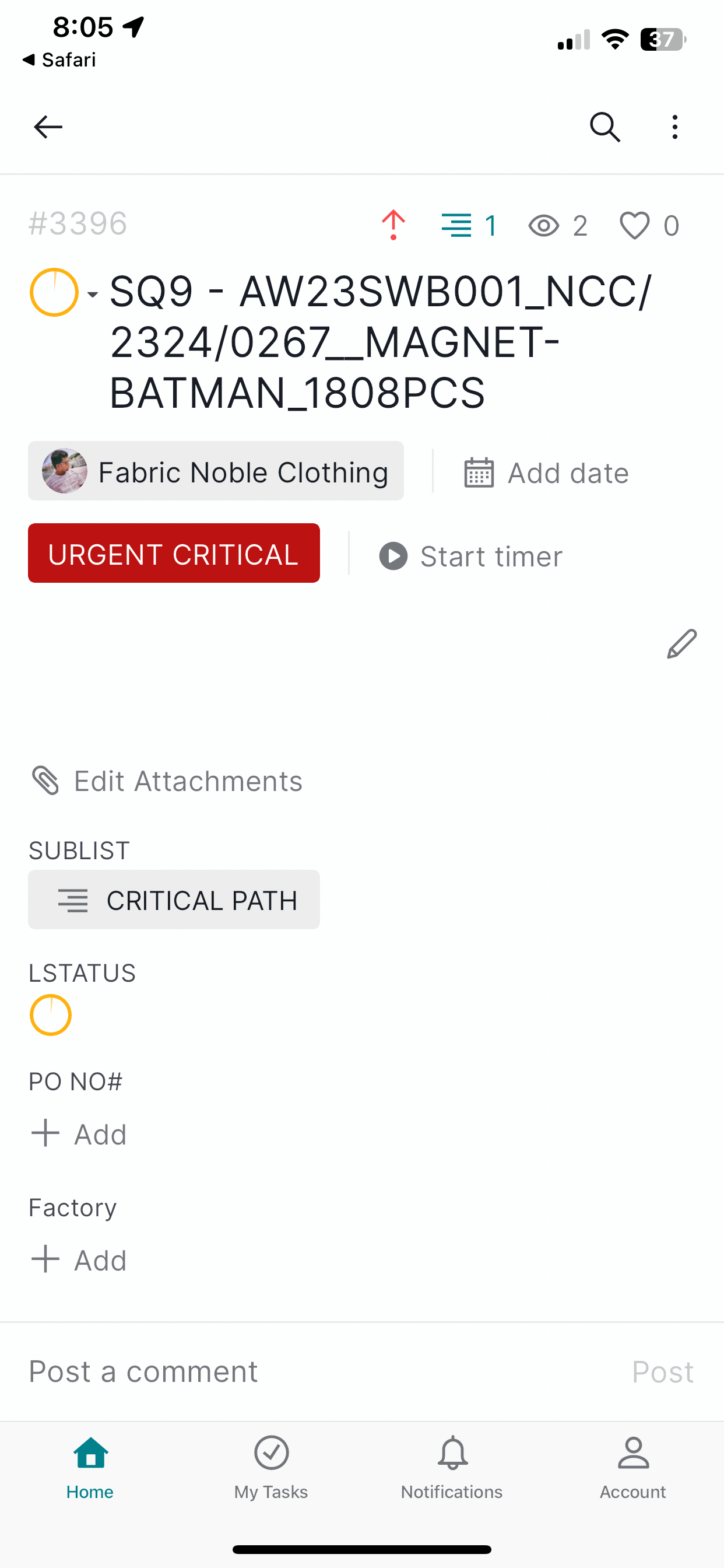
In fields column when we choose “ Status “ as field , it shows only symbol , we need to see the % and status in text , this is important
建立者 MD @NOBLE 2023年9月19日, 已編輯 2023年9月20日
Thanks
MD @NOBLE, 2023年9月20日
Hi, Thank you for providing your feedback.
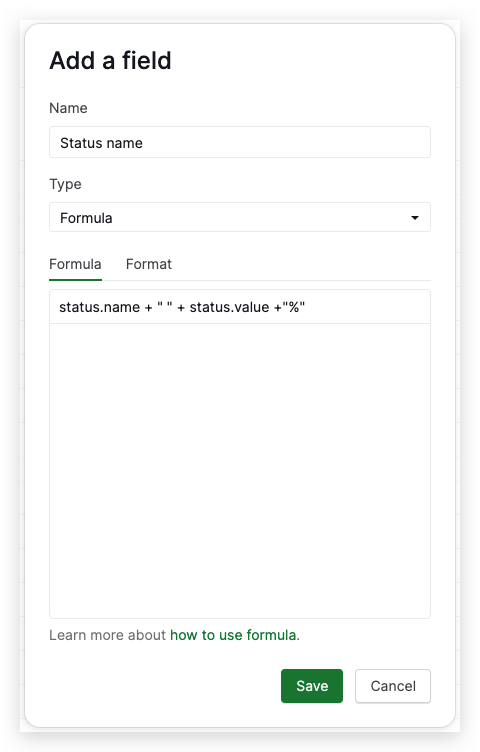
To address your request, you can create a custom field with the Formula type in your tasks. Here's a step-by-step guide to help you achieve this:
- Add a new field
- Type the name of the field and select the Formula type
- In the formula field, you can enter the following formula:
status.name + " " + status.value + "%". This formula will generate the status name and its percentage based on the task's actual status.
Please keep in mind that any text you include within the formula field must be enclosed in quotation marks (" ") to prevent errors.
I have attached screenshots below for your reference.
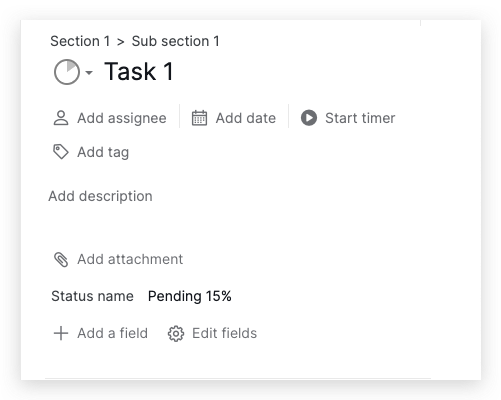
Please give this formula a try and let us know if it meets your needs. Thank you very much.
Golda, 2023年9月19日
In the image you can see Lstatus field , we need % and text of actual status
MD @NOBLE, 2023年9月19日