
We are using TABLE VIEW WITH FIELDS , we are happy . JUST WE NEED A formula - where we can use the planned date vs actual date linking to delay days using the exisiting dates field . Enclosed screen shot fyi
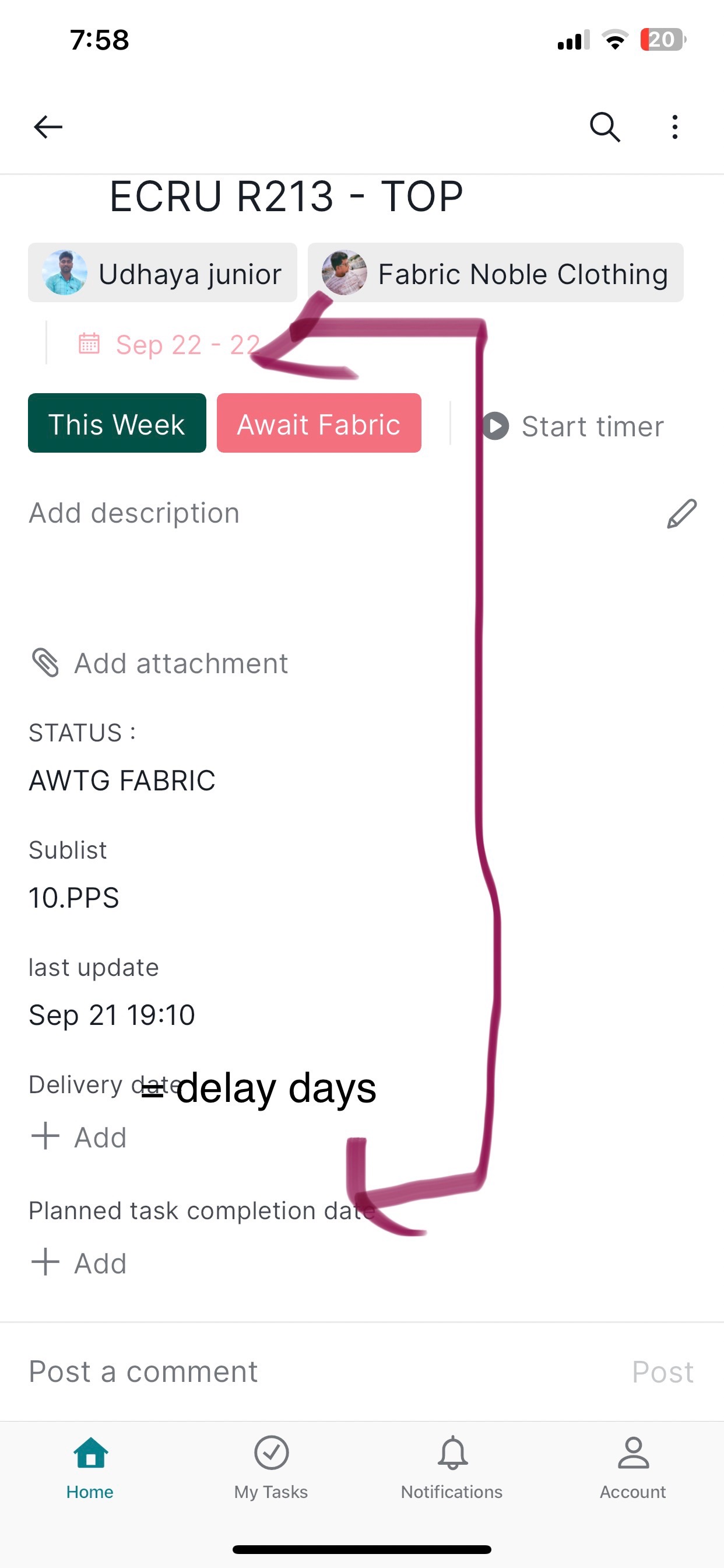
Yes it is ok and working resolved
MD @NOBLE, Sep 22, 2023
Hi, Thank you for providing further clarification about your feedback.
I understand you want custom date fields to have the same color formatting as task start and due dates. We brought your feedback to our Product Team and our team is currently exploring how to best implement your feedback. Please rest assured that we will keep you informed of any updates from our end related to your feedback.
In the meantime, if you have any other suggestions related to this feature, please feel free to share them with me. Thank you very much.
Golda, Sep 26, 2023
yes it is working how to make the traffic system in this , like on date green , if exceed the due date red color
MD @NOBLE, Sep 24, 2023
MD @NOBLE, Sep 24, 2023
Hi,
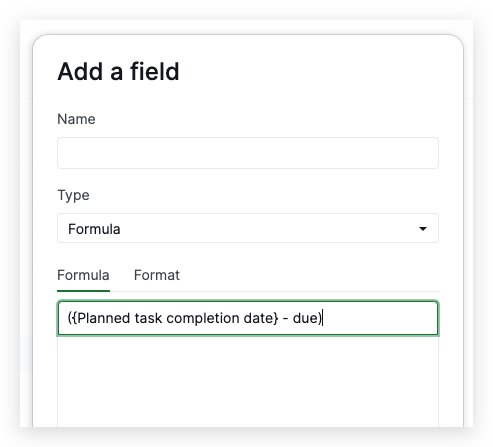
Thank you for reaching out with your inquiry. If you wish to create a custom field that calculates the number of days remaining from the planned completion date to the actual due date, you can utilize the following formula:
({Planned task completion date} - due)
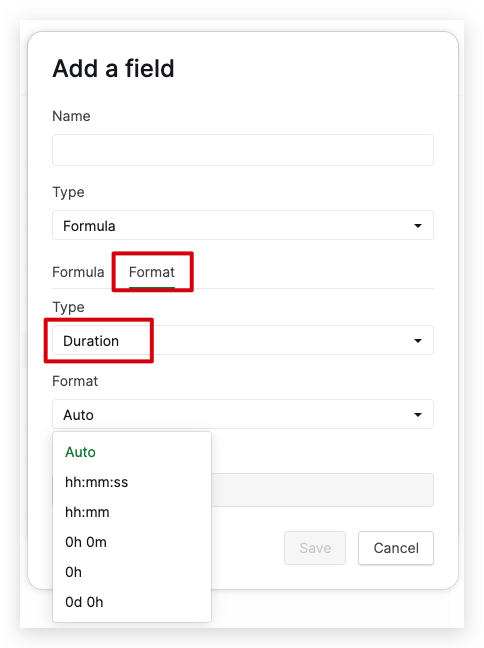
Additionally, in the Format section, please select Duration and choose your preferred format. I've included a screenshot for your reference.
Please keep in mind that the formula references Planned task completion date, which is based on the custom field you've added in the screenshot you provided. If you decide to rename this custom field, please ensure you update the formula accordingly.
Please give this formula a try, and let us know if it meets your needs. Thank you very much.
Golda, Sep 22, 2023
enclosed the details
MD @NOBLE, Sep 24, 2023
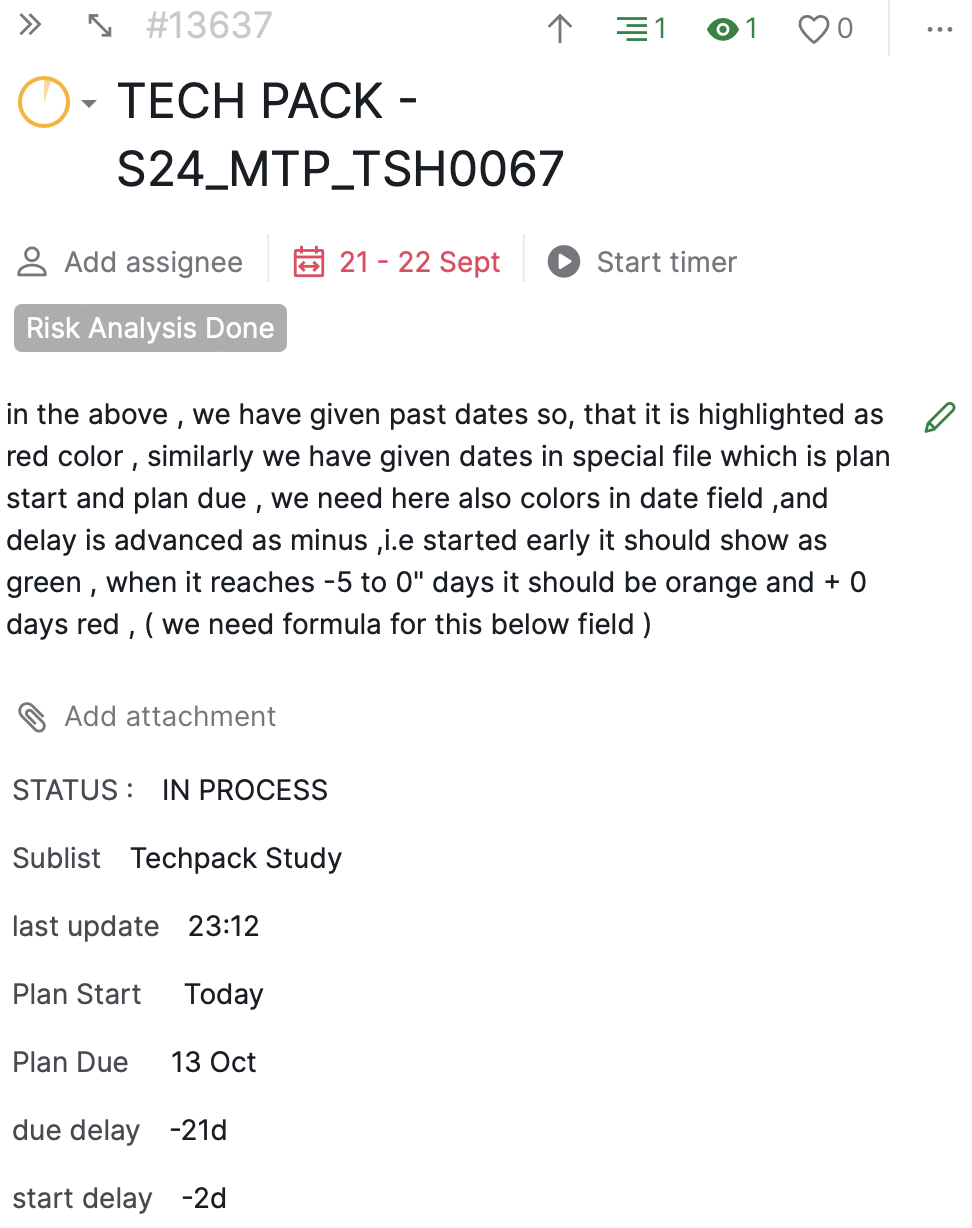
using of colors in fields , color for current date - /+ as green red, orange and if qty is less how to make colors
MD @NOBLE, Sep 24, 2023
Yes we understand the color icon , but i would need dates to changed colors format as red , green , yellow
MD @NOBLE, Sep 26, 2023
Hi, Thank you for your inquiry.
We understand that you want to add color to dates within your custom fields. There is a good workaround that you can do to achieve this. You can create another field with the conditional formula to show the color for the date. Please see my example below:
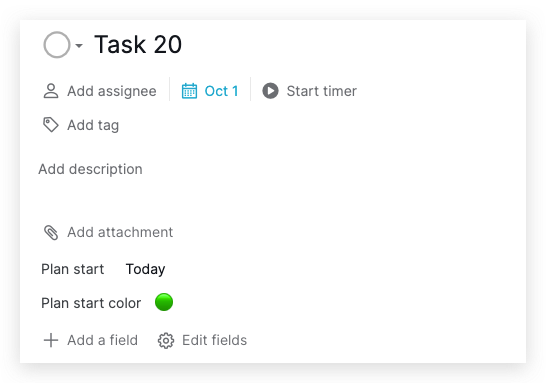
- In the screenshot I attached above, I have a field with a Date type named
Plan start. - I created another field with Formula type using a conditional formula to determine the color based on whether the
Plan startdate exceeds the task's due date. - The formula is:
{Plan start} > due ? "🔴" : "🟢"
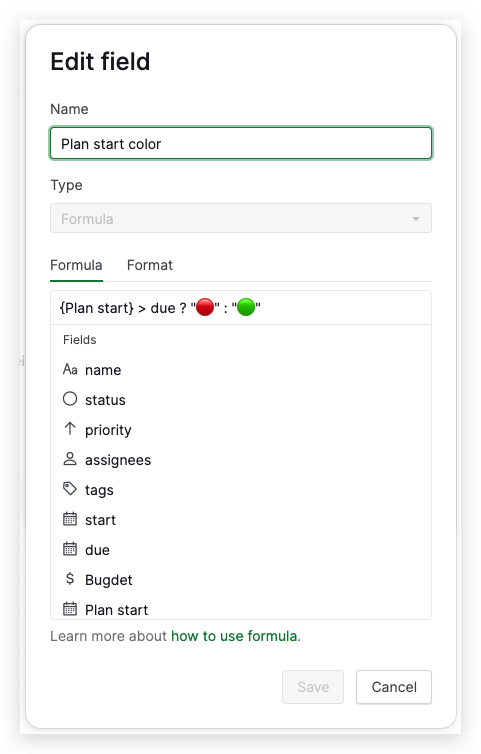
- With this formula, if the
Plan startis before the task's due date, the color will be green; if it's past the task's due date, the color will be red.
To understand more about conditional formulas, please see our guide here. Thank you very much.
Golda, Sep 25, 2023
@Raisag if you can help with the formula , it will be easy
MD @NOBLE, Sep 22, 2023