
Show Peekaboo Tab in the All Tasks and Active Tasks section instead of after the Status section.
Also, shouldn't All Tasks include Peekaboo Tasks?
Vikramjit Bora, Nov 15, 2023
Yes. This is a workaround that can be used. But, since the filters can't be custom reordered it leads to the same problem if I have many filters.
Vikramjit Bora, Nov 13, 2023
Hi Vikramjit, I would like to offer you a workaround for this: Saving the Peekaboo as a customized filter.
- Select the Peekaboo Tasks in your filter bar
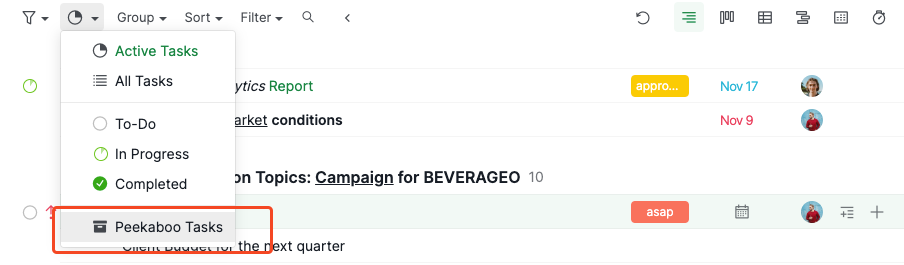
- Go to the filter icon again and you will find the Peekaboo tasks here
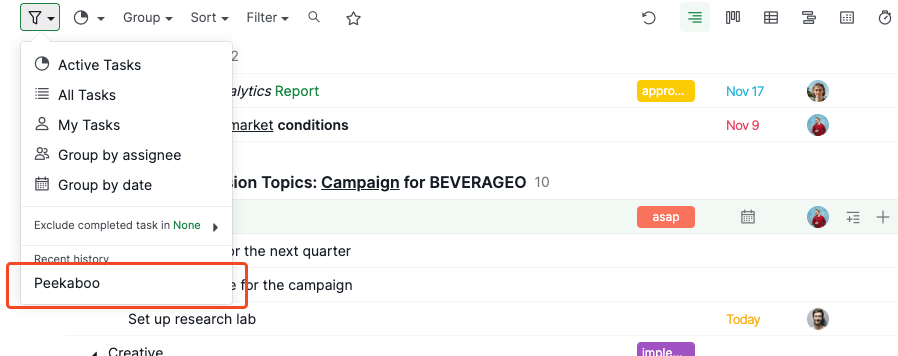
- Click the pen icon to save the filter
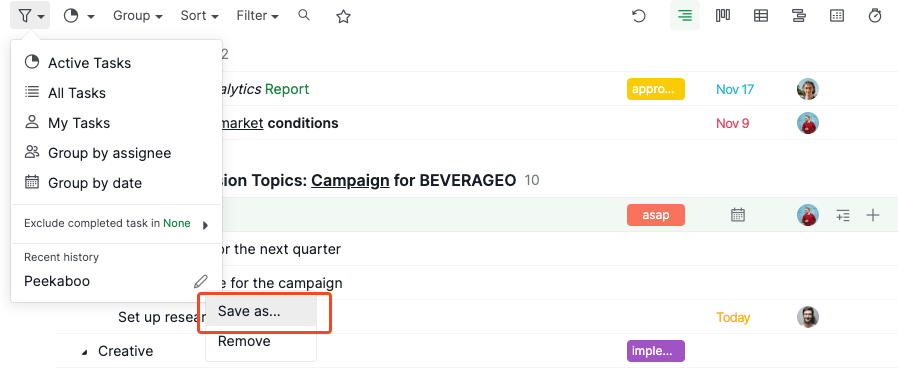
- This way, the Peekaboo option will be saved in the filter icon for quick access
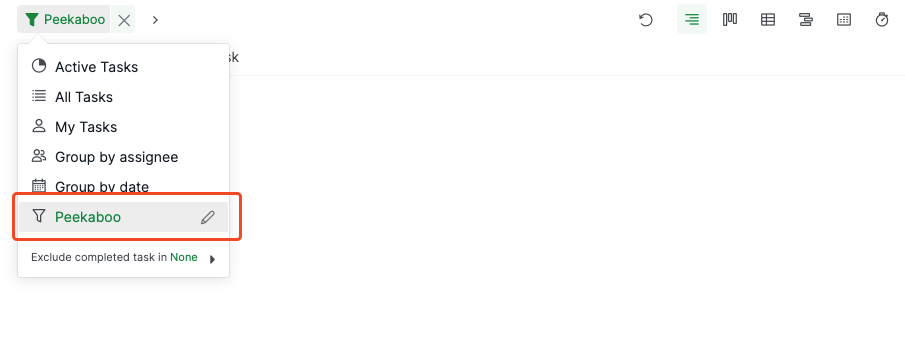
I hope this workaround helps. Please let me know if you have any other questions, thank you very much.
Peggy, Nov 13, 2023
Hi Vikramjit, conceptually Peekaboo tasks are tasks that should be hidden from the main List and may be worked on later. That's why we didn't include them in the All Tasks.
Peggy, Nov 15, 2023
Okay. But, it would be nice to see All my Tasks including peekaboo, active and completed all together sometime in order to get an overall picture of my project.
Vikramjit Bora, Nov 16, 2023
Hi Vikramjit, thank you for letting us know. I will bring the feedback about reordering the custom filters to our team again. As of now, I cannot know if or when this request is going to be implemented in the near future, but I will keep an eye out for the updates and let you know if we have any.
Peggy, Nov 14, 2023
Sure thanks.
Vikramjit Bora, Nov 14, 2023