
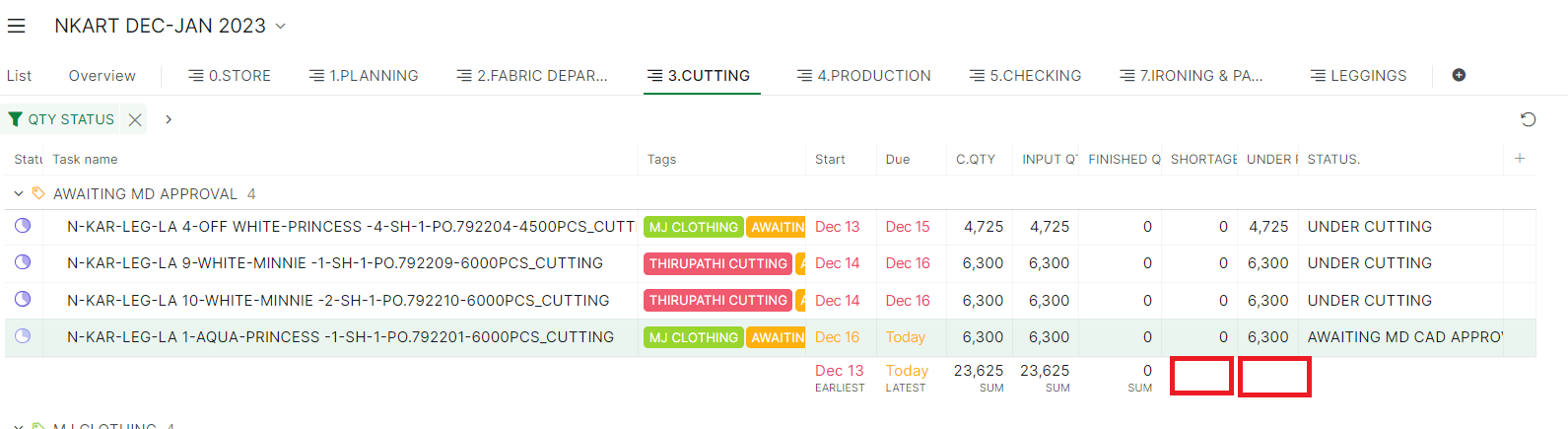
in my project field sum not calculated in formula field in table view. (in one project working)
hi, above image for your reference
Dinesh kumar, 2023年12月18日
Hi, Thank you for your inquiry.
The Table view calculations will show when you set up the format for the field.
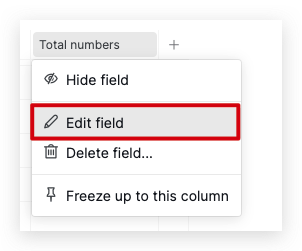
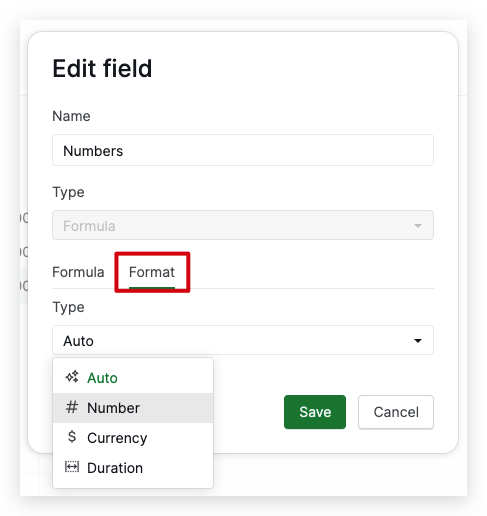
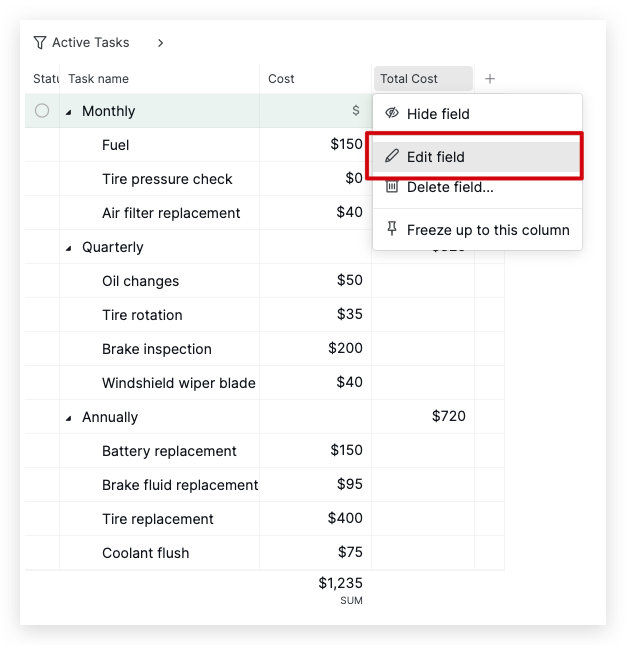
To modify the format, click the field name and click the Edit field. Then, head to the Format tab and select your desired field type from the dropdown menu.
Please give it a try, and if you encounter any issues, please let me know. Thank you
Dinesh kumar, 2023年12月18日
Hi, If the field does not show calculation options, you might not have set up the format for the formula field.
To show the table view calculation at the bottom of the columns, you will need to set up the format for your formula field.
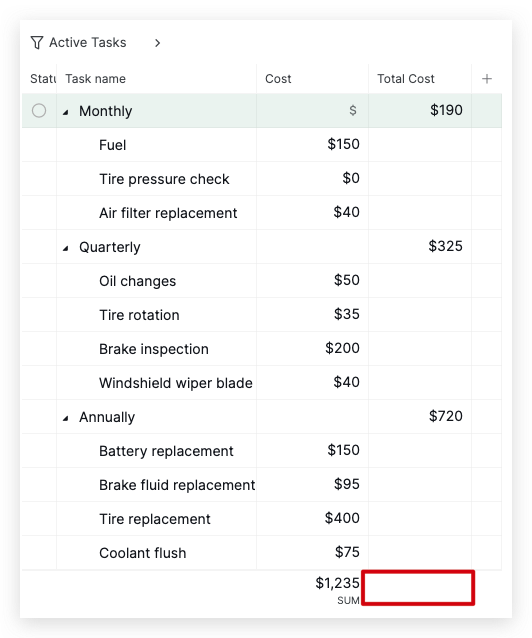
For example, in the screenshot I provided below, the Total Cost field does not show the SUM calculation.
To change the format of your field, please see the steps below:
- Select the field name and choose Edit field.
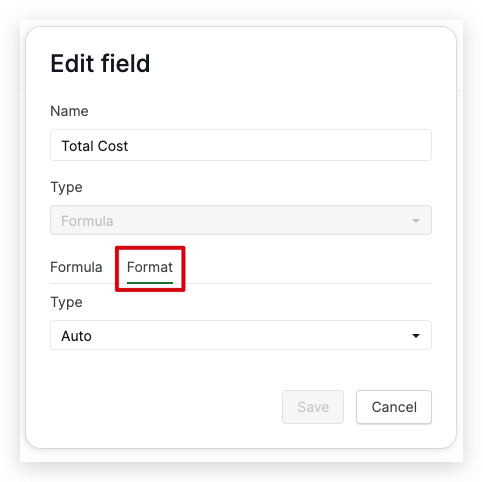
- Select the Format tab
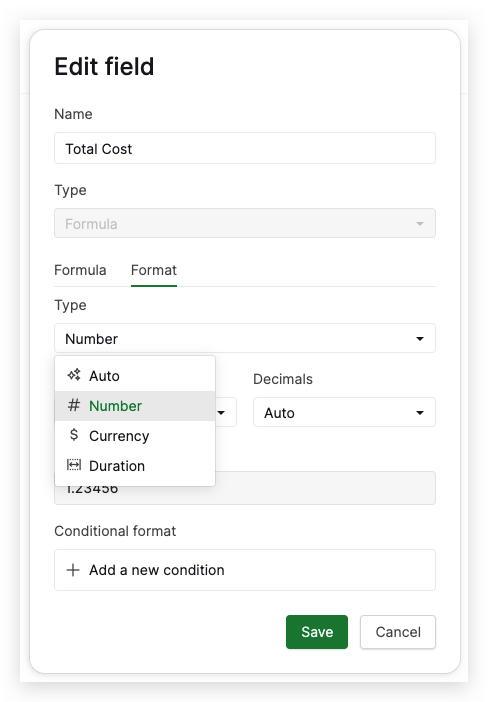
- Open the dropdown menu and select your preferred type. For example, you can choose Numbers.
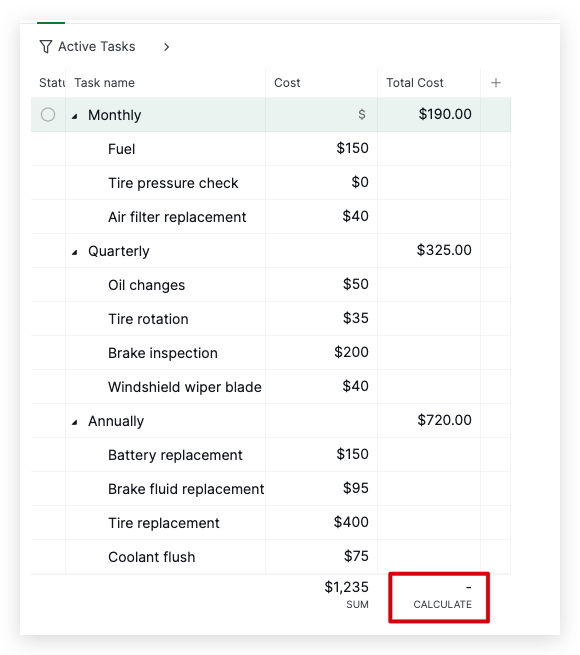
- After clicking Save, you can hover over the bottom of the columns and choose your preferred calculation.
Please try this and let me know if it works. Thank you.
it's working 😃 , thanks for your support
Dinesh kumar, 2023年12月18日
Hi, If the field does not show calculation options, you might not have set up the format for the formula field.
To show the table view calculation at the bottom of the columns, you will need to set up the format for your formula field.
For example, in the screenshot I provided below, the Total Cost field does not show the SUM calculation.
To change the format of your field, please see the steps below:
- Select the field name and choose Edit field.
- Select the Format tab
- Open the dropdown menu and select your preferred type. For example, you can choose Numbers.
- After clicking Save, you can hover over the bottom of the columns and choose your preferred calculation.
Please try this and let me know if it works. Thank you.
Golda, 2023年12月18日
Hi, I'm glad to hear that it works now. Should you have any further inquiries or feedback, please don't hesitate to share them in this forum. Thank you very much!
Golda, 2023年12月18日
Hi, Thank you for your inquiry.
The Table view calculations will show when you set up the format for the field.
To modify the format, click the field name and click the Edit field. Then, head to the Format tab and select your desired field type from the dropdown menu.
Please give it a try, and if you encounter any issues, please let me know. Thank you
Golda, 2023年12月18日