
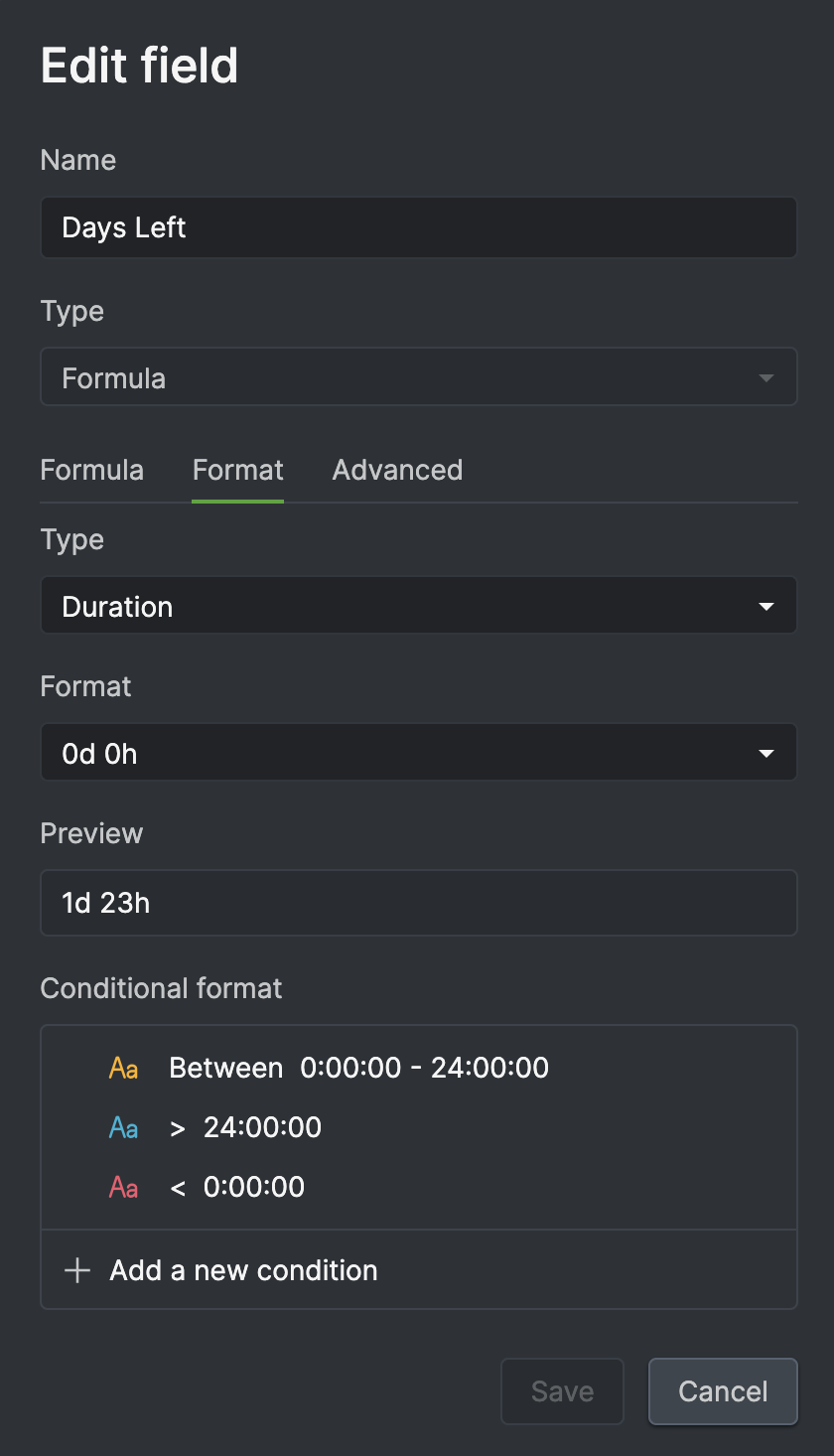
I have 3 conditional formats defined for a Formula duration custom field in this order: less than 0:00:00 (red), greater than 24:00:00 (blue) and between 0:00:00 - 24:00:00 (yellow). The first 2 appear to be working, but the last one is not being honored. For durations between 0 and 24 hours, I actually see red instead of yellow. That is, it seems to be using the first condition (i.e. < 0:00:00). The greater than 24 hours condition works fine.
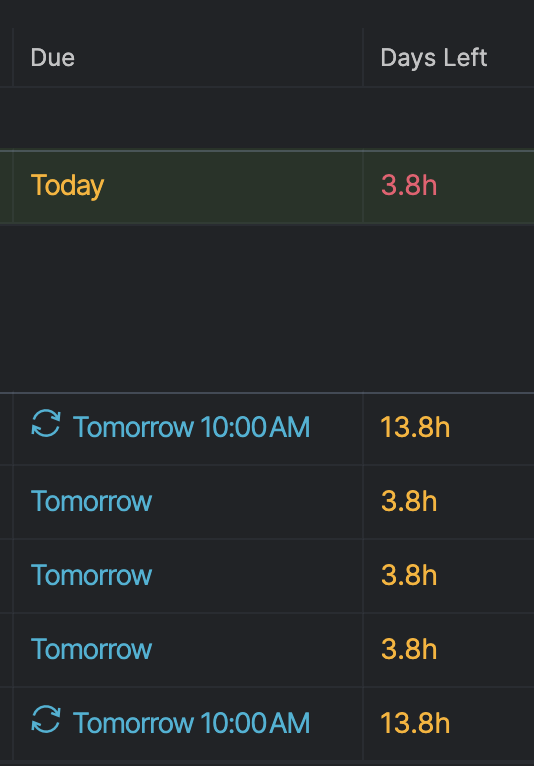
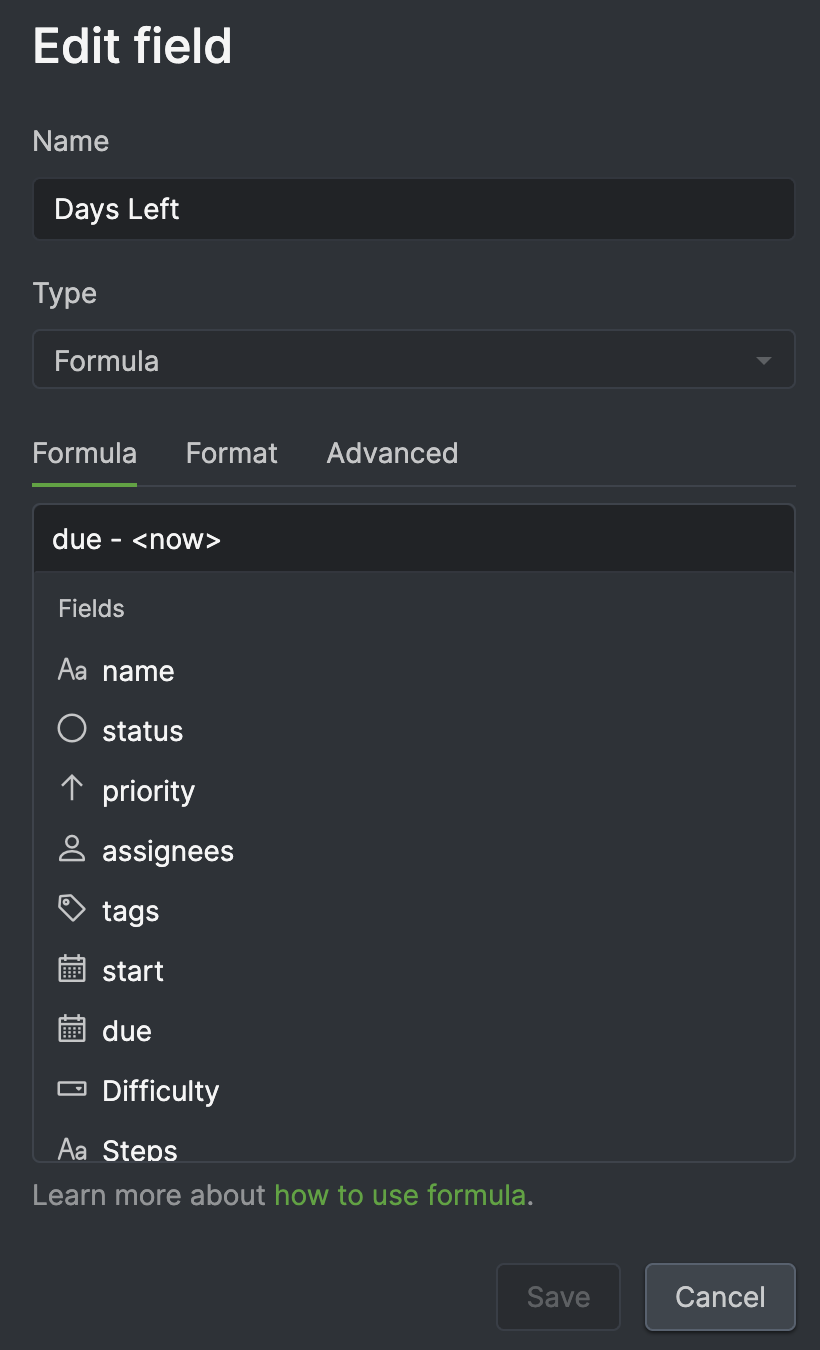
Some additional information in the attachment I just uploaded. The custom field entitled Days Left is a formula defined as the duration between the task Due Date and the current time. Between 0 and 24 hours duration should be formatted yellow, and this appears to hold true for tasks due tomorrow. However, if the task is set to due today, then the formatting is incorrect and appears red, which is the formatting for a duration less than zero.
(deleted-PFDH), Apr 15, 2024
Hi, We've made some enhancements, and you can try using your original formula again to see if the conditional formats are now correctly applied. If you have any questions, feel free to let me know. Thank you.
Golda, Apr 19, 2024
Hi, thank you for the screenshots.
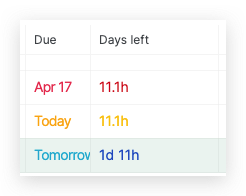
The format shows red when you set the due date to today because our default date is 00:00:00.
Please try to change the formula to due + 1d - <now> and let me know if it works.
Thank you.
Golda, Apr 18, 2024
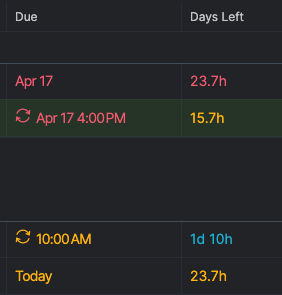
Hi @Raisag , this appears to fix the issue for tasks without a time, but for those with a time, the formatting is incorrect. Please see attached screenshot.
(deleted-PFDH), Apr 18, 2024
Hi, I've escalated this issue to our Dev team again. We'll keep you posted as soon as when we have any updates. Thank you.
Golda, Apr 18, 2024
Hi, Thank you for providing additional details. Could you please provide screenshots of both the formula and the conditional formatting settings? This will allow our team to investigate the issue more thoroughly. Thank you.
Golda, Apr 15, 2024
Thanks @Raisag . Have tried it out and so far it looks good. Thank you!
(deleted-PFDH), Apr 20, 2024