
I am using sublist for my organisation , if we can apply a rule or formula to nest the task into sublist automatically . It will be useful . Becoz no need to scroll the menu or different variatants .
Hi, There is a workaround you can do to automatically update sublists based on filters.
- Create a sublist and select Exclude with no tasks selected.
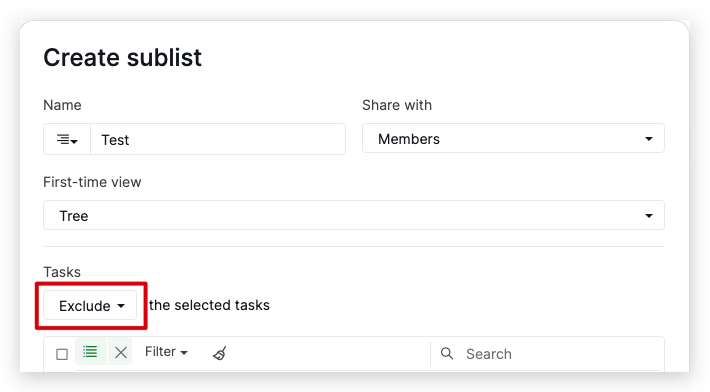
- Once you create the sublist, set up the filter settings within the sublist according to your needs. For example, if you want to see all tasks with Tag A in this sublist, apply the Filter by Tag A.
Now, when you add a task with Tag A to your project, it will automatically appear in the sublist.
Nevertheless, we will discuss your feedback with our team and keep you informed of any future updates. Thank you.
Golda, Apr 29, 2024
Is it working in mobile version Becoz it doesn’t
MD @NOBLE, May 6, 2024
Hi. I just tried reproducing this issue using the mobile app, and I was able to recreate it successfully.
Could you please specify which step you're having difficulty with? It would be helpful if you could provide detailed explanations or screenshots/screen recordings to help us better understand the issue.
Also, please update your mobile app to the latest version, 10.33, to see if the issue persists. Thank you.
Golda, May 6, 2024
@peggy @Raisag @vickyp Can you pls suggest the above
MD @NOBLE, Apr 29, 2024