
#6082: Quire Feedback
Status: To-do
While these are interesting for more advanced tasks, we found out own ways of handling these before they were introduced and there is no need for us to move into these.
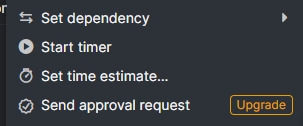
Would be nice if they would be disabled entirely so they are not disturbing in so-lately-big dropdown menu on tasks:
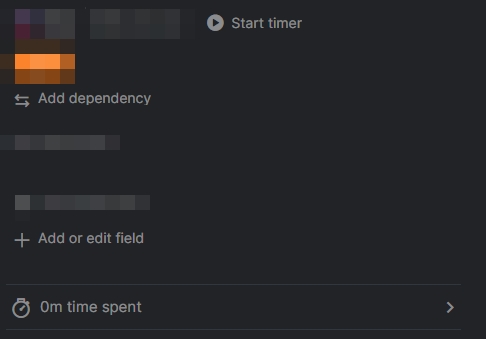
Or when trying to hit Add description / attachments without mistakes:
Created by Grox Aug 2, 2024, Edited Oct 14, 2024
Hi, Thank you for your feedback. Although the context menu options for those features cannot be disabled, you can hide the time tracking and task dependency buttons in the task detail panel.
To do this, click the + Add or edit field and toggle off the Timer and Dependency buttons.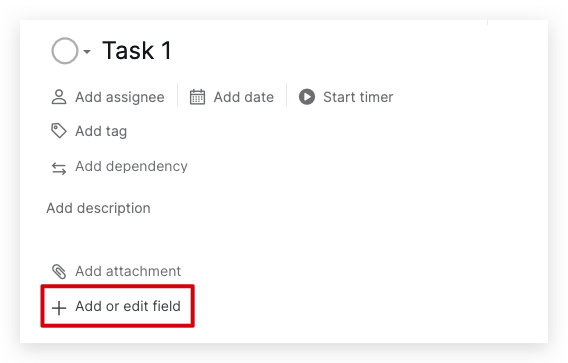
I will also forward your feedback to our Product Team for further discussion. We’ll keep you updated with any new updates. Thank you.
Golda, Aug 2, 2024