
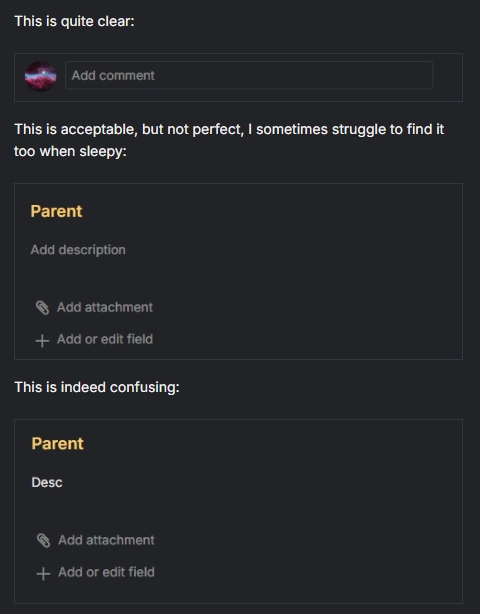
While pasting screenshots with same background like #6136 it is barely noticeable where image has it's boundaries.
Adding border: 1px solid var(--border-color) to .t-desc-block img, .comment-block img would easily solve it:
Hi @int, thank you for your suggestion. I will pass it along to our team for further consideration.
Golda, Mar 12, 2025
Hi,
We appreciate you sharing these options with us. However, we will keep the current visual for now. We’ll circle back to you if there are any updates.
Golda, Mar 11, 2025
Hi @Golda
I still find it very confusing to see clickable area when image is of same background as Quire (which happens often with dark mode).
What about using other border style then to make it less confusing?
Currently (you can't really see where is clickable area):
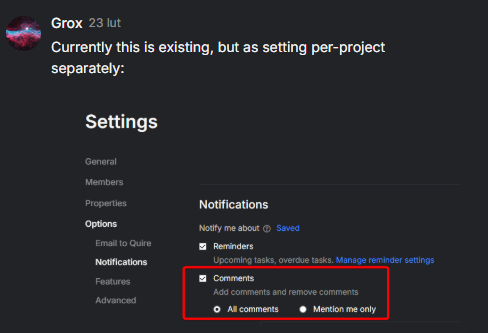
Solid (might be not clean, yea):
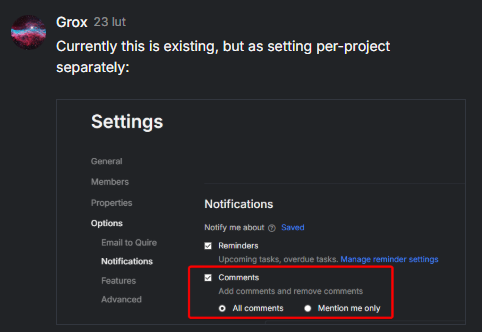
Dashed (might be confusing with drag&drop area):
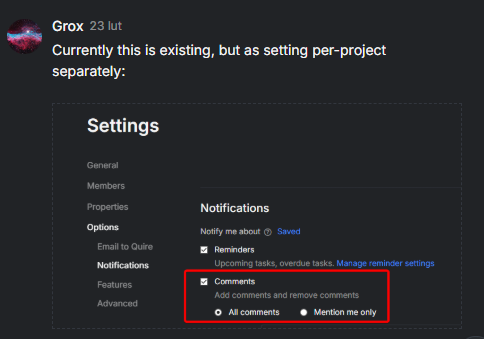
Dotted (feels like good compromise):
Otherwise can also consider other color/transparency (rgba color) for border.
Grox, Mar 7, 2025
I support the idea - a subtle border clearly defines clickable areas (especially in dark mode) without overwhelming the design. A toggle option in settings could let users choose between a clean look or enhanced clarity, offering a win-win solution.
INT, Mar 11, 2025
Putting solution for anyone else wanting this on their own then:
Download, activate and grant permissions to Custom CSS by Denis extension (surely works for Chrome and Opera).
Place following code:
.t-desc-block img, .comment-block img {
   border: 1px dotted var(--border-color);
}
And enjoy finally readable images in descriptions and comments.
Grox, Mar 11, 2025
Hi, thank you for your input. We choose not to add borders to embedded images to maintain a simple interface. However, our team appreciates your feedback and will consider it. We will update you if there are any developments in the future. Thank you!
Golda, Oct 1, 2024