
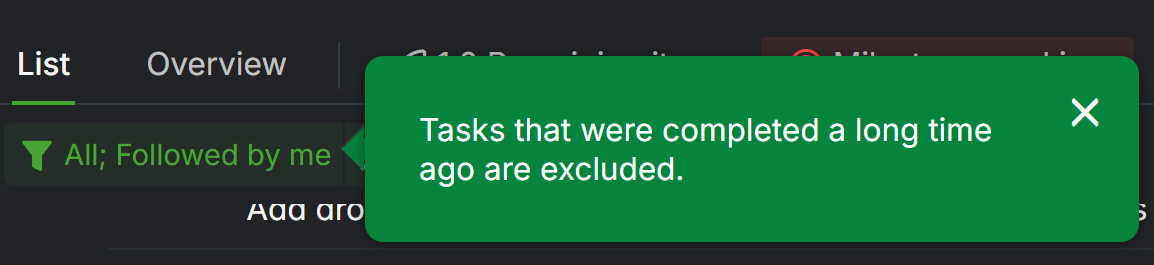
The green popup warning below is shown over and over, the first time was enough but I don't see any way to get it to stop doing it. It doesn't always reset but it does a few times a week.
It also seems to occasionally reset from 7 days (my preference) to the default 60 days, though I don't think it always happens at the same time as the above:
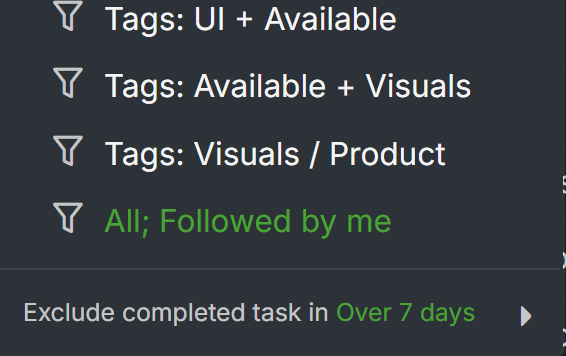
Both only seem to happen when I use a combination All + Followed By Me filter (I use this so I can see notification dots on closed items, if conversations continue).
Hi, We have resolved this in the recent update. Please reload your workspace and let me know if you have any questions.
Regarding the issue where the exclude completed tasks option is resets to 60 days, this behavior could occurs when you click on a link to a task that was completed a long time ago. For example, if a task was completed 50 days ago and you click its link, the system adjusts the preference to show tasks completed up to 60 days ago so that the task becomes visible.
Thank you.
Golda, 2024年11月20日
Hi, We apologize for the delayed response. This issue has been escalated to our team for further investigation. We will keep you updated as soon as we have any updates. Thank you.
Golda, 2024年11月18日
I do switch between projects (just two though). I almost never log out. It's always on the same device for sure.
Jason, 2024年11月19日
Hi, We'd like to understand more details about the issue you are encountering. Please see the questions below:
Generally, this popup appears once per project. However, if you switch browsers, use incognito/private mode, or access Quire on a different device, the system may not remember that the popup has already been shown.
Golda, 2024年11月19日