
Hi! I have been using your solution for a while and I have chosen it as my main productivity tool. I use it to manage my projects and I really miss three things:
- A field where I can add cost expenses for each task (of course, I wish that the parent task consolidate the sum of costs of its child tasks, similar to what is done with time entries today)
- I would like a place where a can define hourly rate for a project and the tool calculates totals based on time entries. I would also like the option to say if a time entry should be included (or not) in the final sum. Let me know if you need more clarification on both!
- I've noticed a small problem when generating reports of time entries that I would like to show someone. It's too hard to explain in writing. I could do it in a five minute call if possible.
Thank you and keep up the good work.
I hope I was able to explain correctly what is going on.
Ricardo Peters, Mar 13, 2025
Hi Ricardo,
Could you please help us by providing the following details so we can investigate further?
- Try removing all filters in the view and check if the time entries for Jan 31 appear.
- Share the task URL that contains the time entries for Jan 31.
Since this is a public project, if the task URL contains any personal or sensitive information, please send it to us privately using the message icon in the upper right corner of your workspace or via email at feedback@quire.io.
Thanks in advance for your help! 😊
Peggy, Mar 20, 2025
Yes, precisely.
Ricardo Peters, Mar 18, 2025
Hi. Thanks for your response. Not as easy as I would have wanted, but it works. I also learned new ways of doing things here that I did not know were possible. Regarding the conference, I will record a video and attach here. Thanks in advance.
Ricardo Peters, Mar 12, 2025
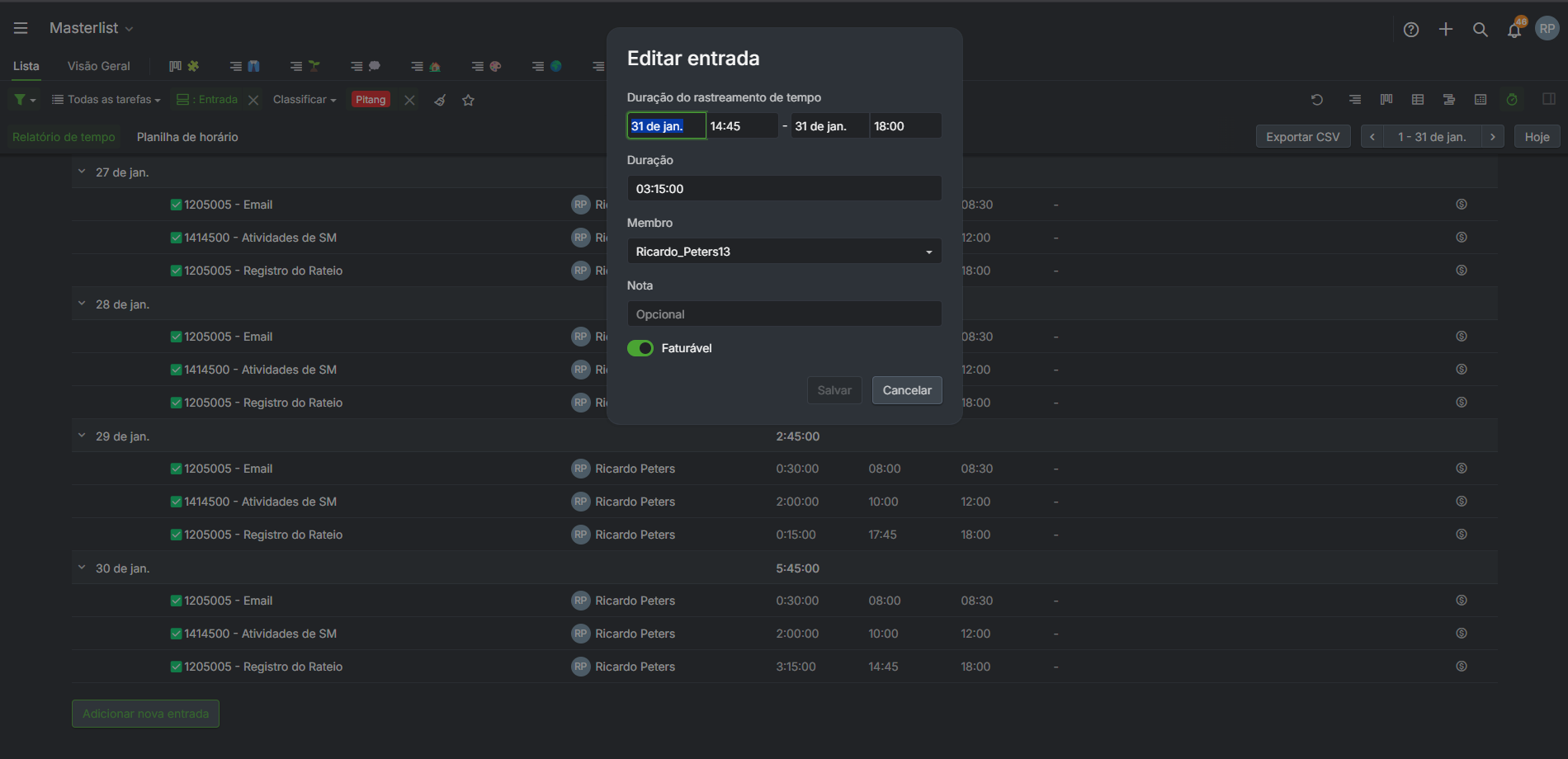 As you know, January has 31 one days. The 31st day is not shown in the applied filter. At the center is the edit view of one of the tasks showed in the 30th day, to show you that I indeed had time recorded on the 31st.
Ricardo Peters, Mar 13, 2025
Hi Ricardo,
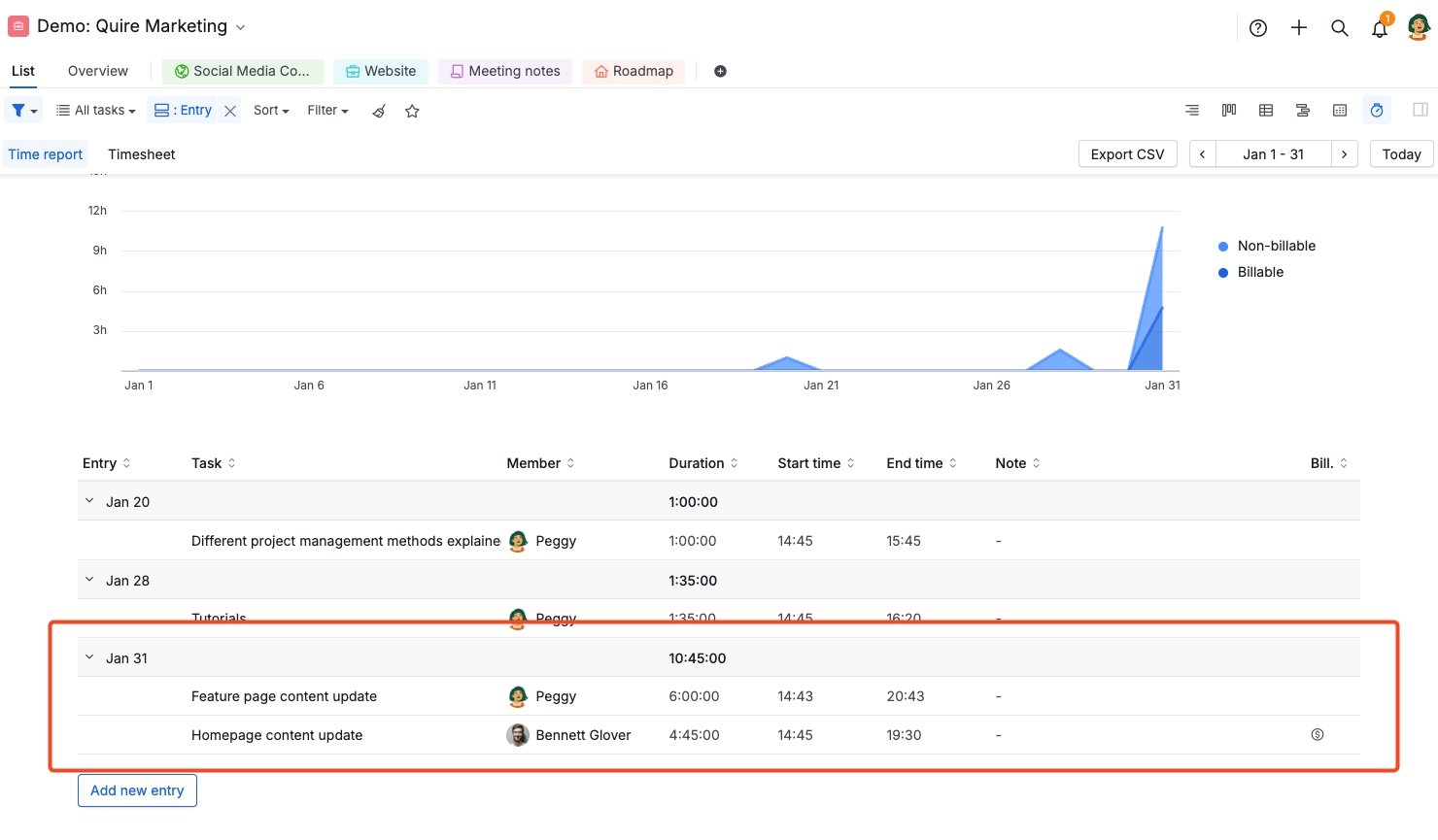
I tried to replicate the issue you mentioned, but I wasn’t able to on my end. Just to clarify—do you mean that when you group the Time report by Entry, the entries for Jan 31 don’t show up?
Peggy, Mar 18, 2025
Hi Ricardo,
I've passed this issue along to our technical team for further investigation. Since we couldn’t reproduce it on our end, we might need a bit more information from you to fully resolve it. Please bear with us while we look into it. Apologies for the inconvenience, and thanks for your patience!
Peggy, Mar 20, 2025
Hi Ricardo,
Thank you for reaching out! Below are some details on how you can achieve what you're looking for in Quire. While some may not be direct solutions, I’ve included a few workarounds that might help for now.
Please give them a try and let us know if they meet your needs. If not, feel free to share your feedback, and I’ll pass it along to our team for further discussion.
1. A field where I can add cost expenses for each task
You can zoom into the parent task to view the total sum of the costs displayed at the bottom of the list.
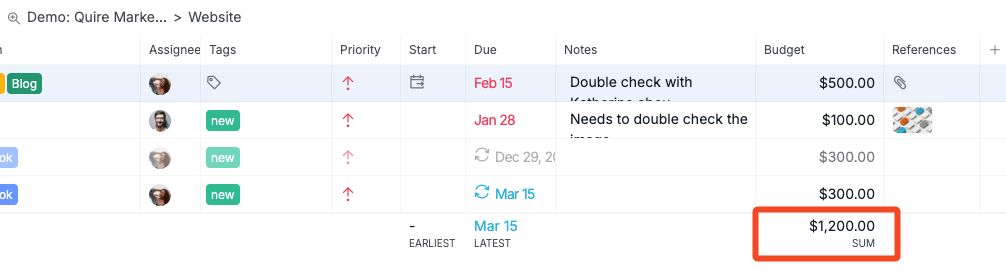
Or you can use the formula SUM(subtasks.Cost) in the description of the parent task to calculate the total cost.

2. I would like a place where a can define hourly rate for a project and the tool calculates totals based on time entries.
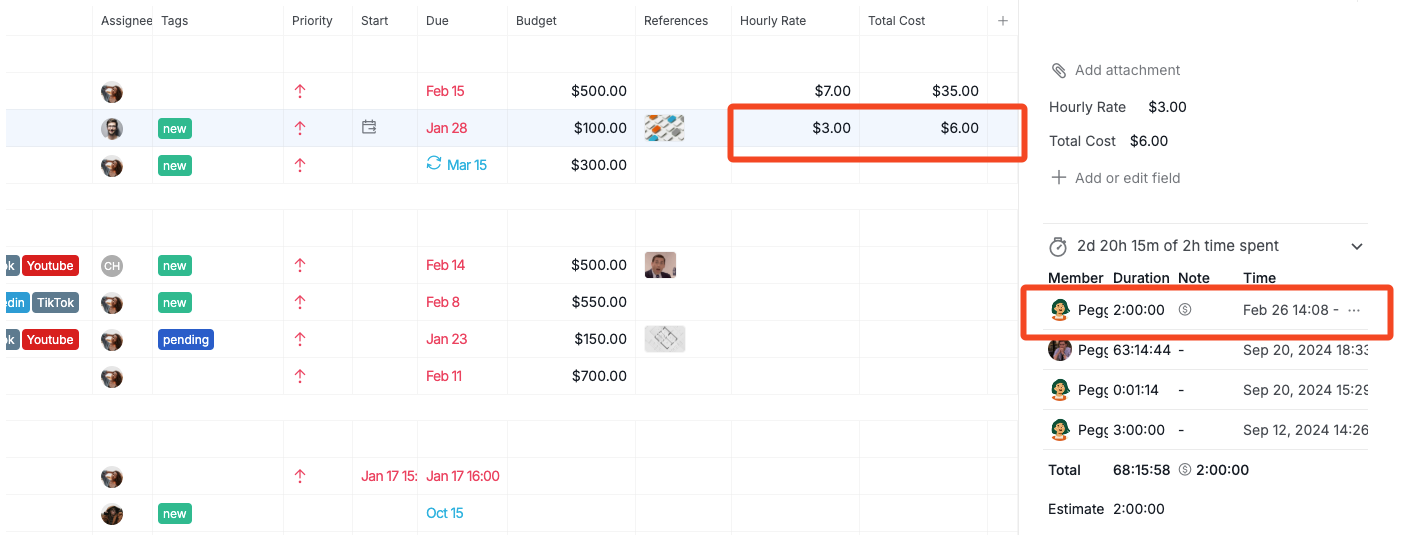
You can create a new field with the Currency type and name it Hourly Rate. Then, add another field called Total Cost with the Formula type and use the following formula:
{Hourly Rate} * billingTimeSpent / 60 / 60
In the task time entries, make sure to toggle on the Billable option for the time spent that should be included in the calculation. This will ensure that the Total Cost field only reflects the billing time spent.
3. small problem when generating reports of time entries
Since our team is based in Taipei, Taiwan, there may be a time difference between us. To ensure a more efficient resolution, we recommend recording a video that clearly explains the problem and sending it to feedback@quire.io. This will allow us to analyze the issue and keep you updated on any solutions.
Please let us know if this works for you. We’re happy to assist!
Peggy, Feb 26, 2025
Ricardo Peters, Mar 13, 2025