
#6400: Quire Feedback
Status: To-do
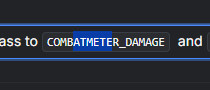
Also sometimes toolbar is gone when selecting in between regular tasks, don't know when.
Created by Grox Apr 18, 2025, Edited Apr 25, 2025
Hi @golda
Issue is that there is no easy option to remove code formatting now. It is still quite buggy and unability to remove it makes it only worse. Option would to add option "Wipe all formatting" and display it on topbar even in code block.
Grox, Apr 24, 2025
Hi,
To remove code formatting, you can currently use Ctrl + E (or Cmd + E on Mac). That said, we’ll share your feedback with our team for further discussion.
Golda, Apr 25, 2025
Hi,
When you select text within a code block, the toolbar won’t appear, as formatting isn’t supported there. However, if you select regular text in edit mode and the toolbar doesn’t show up, please let us know. Thank you!
Golda, Apr 18, 2025