
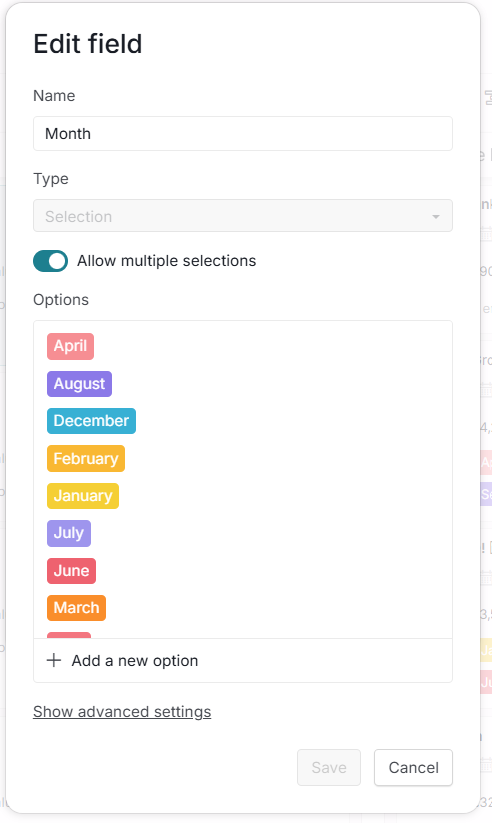
We are looking to set a custom month field to be able to pull into charts, but custom fields set the order automatically meaning months don't pull through correctly when creating a graph etc.
Please can a feature be added where you can click and drag fields to re-order them manually, and prevent them from being automatically re-assigned.
Hi,
Thank you for your feedback. We understand you’d like more control over how month values are ordered in charts.
At the moment, when using selection fields, the order is determined automatically (typically alphabetically or numerically). As a workaround, you can add numbers before the month names (e.g., 1-January or 1. January) so they appear in the correct order. Please give this a try and let me know if you have any questions.
Golda, Mar 27, 2026
Hi Golda,
This works for now thank you!
Thomas Brown, Mar 27, 2026