
When I complete a task, I usually want to stay in the general location the task was in. Instead I get moved to the project root, and have to find my way back to my previous location, which may be very nested. I would prefer to stay in the same place, or redirected to the parent task.
Hi,
I took this back to our team, and we still can't reproduce it on our side, so we'd like to test one thing with you.
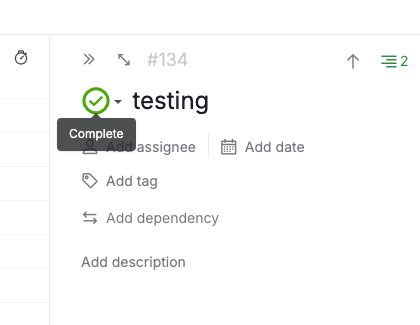
Could you try completing the task directly from its detail panel (shown in the screenshot below), and let us know if it still jumps to the top of the list?
On the screen recording, I understand if you can't share one. If it's a matter of sensitive data, you're welcome to send it to us privately at support@quire.io.
Golda, Jul 3, 2026
Hi,
Thank you for reaching out.
I tried it on my side but couldn't reproduce this on my end, so I'm trying to work out what's different for you.
If you can share a screen recording of it happening, that's the easiest way for me to see what you see. If it's not, a few details would help:
- Where you complete the task from: inside a single project, or from the organization, or My Tasks view
- Which view you're in when it happens (List, Board, Table, Timeline, or Calendar)
- Any filters or sorts you have on at the time
- The steps you take right before it happens
Once I have that, our team can take a closer look at what's going on.
Golda, Jun 30, 2026
I can't share a screen recording unfortunately. But it happens in a single project, with Tree view, and the default Active tasks , i.e. no filter.
I will be on a task nested somewhere in the task tree, and then I will either complete, archive, or delete the task, and then clicking on the detail panel sends me to the very top of the list of tasks
Joshua, Jun 30, 2026
Hi,
We wanted to let you know that we were able to reproduce this, and it's now fixed. Please give it another try and let us know if you have any questions. Thank you.
Golda, Jul 14, 2026