
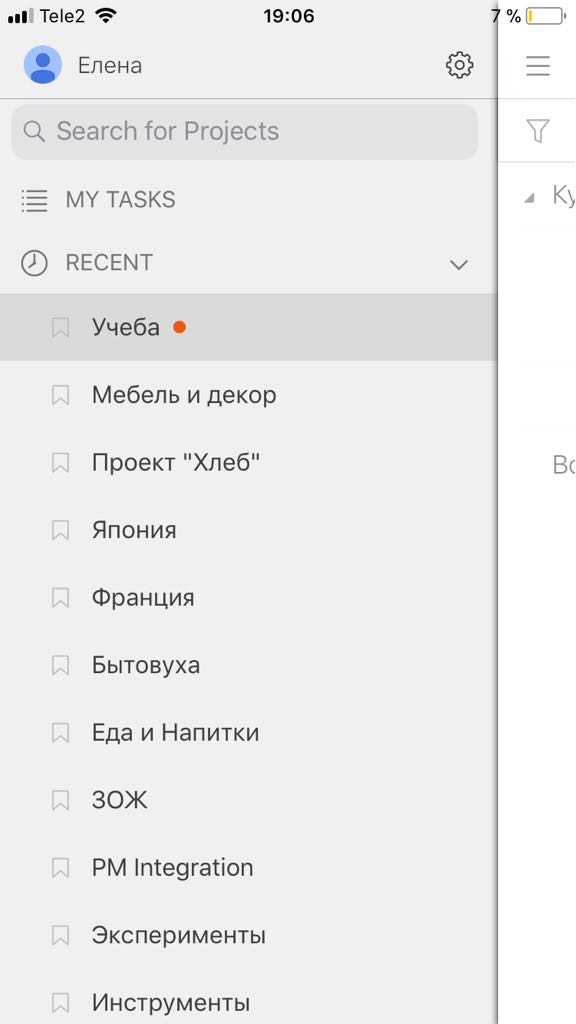
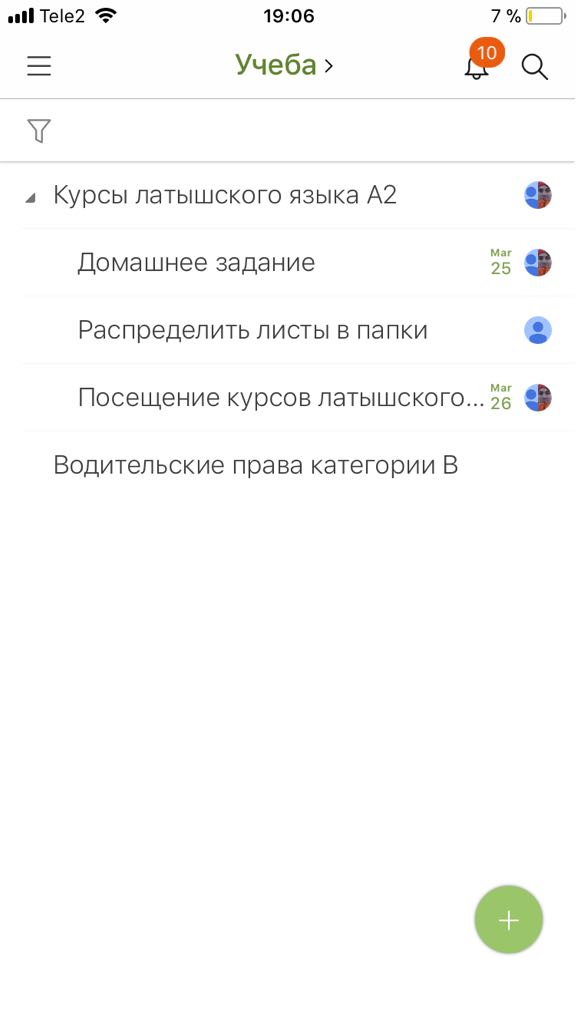
In iOS app there is a problem with unread indicators (red dot near project name). This happens only with repeating tasks - when somebody marks repeating task as completed and new task is automatically created, then such task isn't marked with unread/new indicator in iOS app, but project is marked. In web version this indicator is visible on task and as a result it's not possible to remove such indicator from the project using only iOS app.
I've attached couple of screenshots how it currently looks like
Hi Елена, Thank you for the details. This issue should be solved now. If you still see an indicator for the project that never go away, let us know. 😃
Crystal, Mar 23, 2018
Hi Crystal,
Yes, the issue is there's an indicator for the project in the sidebar that never go away in the iOS app.
This is not happening when you complete your repeating tasks. It's happening when you have a shared repeating task and somebody else is completing this task and then you in your iOS app cannot get rid of the indicator in the project sidebar.
Елена, Mar 22, 2018
Hi Елена, I am not quite sure what you meant. I have just completed a repeating task on both web browser and the iOS app, and there was no unread/new indicator for the newly added task or for the project in the sidebar. So the issue you found is there’s an indicator for the project in the sidebar that won’t go away in the iOS app?
Crystal, Mar 22, 2018
Yep, now there is no problem with indicators anymore. Thank you 😃
Елена, Mar 24, 2018