
Hey Quire! When using the web interface at home and at work, I keep seeing the popup "Task Cannot be Found" when I move between Smart Folders. Thanks again for having an easy feedback system. I enjoy using the program and seeing it develop!
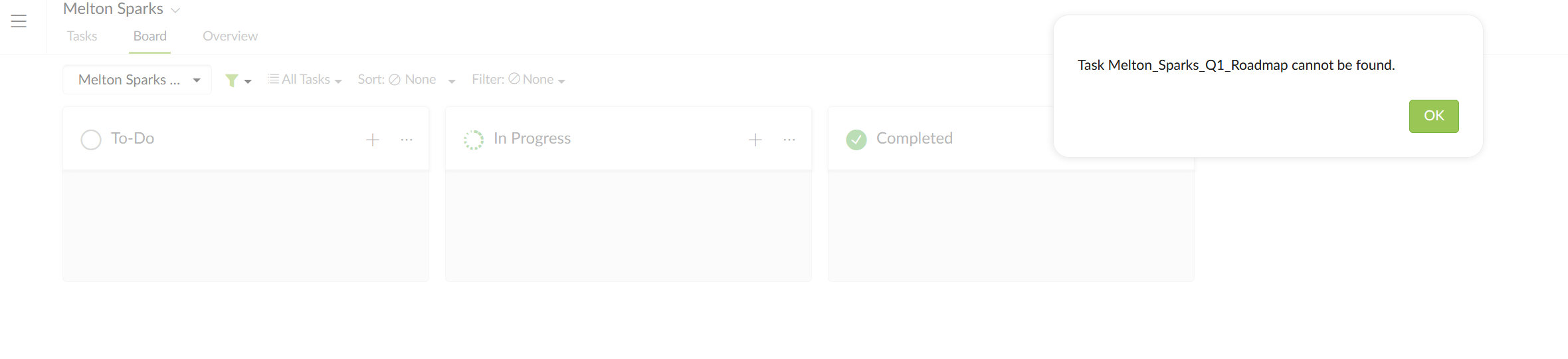
Finally found a solution, the error came from the project URL, which had the same name as the one in the error message attached in my earlier reply. Renaming the project URL removed the error permanently.
Isaac Dent, Jul 29, 2018
Hey @crystal ,
I played around with it, and it subsists even after closing duplicate windows, logging out, and switching projects/organizations.
The projects affected seem to be from earlier this year in February, so maybe it was a compatibility issue.
I found a workaround. Duplicating the project removes the missing task. I tried transferring to another organization as well, but it retained the missing task and threw the same errors so project duplication is definitely the answer for now.
edit: It looks like duplicating removes comment history, which means it isn't a true duplicate. I realize it's a workaround but am wondering if there is a way to perfectly clone a project with its comments.
Isaac Dent, Jul 28, 2018
Yeah I've been getting this for days also
Firefox 59.0.1 (64-bit) Windows 10
Jesse Morgan, Apr 9, 2018
Awesome. Thanks! It's cool using an app who's team is so active
Jesse Morgan, Apr 10, 2018
Hi Isaac, It could be you have 2 browser tabs open with Quire, and when the task was deleted in one tab, the next time you accessed Quire in the other tab, we would try to return you to your last accessed task that was deleted. What you can do is, switch to another task/project and back. Let me know if this helps.
Crystal, Jul 26, 2018
Sweet! Works great!
captaincaed, Apr 10, 2018
Hi guys, This bug should be fixed now. 😃
Crystal, Apr 10, 2018