
In the future will you put the option of Colored icon for organization?
Hi @regemall - The system will assigned a color to the newly created project, meaning you won't be able to remove the color. You can hide the project color icon though, if it's shown in the sidebar.
Here's a guide for more information: https://quire.io/guide/project-settings/#display-the-project-icon-at-the-sidebar I hope this helps.
Peggy, Feb 24, 2021
Hi @peggy, is it possible to reset project's icon color or set it to default color? Because I've change icon color but now I can't get rid of it.
rj, Feb 24, 2021
Hi Daniel,
If you want to change the color of the icon for your organization, click on the organization name, go into Edit (the pen icon at the upper right corner), click on the icon and choose “Change icon color”.
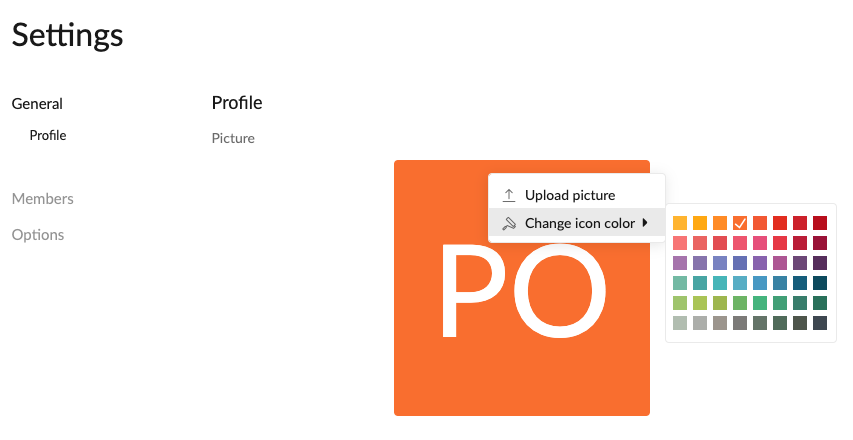
Peggy, Apr 23, 2019
Tank you @peggy! It solves my problem,
rj, Feb 24, 2021