
1- In quire how can I sort by "INSERTED Date" ? My tasks are in "Active Task" , "no order" but my tasks are displaying in the following order:
4179
4180
4181
5
14
etc
Note: In Adroid App the order it's ok , but in Quire Web not
2- How I know the number of the Quire Web version in use and what's the last web version available ? How can I update my Quire Web version ?
Yes, I expected.
Evandro Kalfelz Schmitz, Jan 9, 2020
Hi @evandro-65 , the Task ID# is for referring purposes. For example, when you type #2707 in this comment, you will get #2707. Unfortunately, you won't be able to sort by Task ID#.
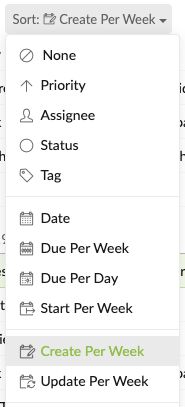
If you would like to sort the tasks by the created date, you can sort by "Created per week".
Peggy, Jan 7, 2020
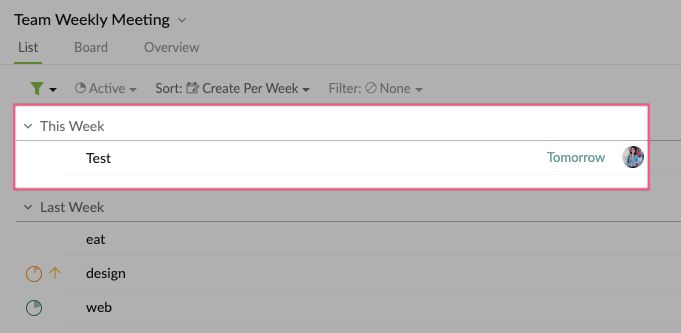
Hi @evandro-65 , we have made the update. When you sort your list by Create per week, you could add a root task to the This Week section by hitting T. Thank you.
Peggy, Feb 26, 2020
Hi @evandro-65 , noted, our team already knows about this request. If I have any updates, I will let you know. Thanks.
Peggy, Jan 14, 2020
Hi @evandro-65 , this is our current spec, you won't be able to add new tasks when sorting the list by "Create per week".
May I ask if you expected to be able to add new tasks in the "This Week" section at the very top of the list?
Peggy, Jan 8, 2020
In the "create for week" mode, it's not posssible to add a task
Evandro Kalfelz Schmitz, Jan 7, 2020