
Clicking on Subtasks in the subtask section of the parent task don't take us to the clicked subtask when in MY TASK.
Via Quire Android
I'm also facing the same issue in the section containing referenced tasks.
Vikramjit Bora, Jul 19, 2021
Hi Vikramjit - Could you please kindly share a screen recording video of this issue happening? We found a similar issue but we are not sure whether it's the same issue you are encountering. You may send the recording to support@quire.io to avoid sharing your project to the public. Thank you for your help!
Peggy, Jul 16, 2021
Hi Vikramjit - Could you please kindly update your Quire app to the latest version (7.10) and see if both the issues persist? We have tried reproducing the issues in the newest version and we weren't able to reproduce them.
If this issue still happens in the newest version, could you please share the reproducing steps in detail with us? This way, our team can follow the steps and replicate the issue and eventually fix it. Thank you for your help!
Peggy, Jul 19, 2021
Hi Vikramjit - We have received the screen recording and have passed it to our Mobile team. We will keep you posted when we have more information. Thank you for your help.
Peggy, Jul 16, 2021
Hi @peggy I've mailed a screen recording of the issue. Thanks.
Vikramjit Bora, Jul 16, 2021
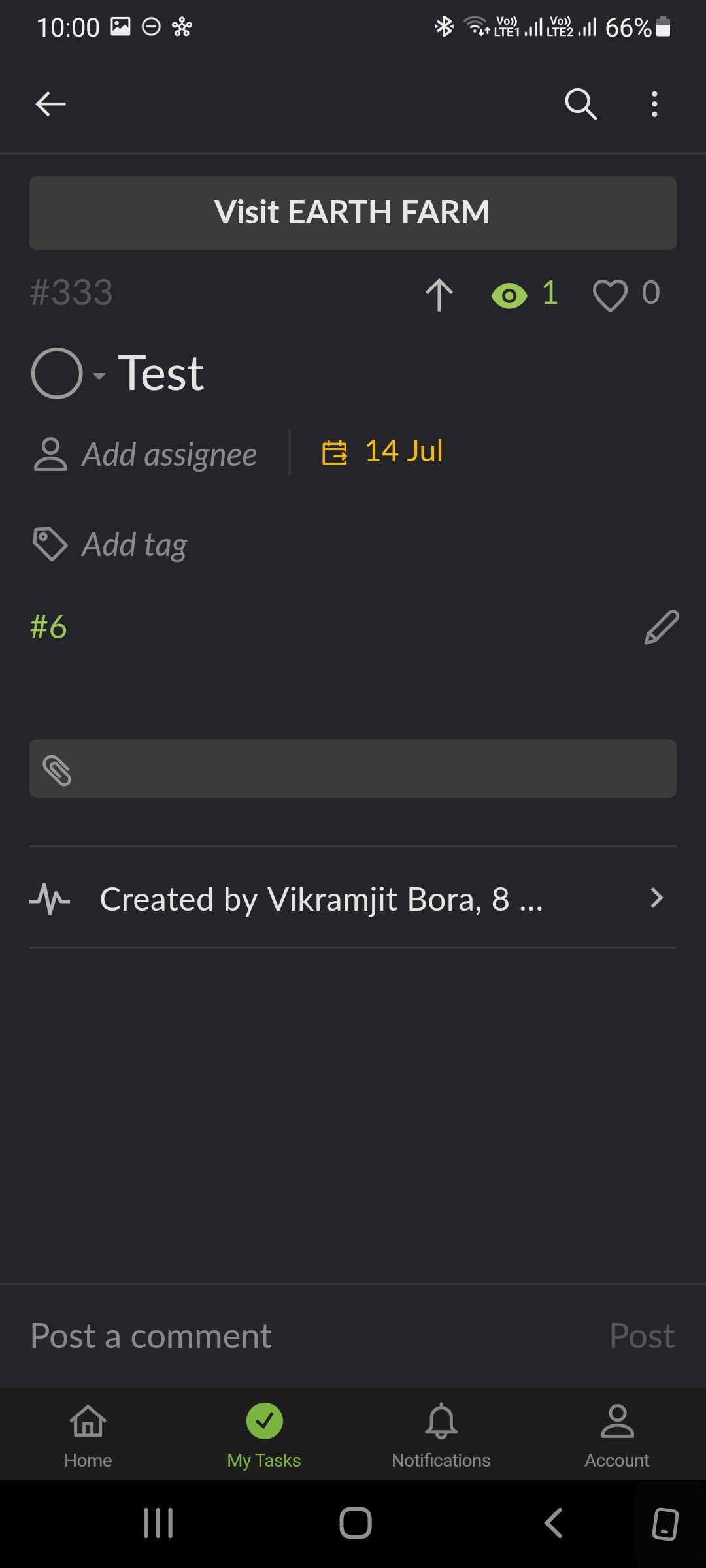
Hi @peggy Another issue I've noticed is that tasks referenced in the task descriptions are not displayed in their entirety when in MY TASKS. Only the task ID number is displayed. This is happening both on mobile and web.
They appear fine when in their respective project. However, when I click on them the behaviour is erratic. Sometimes, it jumps to the referenced task and sometimes it doesn't.
Vikramjit Bora, Jul 17, 2021
Hi Vikramjit - Sorry for the late reply.
From this screen recording, I see two issues, I will pass them to our team and keep you posted when we have an update.
Sub 1in the referral log, it should direct you to theSub 1detail panel, not the task list view.Peggy, Jul 30, 2021