
I missed a way to print all project in one paper (A3 for example). I need to communicate project for stakeholders that only can view the file in PDF. How can I do it easilly considering include all tasks and data. I mean: how to have an overall view for the project in a pdf file? Printing in pdf is easy but how to configure all project to fit in an one page (like as A3)?
Hi Ernani - At the moment, we only support printing the Tree view of a project. Please change the filter to All Tasks then print. You may use the scaling option in the settings to fit all the tasks into one page when printing.
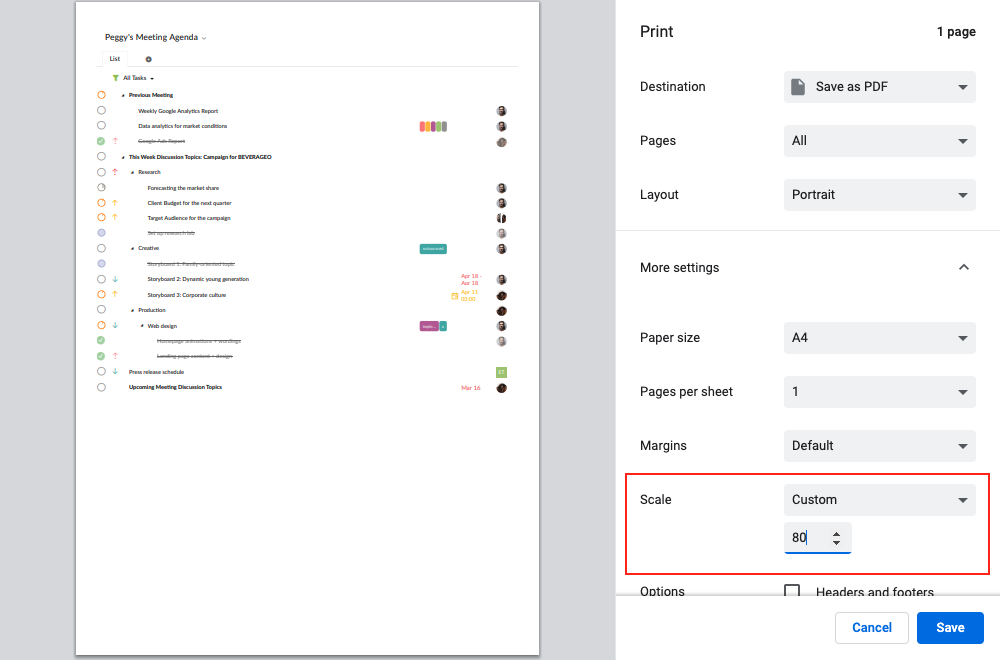
For updates about printing our Timeline view (which we haven't fully support yet), you may refer to this thread: #4516. Thanks!
Peggy, Aug 16, 2021
Hi Ernani - Thank you for your feedback. Currently, you won't be able to print all the projects at once and onto one piece of paper. You can only print out the projects one by one for now. I will bring your feedback to our team and keep you posted if we have any updates.
p.s. I have slightly edited your feedback title, I hope you don't mind.
Peggy, Aug 6, 2021
Hi Peggy. Do´t worry, thanks for your reply and help. I look forward for this new feature.
(deleted-Oa9T), Aug 6, 2021
Hello Peggy. Thnaks for your support. In fact, What I´d like seeing in Quire is how to print ONE project (all activities, as a schedule or another view) in ONE page. This out page can be ISO A4, A3, A2, either a custom page, don´t matter but the whole project within one page.
(deleted-Oa9T), Aug 14, 2021
Hi Ernani - A quick workaround for this request, you may try printing a Smart Folder.
A Smart Folder allows you to put different projects in one place. (Right now, you can add up to 5 projects in one Smart Folder. In the future, when our pricing plan rolls out, you would be able to raise this limitation according to the plan you purchase.) In a Smart Folder, hit
Ctrl+Pto print out the tasks. I hope this helps.Peggy, Aug 10, 2021