
When adding a new subtask -- but only the first time a subtask is added to a particular task -- the cursor does not advance to the next line when pressing [Enter]. Instead, it blanks out the newly added subtask and accepts input for the new subtask in its place. This can be repeated multiple times. It seems the subtasks are all added and are visible if the page is refreshed, but the cursor remains on the same line all the time.
To reproduce:
- Enter new task text
- Press [Enter]
- Press [Tab]
- Enter new subtask text
- Press [Enter]
- Optionally, go to step 4 and repeat indefinitely
Hi @rikusc and @rdewers Thank you guys for your help! 😌😌
I have passed all the information to our Developer Team and they have taken this as our first priority! We hope to get to the bottom of this issue soon!
To eliminate any issues caused by project/account settings or whatnot, could you please kindly create a brand new Quire account? And recreate this issue in that account‘s new project?
Peggy, Dec 29, 2021
My experience mirrors Sapporo's exactly in every detail.
Rikus Combrinck, Dec 29, 2021
👍🏼
Rikus Combrinck, Dec 29, 2021
Hi @rikusc Yeah!!! 💪 We finally can reproduce this issue on our end!!! Thank you so much for your help! I will let you know once our team has fixed this issue! 👍 Sorry for the inconvenience caused.
Peggy, Dec 29, 2021
Just tried this in Firefox and it happened there as well. My typical browser is Chrome. Using Windows 10 65 Pro.
Sapporo, Dec 28, 2021
Thanks Peggy and Rikus. Sound like maybe I just had that option enabled accidentally and didn't realize it. However, I never have adjusting those settings before so perhaps it got turned on in one of your updates? Anyway, that seems to fix my issue - good find Rikus! Thanks!
Sapporo, Dec 29, 2021
Hi Rikus - Thank you for your report. Please see the below recording of me trying to reproduce this issue on our side. I wasn't facing the issue that you had described above. Is it possible to share a screen recording on your end so our Developer Team can understand visually what had happened? Also, please let us know the browser and version that you are using? Thanks again for your help!
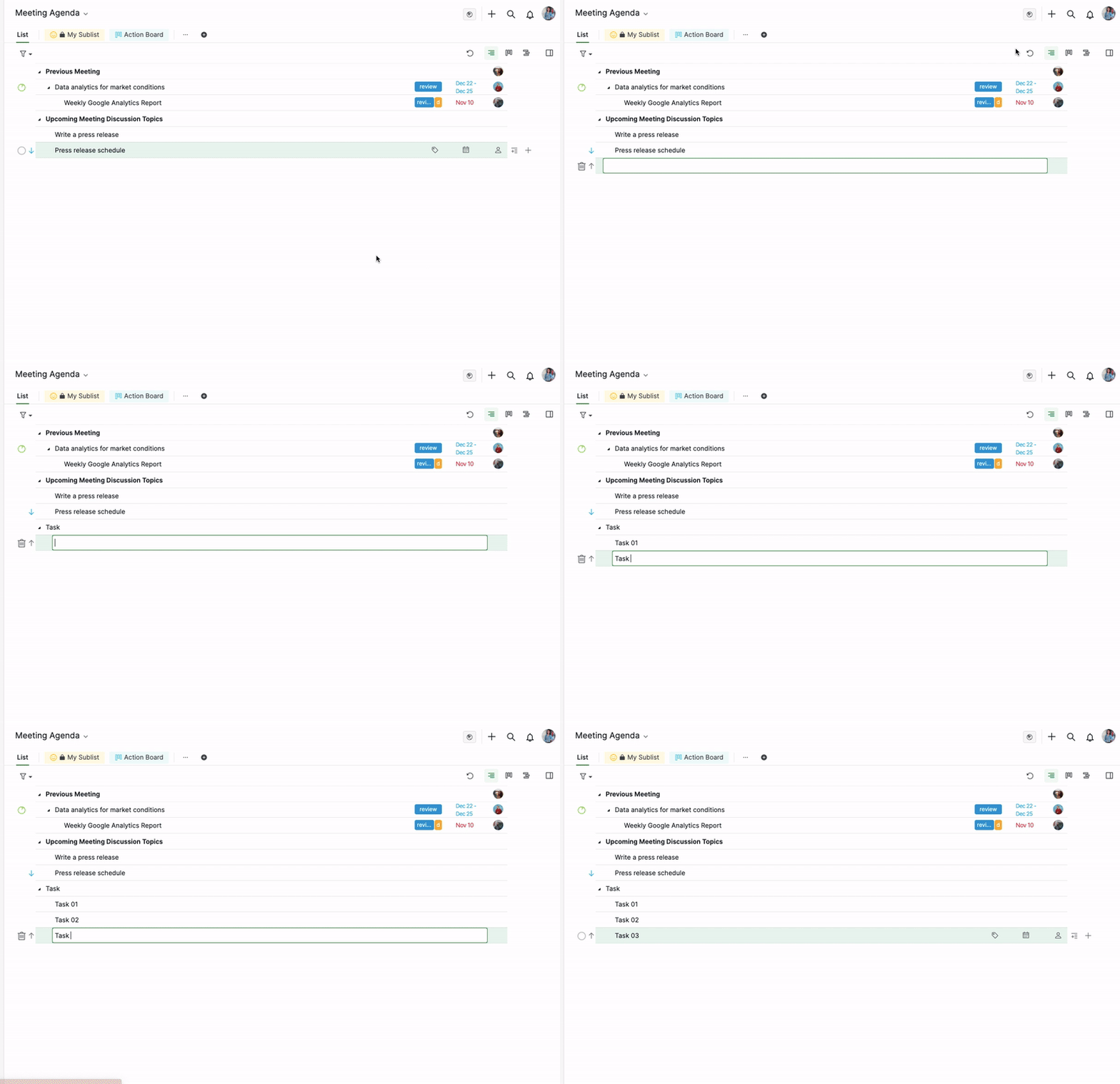
Peggy, Dec 21, 2021
Thanks Peggy! I can confirm that the issue has been resolved for me too.
Thanks again for the responsive support. Quire remains my number 1 productivity tool.
A most excellent 2022 to you and the Quire team too!
Rikus Combrinck, Jan 3, 2022
Hi Sapporo - This is noted, I will let our team know about your feedback! It would be extra helpful if you can provide a screen recording from your end. Please also let us know the browser version you are using as well. Thank you for your help.
Peggy, Dec 23, 2021
Hi Peggy. For the recorded demo, I:
- Opened a new guest window in Chrome
- Logged into Quire with my Google account
- Created a new project 'Test'
- Created a new task 'Task 1'
- Recorded video from that point on
I've encountered the issue in a number of other projects. Initially, I was only peripherally aware of it and it took me a while to figure out exactly when it occurred.
Now that I know what to look for, I've reproduced it in a number of projects (across organisations) and can reliably reproduce it on demand.
I also tried Edge just now (version 96.0.1054.62) and it shows identical behaviour. I never use Edge, so it is essentially a fresh installation.
Both the Chrome and Edge sessions were on a Windows 10 machine. I also tested on another computer running Ubuntu with Chrome (version 96.0.4664.110) and again got identical behaviour.
So, it is not specific to the the browser instance, browser type, or computer. I can't imagine what else would make my environment unique compared to that of the Quire developers?
Please let me know if you need anything else. I'm happy to help.
Rikus Combrinck, Dec 23, 2021
Here is a screenshot of the error messages:
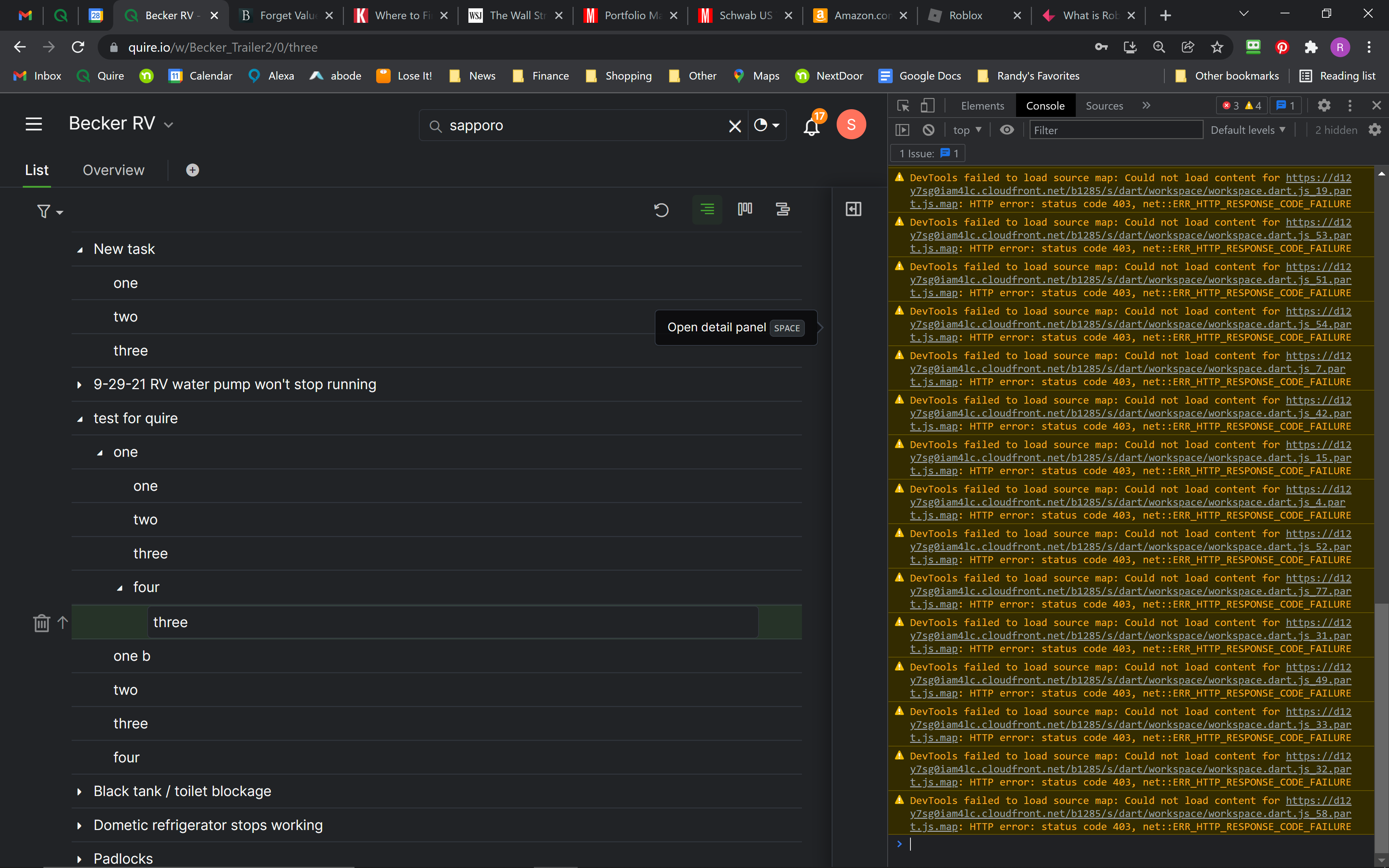
As you can imagine, this really slows down my input into Quire. Hope you can fix it! Feel free to email me at rdewers@gmail.com if you need a faster response, thanks!
Sapporo, Dec 28, 2021
Thanks Peggy!
Rikus Combrinck, Dec 22, 2021
Hello. Sorry for the late reply. This happens in all of my projects. I open a new task (by pressing Enter or else T) and type the task. Then I hit enter/tab to enter a subtask. I type subtask one. I hit enter and it gives me a blank line right where subtask one was. I type subtask 2 and hit enter. Another blank line, etc. Continues for as many subtasks as I enter. Then when I mouseclick elsewhere to be finished, I only see subtask 1. BUT when I refresh the screen, they all show up.
Sapporo, Dec 28, 2021
Thanks for escalating this to top priority, Peggy. I really appreciate that.
I've created a test account and at first could not replicate the issue. So, then I compared all the project settings with my existing account and found the culprit!
Settings > Options > Project Preferences > Collapse all subtasks by default
This was enabled in my account and disabled by default in the test account.
When I disable this option in my account, the issue disappears and enabling it in the test account makes it appear there.
Hopefully, this will allow the developers to reproduce and track down the problem.
Rikus Combrinck, Dec 29, 2021
Pleasure! Glad I could help.
Rikus Combrinck, Dec 29, 2021
This is the same issue I am experiencing. See my separate feedback comment.
Sapporo, Dec 22, 2021
Hi Peggy, thanks for the prompt response. I'm adding a screen recording.
Note: Towards the end, after adding 'Sub 3', I pressed [Enter] again, which made the text appear, and then a browser refresh, which showed all three subtasks just entered.
Browser is Chrome 96.0.4664.110 (Official Build) (64-bit).
I ran the browser in guest mode to exclude possible interference from browser extensions.
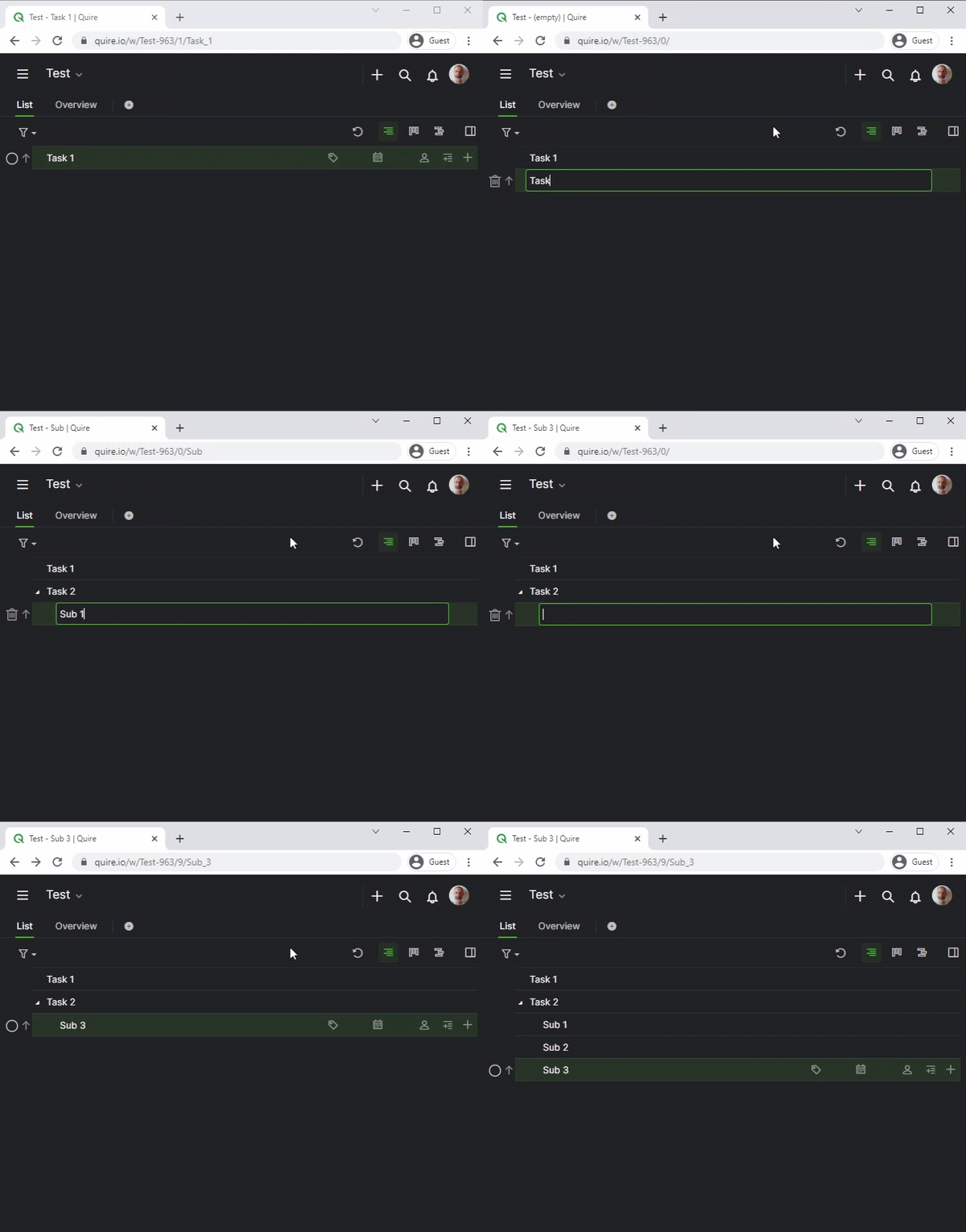
Rikus Combrinck, Dec 21, 2021
Hi @rikusc and @rdewer, wish you a great 2022! 🎉
In the latest version update, this issue had been fixed by our Developer team. Please refresh your Quire page if you have any of them opened. Kindly let me know if the issue persists!
Thank you both for your help troubleshooting and helping us get to the bottom of this issue!
Peggy, Jan 3, 2022
Pleasure, Peggy!
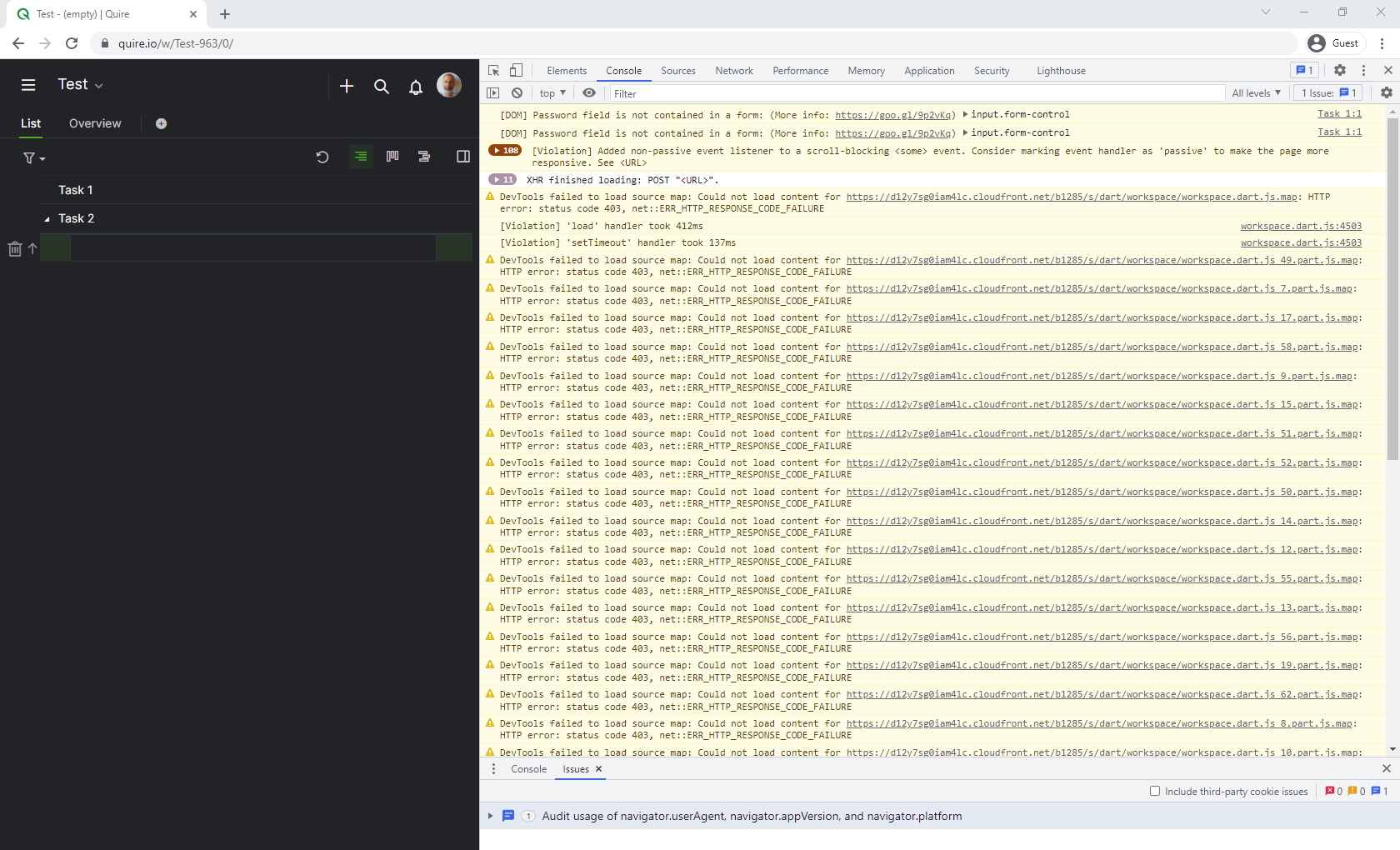
DevTools console screenshot below.
It gives a bunch of warnings, mostly of the form 'DevTools failed to load source map: Could not load content for...' when I open the page (similar to your screenshot).
There are no additional messages of any kind when I reproduce the editing glitch.
I've also exported the console messages to an attached file so the developers can have all the detail. Please note that I've set the reporting level to 'Verbose' to capture as much information as possible.
Thanks for chasing this issue.
Rikus Combrinck, Dec 28, 2021
Hi Rikus - Thank you very much! 😃 I have passed your recording to our Developer Team and I will keep you posted when we have an update!
Peggy, Dec 22, 2021
Hi @rikusc - Thank you for your help!
Could you please kindly let us know are there any errors in the DevTools when this issue occurs?
[Right-click] > [Inspect] > [Console tab]

Please share the screenshots of this tab when you reproduce the issue. Thanks again very much for your help!
Peggy, Dec 28, 2021
Also, AFTER I refresh the screen, I can click on any subtask and hit enter and get a new line (it works just fine). But if I try a new subtask, the same issue occurs.
Sapporo, Dec 29, 2021
Hi @rikusc and @rdewers - Unfortunately, our Developer Team wasn't able to reproduce this issue on their end either. They had also tried in a brand new project.
Could you please let us know the below information:
Thank you for your help in advance.
Peggy, Dec 23, 2021