
Hi,
For whatever reason, I can't access the tasks I've completed around 2 months prior to the present date (latest is around Dec. 11). Does Quire automatically remove these tasks? I'd prefer to be able to reference the completed portion of the timeline indefinitely, unless otherwise noted.
Hi, Based on the screenshot you provided, it seems you tried to access old completed tasks in My Tasks. To see all old completed tasks, I recommend accessing them directly through your project. Your project will display all completed tasks when you choose All Tasks and set Exclude completed task in None in your Filter Settings. This should give you the comprehensive view you're looking for.
Please give this a try and let me know if you have any questions. Thank you.
Golda, Jan 22, 2024
Hi, To see old completed tasks, you will need to select All Tasks and Exclude completed task in None in your Filter Settings. You shall be able to see the Exclude complete task option when you have completed tasks over 60 days ago. Please take a look at our guide here. I have attached a screenshot for your reference.
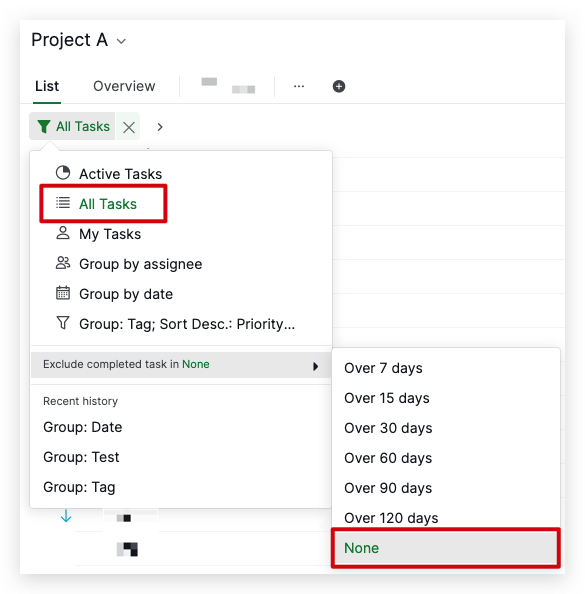
Please let me know if you have completed tasks over 60 days ago but couldn't see the Exclude completed task option. Thank you.
Golda, Jan 19, 2024
this is broken for me, now. I don't see old tasks nor do I see any options to filter old tasks over X days in my project.
edit to add: this is on web, it seems to be working okay on mobile
EP, Jan 19, 2024
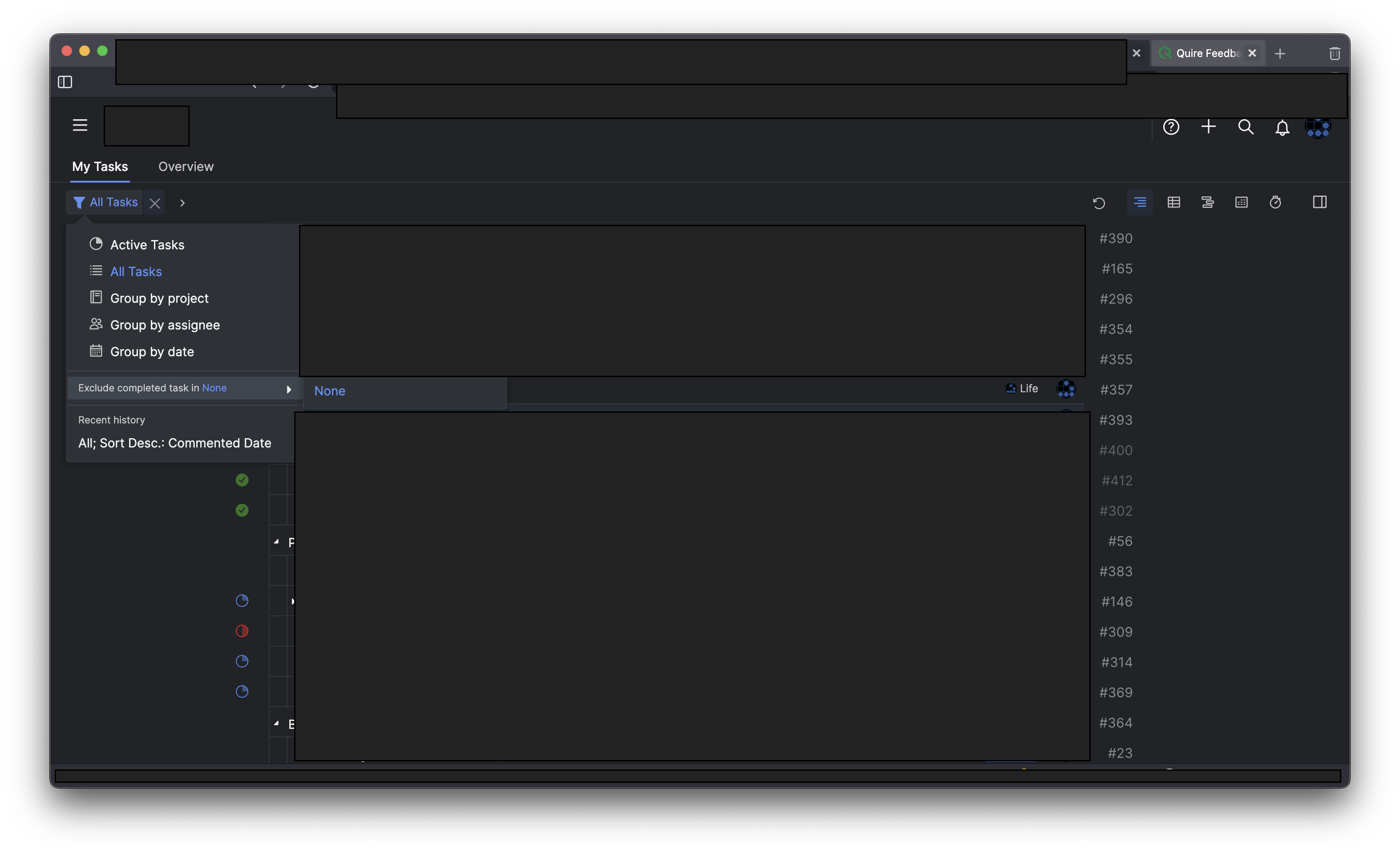
I have completed tasks over 60 days old and do not see any option. Screenshot attached.
EP, Jan 20, 2024
Hi Audrey,
Our system will automatically hide tasks that are completed over 60 days ago in order to speed up the Quire performance. You can change the setting in the Filter icon and choose to Exclude completed task in None.
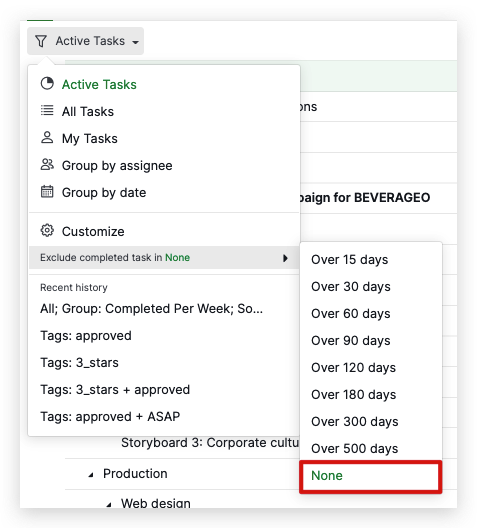
You can check our guide here for more information. I hope this is helpful.
Golda, Jan 21, 2022
Thanks!
EP, Feb 15, 2024