
Thank you for providing a possiblity to multi-select task in Kanban bundled-view on desktop.
Could you please enable this on mobile, too?
This makes life much easier and the mobile app more appealing to work with. Thank you!
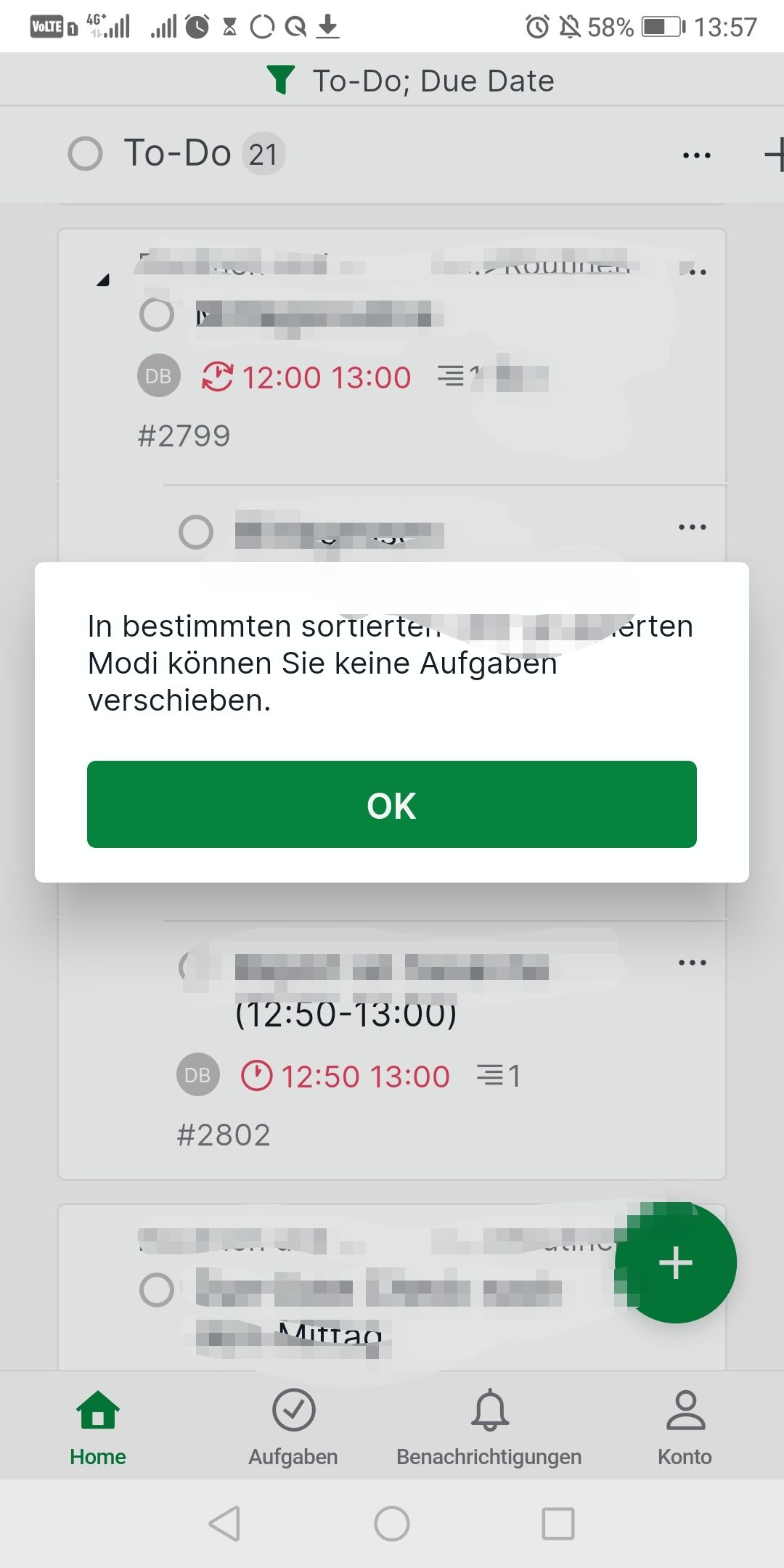
Screenshots: Not working on mobile:
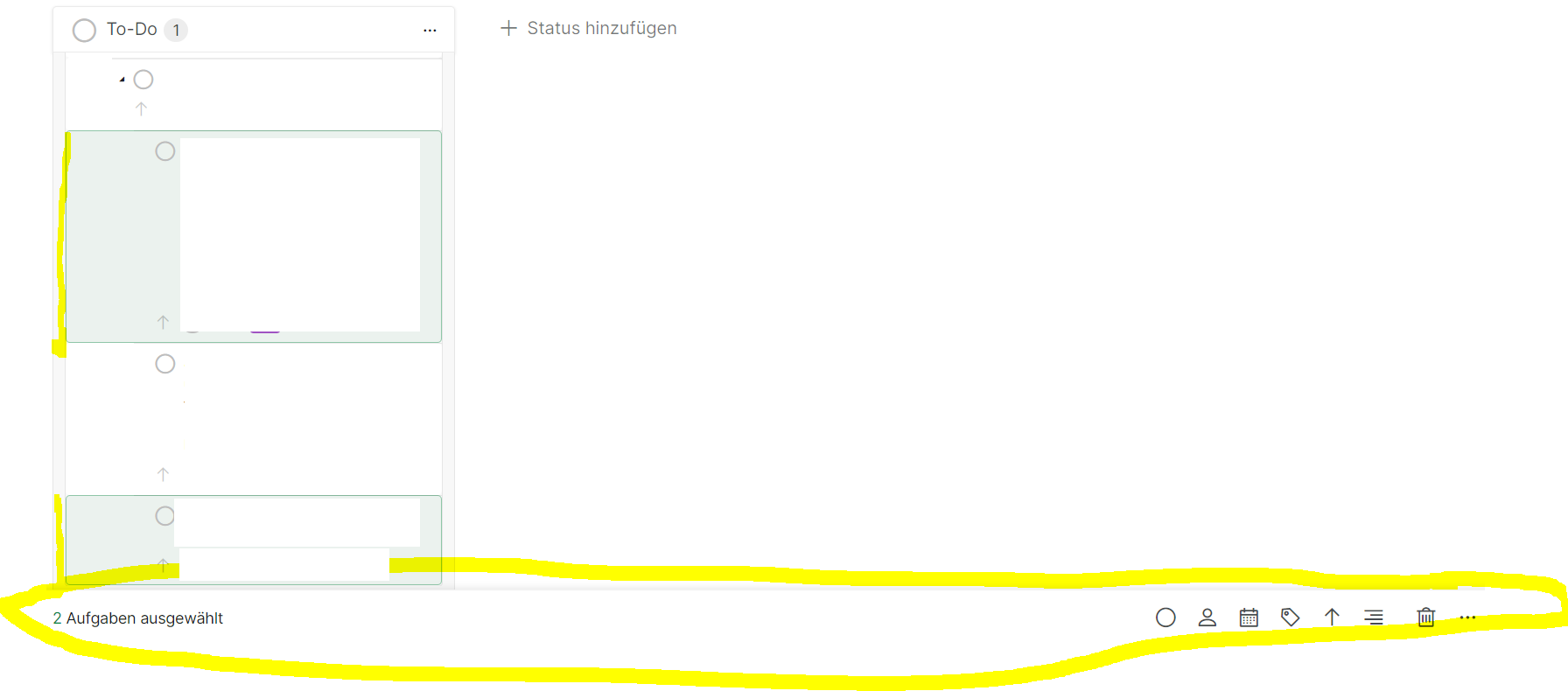
Working on PC:
That works, thank you! Is it planned to be able to do it by long press, too? I would appreciate that.
Daniel Bachmann, Mar 9, 2022
Dear Golda. Thanks for your reply. I tried based on the following conditions:
- Board-View Kanban
- Task Bundle Active
- Filter/sort active
-> When there are the same conditions on Desktop, I can multi-select tasks and tick them off all by one.
Mobile does not seem to provide this option. I tried the long-press on mobile, but it does not work (swipe from right to left would not work anyway due to Board-view/colums?).
It would be great to be able to multi-select tasks on mobile as it already possible on desktop.
Thank you in advance for looking into this again.
Daniel Bachmann, Mar 8, 2022
Hi @Daniel_Bachmann, You can select multiple tasks in the Quire mobile app by swiping from the right edge of your phone or long-pressing on a task, then selecting the tasks you want to modify.
We also have helpful gestures for our mobile app that you can check here. I hope this helps.
Golda, Mar 7, 2022
Hi Golda. Thanks for your reply. As far as I understood, this is only possible within list-view on mobile, not kanban-board-view on mobile. The Board view offers a great overview for working-off reoccurring tasks while lists do not suit this task best in regard to UX/UI.
Daniel Bachmann, Mar 7, 2022
Hi @Daniel_Bachmann, You can select multiple tasks in Board view the same way as in Tree view by swiping from the right edge of your phone or long press on a task. I also included a screen recording for you.
Golda, Mar 8, 2022
Hi @Daniel_Bachmann, I have passed your feedback to our Product Team, and I will let you know once we have an update. Thank you for your suggestions!
Golda, Mar 15, 2022
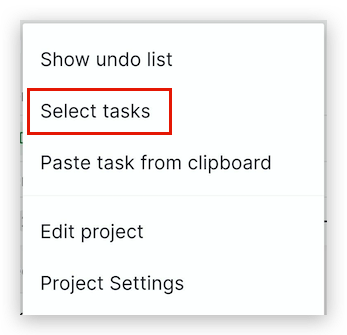
Hi @Daniel_Bachmann, When in some certain Group or Sort mode (e.g. Grouped by Update per Week, etc), selecting multiple tasks will not work by long press on a task. You can tap on the More options icon at the right top corner and select 'Select tasks'.
Golda, Mar 9, 2022
Seems to work! Thank you
Daniel Bachmann, Mar 17, 2022