
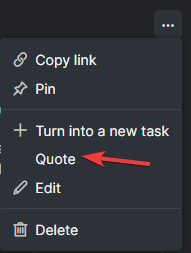
Sometimes in tasks there is 5-10 comments. I need to get more info about things posted in certain comment. Would be helpful if I can easily quote/reply to it.
Like this:
Hi Grox, you can select a paragraph or some texts from the task descriptions or previous comments, then hit Ctrl + Q to quote. Here's a guide for more information. Hope this is what you are looking for 🙌
Peggy, Jun 8, 2022
Hi Grox,
Actually it does, but with Alt, not Ctrl
Sorry I wasn't clear enough, the Ctrl + Q combination is for MacOS, for other OS (Windows ,etc), the keyboard shortcut would be Alt + Q as you mentioned. 😭
Peggy, Jun 9, 2022
Still would be nice to have option to Quote entire comment, since now you can only reply to selected text. Can't do same for image for example.
I will pass this to our team for more discussion and keep you posted if we have any updates!
Peggy, Jun 9, 2022
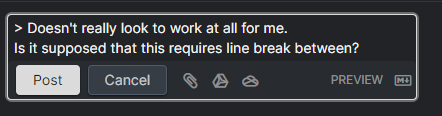
Doesn't really look to work at all for me. Is it supposed that this requires line break between?
Grox, Jun 9, 2022
Like this:
Still would be nice to have option to Quote entire comment, since now you can only reply to selected text. Can't do same for image for example.
Grox, Jun 9, 2022
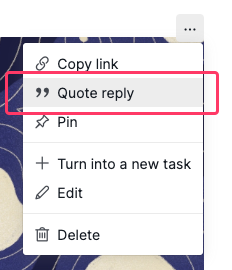
Hi Grox, In the latest version update, you can quote a comment and reply to it directly. I hope this helps with what you are looking for. Please let me know. if you have any other questions!
Hi @peggy Feels great, thank you
Grox, Jun 13, 2022
Hi Grox, In the latest version update, you can quote a comment and reply to it directly. I hope this helps with what you are looking for. Please let me know. if you have any other questions!
Peggy, Jun 13, 2022
Actually it does, but with Alt, not Ctrl
Grox, Jun 9, 2022