
I need very often to filter task by one or several tags. Besides, I change some tags quickly enough (some add, some delete). Its a very long and difficult story to filter by tags in app. Please add a quick filter of tags.
Via Quire Android
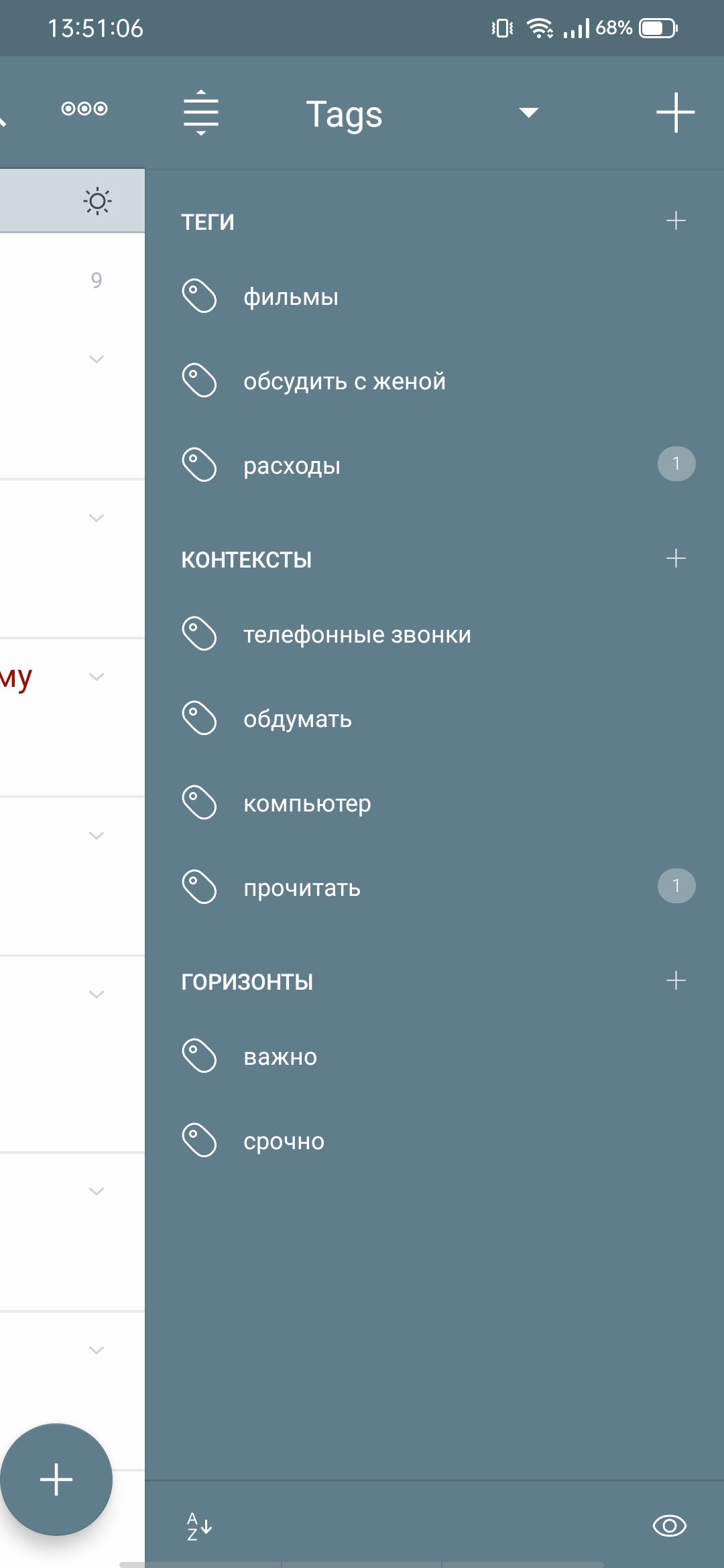
Ok, I know it all, but its too many taps. I don't need to change tags or else. I only need to see all tasks with some tag. F.e. in 2do I can do it with 1 swipe and 1 tap. In Quire I need more than 5, it's not intuitive and difficult
Дмитрий Дзебоев, Jul 1, 2022
Hi @dzeboeff, I understand your point of view, and I will pass your feedback to our Product Team to discuss this further. I'll let you know if I have any updates regarding your feedback. Thank you.
Golda, Jul 4, 2022
Hi @dzeboeff, For an easier way to manage several tags, you can use the Filter and Group by Tag. Navigate to the Filter icon at the top right corner > Customize > Group by Tag > Apply.
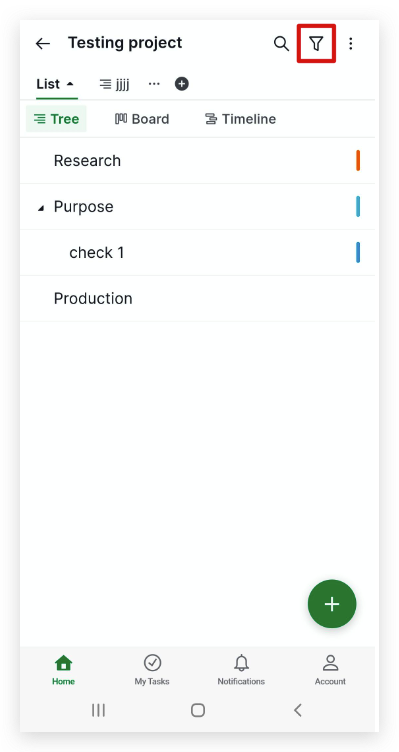
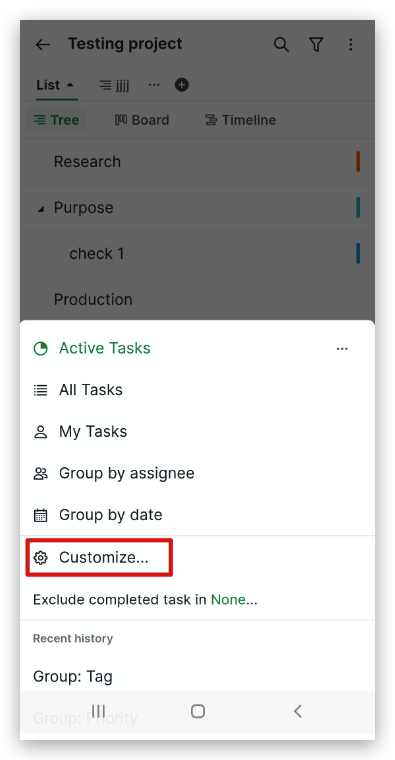
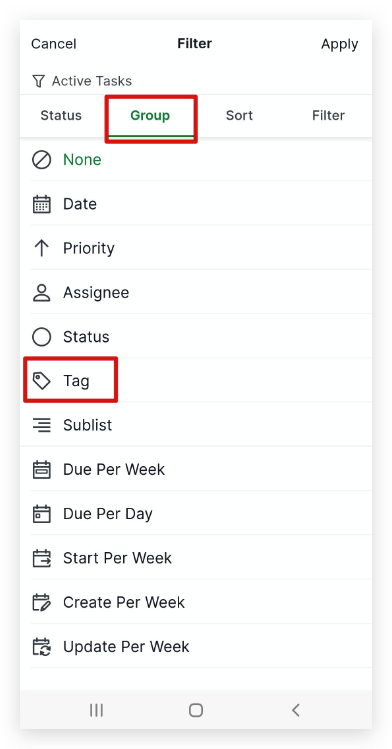
After that, if you want to change the tag, you can long-press on a task and drag and drop it to the desired tag group.
To add or remove the tag, you can long-press on a task > click the tag icon on the bottom of your screen. To remove the tag, you can click on the tag and click the X icon to remove it.
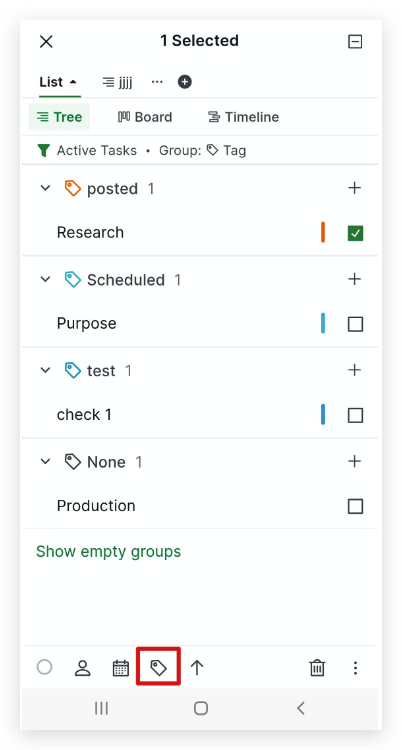
You can also save the filter, so you're one click away to use it. In the Filter icon, choose the customized filter you want to save > click the star icon.
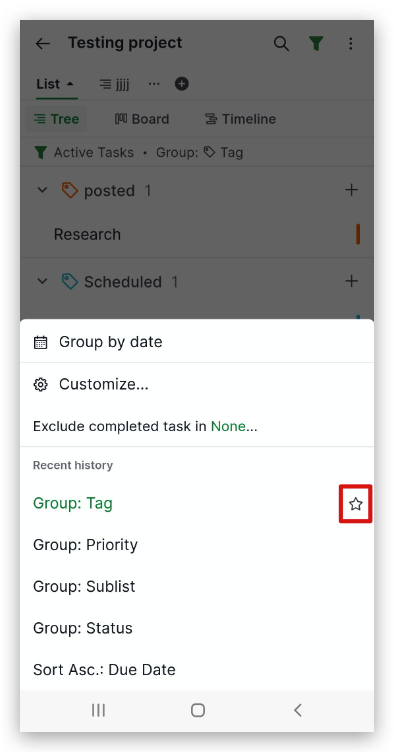
To know more about Filters on the mobile app, check out our guide here.
I hope this helps. Let me know if this works for you. Thank you.
Golda, Jul 1, 2022
F.e. there's a screen fron 2do
Дмитрий Дзебоев, Jun 30, 2022