
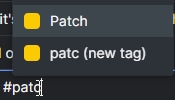
I think I brought it in past along with focus priority (which was solved), but somehow it is making me annoyed, since we never add new tags in our organisation.
Is possible to add option so "new tag" won't appear?
Hi Grox, We are not sure if we understand your suggestions. Could you kindly explain more about your suggestions and how they are related to the tags? Thank you.
Based on your previous reply I understood you don't want add new option since it would make regular user confused in settings. So I proposed also changes for settings in order to don't confuse basic users, and then adding advanced options is not a problem anymore
Grox, Sep 1, 2023
Hi @Grox, We have brought your feedback to our team. However, as we mentioned, we will gather more feedback from other users to determine the best approach.
Moreover, you can create or modify the permission roles for your team members to control whether members can add tags.
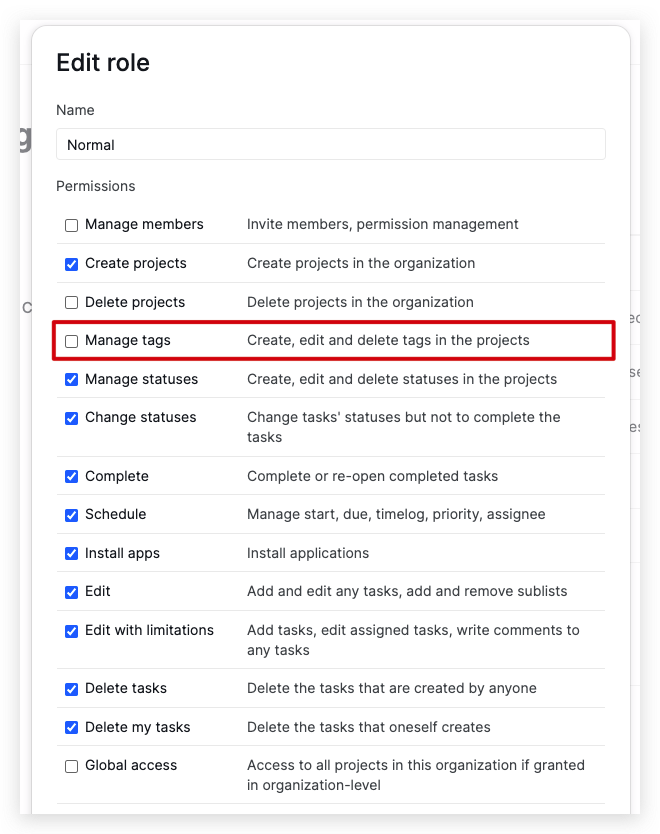
When you uncheck Manage tags, the member will not see the add new tag option.
Golda, Sep 5, 2023
Hi, We've added a new option that allows you to create tags directly from the tag picker in the project settings. You can turn off this option if you prefer not to see it when adding tags to tasks. Click the dropdown menu next to your project name > Options > Features.
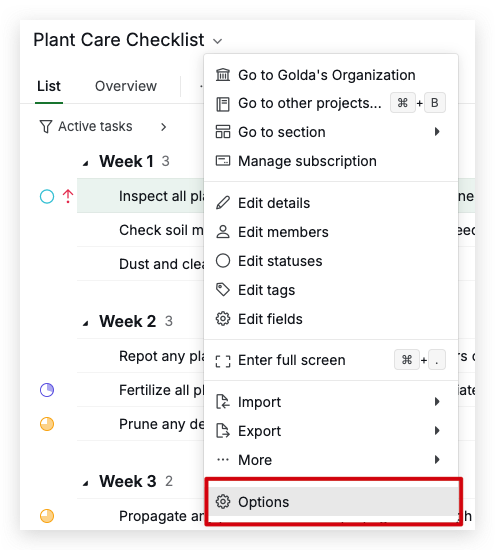
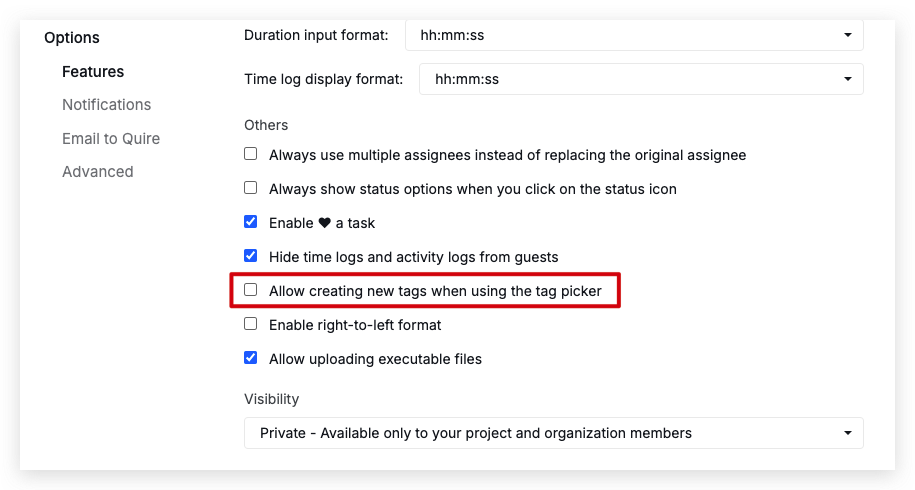
Let me know if you have any questions. Thank you.
Golda, Aug 15, 2024
Yes this is must , since to FOCUS , we need to limit tags precisely
MD @NOBLE, Aug 28, 2023
Hi Grox, We are not sure if we understand your suggestions. Could you kindly explain more about your suggestions and how they are related to the tags? Thank you.
Golda, Sep 1, 2023
Hi golda
We need to have master control of tags , Tags stremline or multiple tags with same name but with caps letter , small letter e.g : APPROVED , approved , send , sent , Send , Awaiting , awaitinh , AWAIT , etc…. Creates the diversion against preciseness of the using the tags to FOCUS as task , so TAGS SHOULD BE CONTROLLED SIMILAR TO STATUS OR USER RIGHT , hope you understand and this can be made , @Raisag
MD @NOBLE, Sep 1, 2023
@Raisag If concerns come from point that Quire has barely any options, this can be just simply solved by:
- more groups in settings
- subheaders
- some colors
- (?) icon showing screenshot of feature in tooltip when hovering
- adding "Basic" and "Advanced" settings mode like web browsers do
Grox, Aug 31, 2023
Hi @md_noble, To avoid multiple tags with the same names, you can set the tags to be global tags. A global tag will be available to all projects within the same organization. For more details, please see our guide here.
Golda, Sep 5, 2023
Not so much helpful unless I would remove it from myself (admin), as I am the one adding 90% of tasks in team
Grox, Sep 5, 2023
Hi, I understand your concern and will make sure to bring your feedback to our team again to explore potential solutions. However, I can’t guarantee this will be implemented soon. Thank you for your understanding!
Golda, Aug 2, 2024
Hi all, Thank you for sharing your feedback. We have shared this with our team. It's a 50/50 scenario, as not many users have asked this so far. We are concerned that adding this new option will confuse other users.
For now, we're planning to gather more feedback and figure out the best way to possibly add this feature in the future. Thank you!
Golda, Aug 30, 2023