
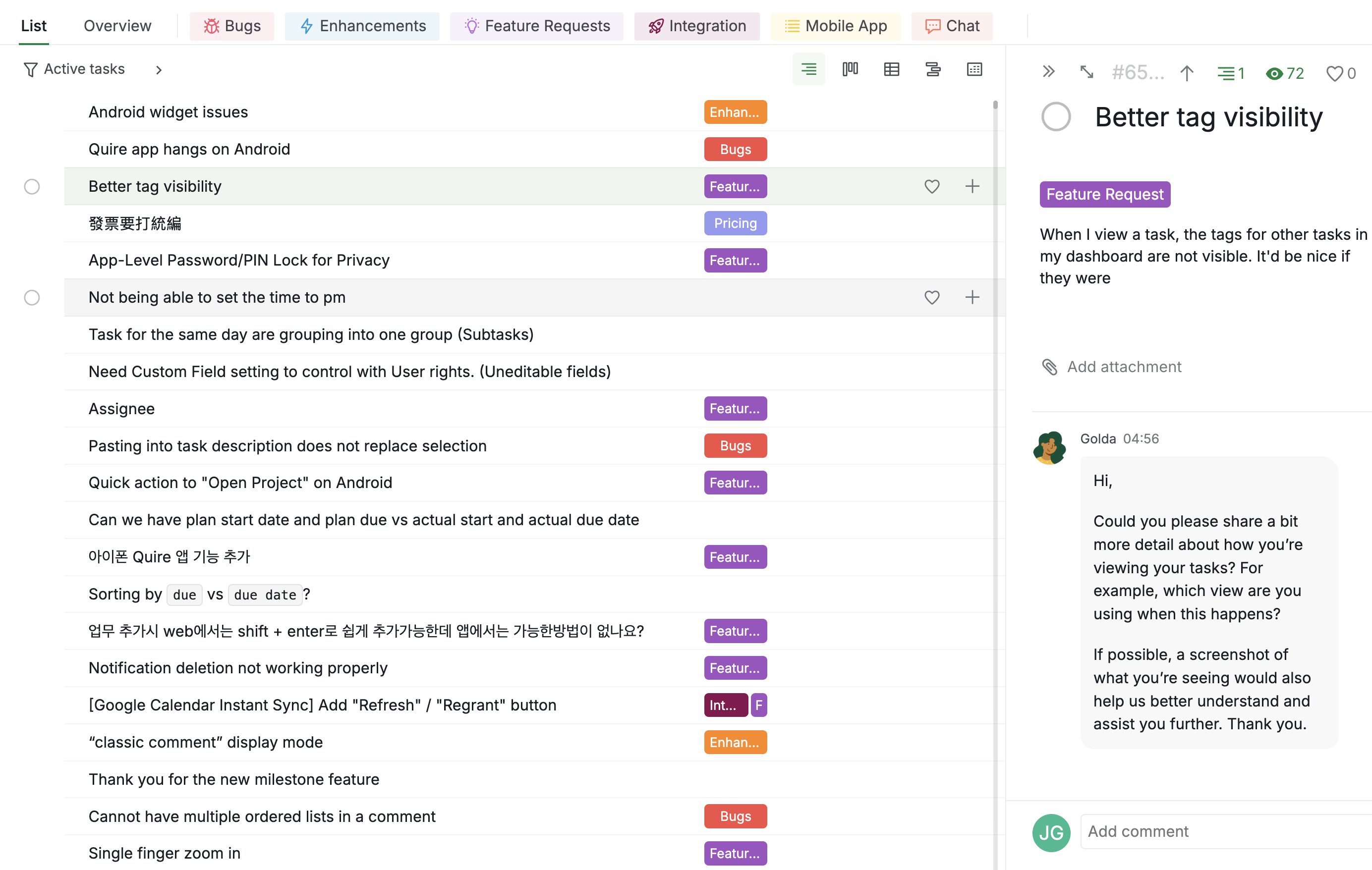
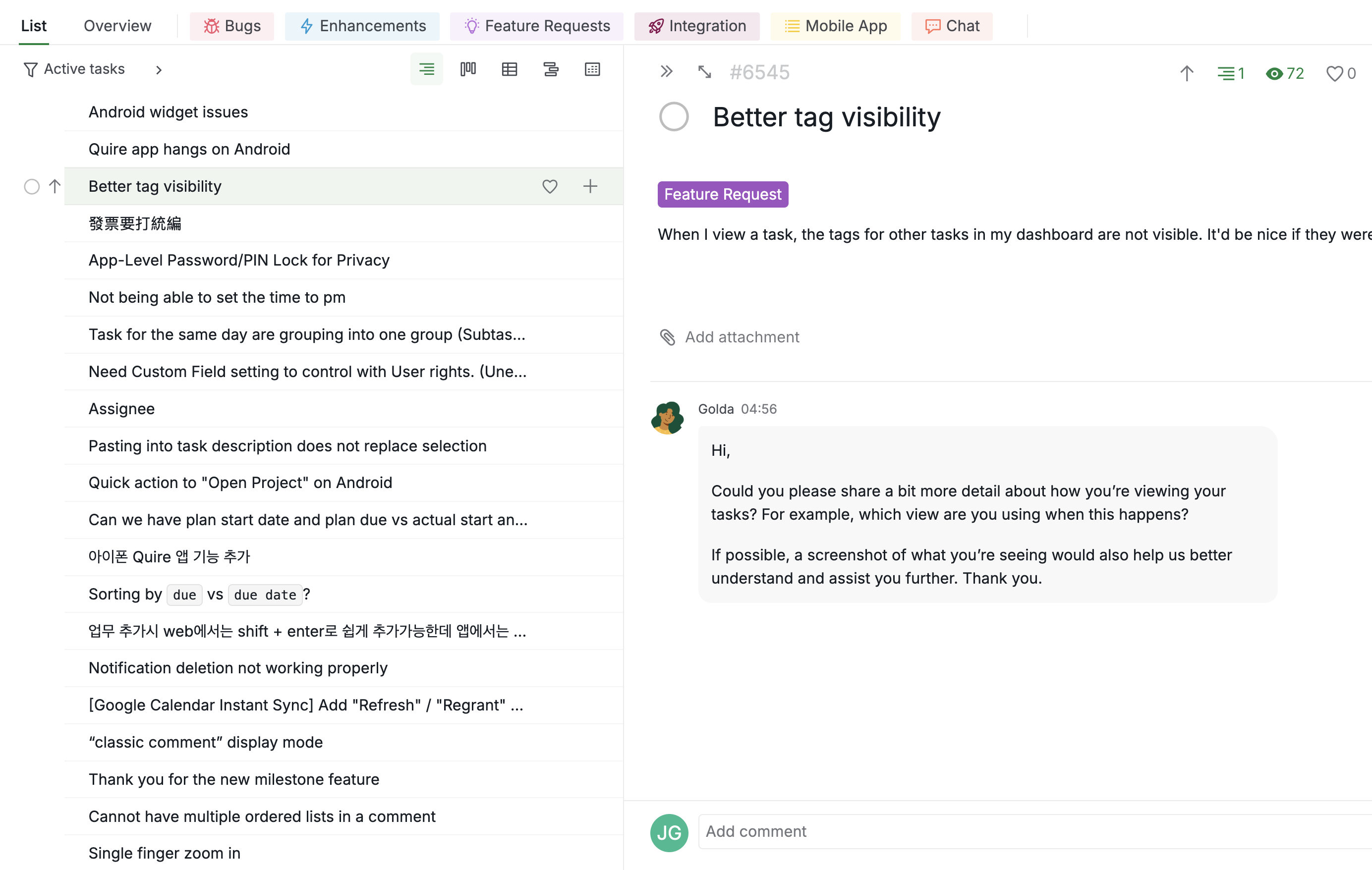
When I view a task, the tags for other tasks in my dashboard are not visible. It'd be nice if they were
Hi,
Could you please share a bit more detail about how you’re viewing your tasks? For example, which view are you using when this happens?
If possible, a screenshot of what you’re seeing would also help us better understand and assist you further. Thank you.
Golda, Feb 11, 2026
Here are some screenshots where the tags are visible and invisible. In general, I'd prefer cutting off a bit more of the tasks name than losing the tags
Jacob Gorenburg, Feb 12, 2026
Hi,
Currently, when the task detail panel reaches a certain width, the tags may no longer be visible. You can adjust the panel width to keep the tags displayed.
We understand that you’d like to always see the tags, and we will share this feedback with our team. We will let you know if there are any updates in the future.
Golda, Feb 13, 2026
Hi,
If you would like to always see the tags of your tasks, one workaround is to switch to Table view.
In this view, you can customize and adjust the task columns, including the Tags column. This way, when you expand the detail panel width, you will still be able to see the tags. Please check out our Table view guide here. Thank you.
Golda, Feb 24, 2026