
Status: To-do
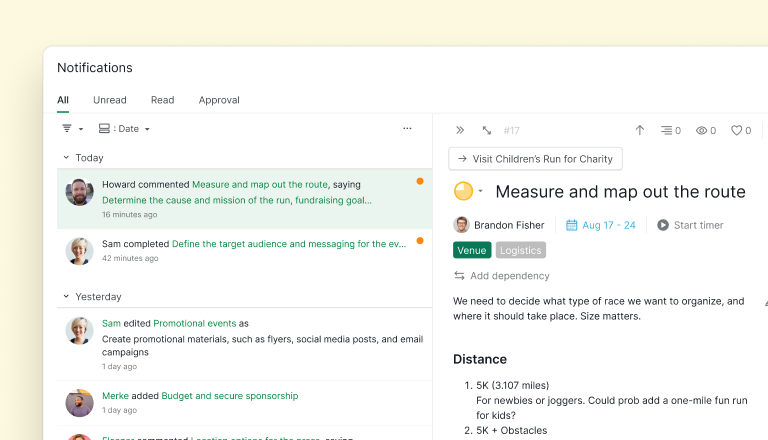
The notification panel can now be expanded into a full page view. Double-clicking any notification opens its detail panel with the full task.
The expanded view also supports bulk actions: select multiple notifications and use the bottom menu bar to mark them as read, unread, or delete. Grouping and filtering apply here too, making it easier to focus on the notifications that actually need attention.
- Read more on our guide: https://quire.io/guide/get-notified/#organize-notifications
- Read more on our blog: https://quire.io/blog/p/quire-revamped-notifications.html
💡 Available for all users
Created by Golda May 8, 2026, Edited May 8, 2026