
When one column is hidden, we cannot "Create a new task" in other columns.
I meant the problem cited in #1605 also ! Thanks
Julien Dubiel, Feb 21, 2019
Hi Peggy, Ohh I see 😃 Ok thanks! I've added my 5stars review ;)
Julien Dubiel, Feb 27, 2019
Hi @peggy , Wow, about the second screenshot, how could I find that :o It's even hidden when we are not hovering the urgent column... It's like the hidden "+" in #1643 :/ When you remove the sort by priority option, you can create new tasks by clicking on the "+" sign of the whole column (Newspaper01 in your screenshot), and when sorted I was hoping to find this feature at the same place, I've been looking for this for a month, mainly trying to create new task on clicking on the main "+" sign but I had to switch off the sort by priority option. Please make it more visible or intuitive because even other users of my team were bothered by this.
But don't worry, I converted my team to use quire and they seem very happy with it! We are 19person on it!
Thanks for your work and please fix that! Julien
Julien Dubiel, Feb 23, 2019
Julien Dubiel, Feb 21, 2019
Sorry for the bug. We will fix it.
Jim, Feb 9, 2019
Hi Julien, For feedback #1123, in summary, you would be able to add tasks when sort in priority by pressing enter, and you could also drag the tasks to different groups to change the priority.
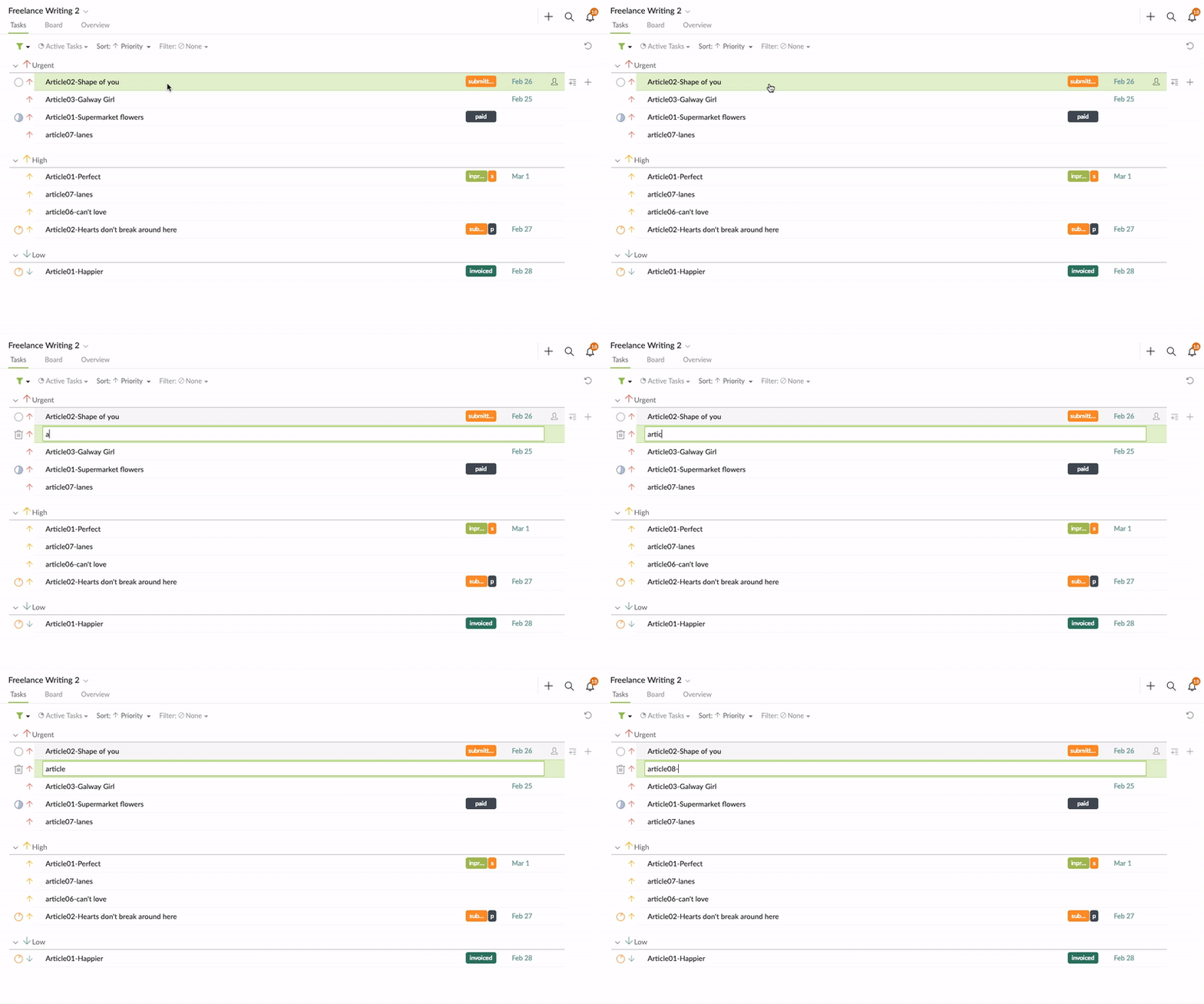
For feedback#1605, you could add tasks when sorted in priority when in board view by pressing enter, or clicking on the + sign at the top right corner, like below screenshot.
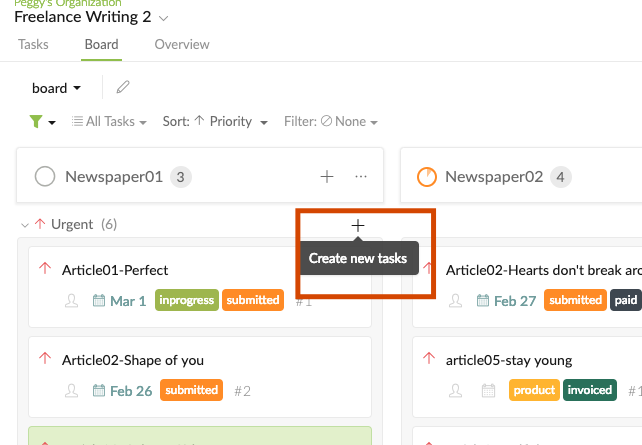
Peggy, Feb 22, 2019
Hi Julien, Actually, we have just added this new feature (the + sign when sorted in priority). We consider these both features as more advanced features, that’s why we tend to hide them, so the whole interface would be cleaner, but I will take your suggestion to our UI designer. I’m glad to hear that your team like Quire! This definitely means a lot to our team! Would you mind sharing your review on Capterra (software comparison site) for us? Thanks! 😃
Peggy, Feb 25, 2019