
Can the sublist be automatically set to update based on certain tags? E.g. I would like to set a sublist for shopping and every time I add a task to #shopping I don't have to manually add it to the sublist, rather it would just appear in the sublist automatically. Is that possible?
This is a great workaround, thank you!
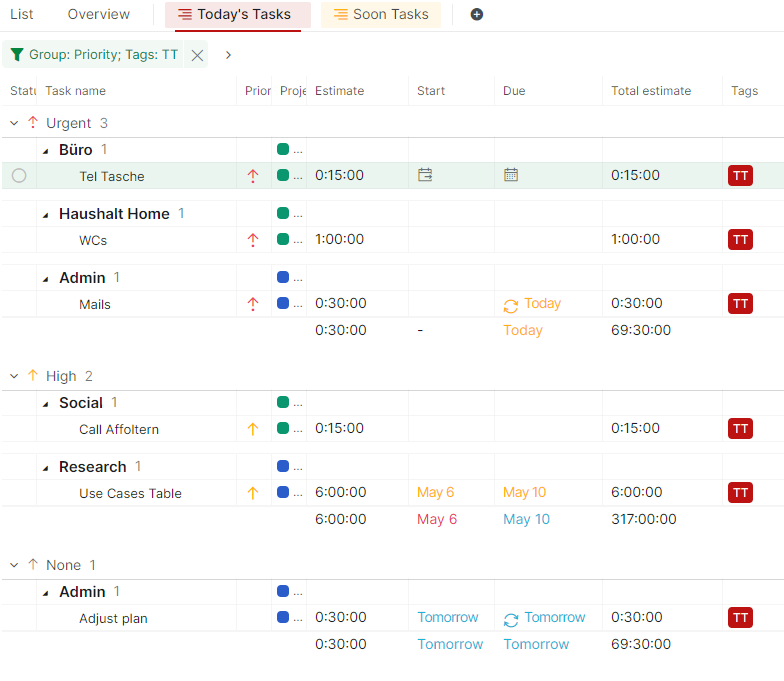
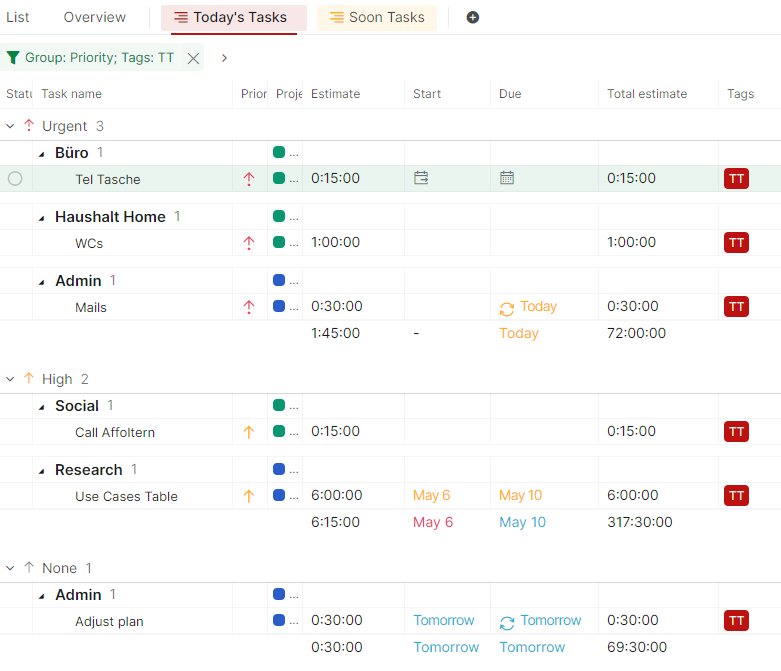
However, now my summed up total estimates for my sublist show a number that can't be. I'm assuming it doesn't take the filter into account and sums up over all items in the list.
Is there a way to change/work-around this issue?
Here is a screenshot of what I mean:
K. Henggeler, May 7, 2024
Hi,
Here's a workaround to automatically update sublists based on filters. First, create a sublist and select Exclude with no tasks selected.
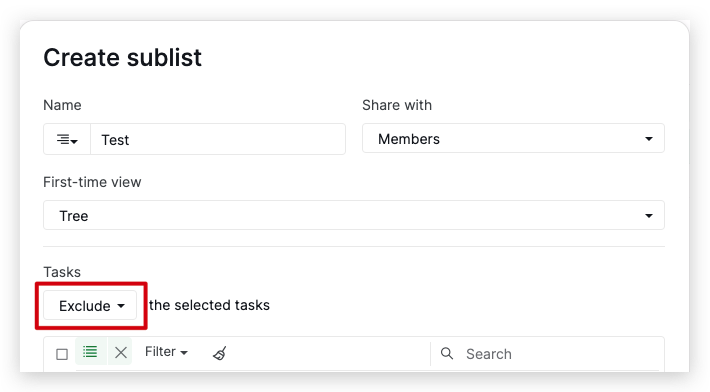
Next, once you create the sublist, set up the filter settings within the sublist according to your needs. For example, if you want to see all tasks with Tag A in this sublist, apply the Filter by Tag A.
Now, whenever you add a task with Tag A to your project, it will automatically appear in the sublist. Give this workaround a try, and feel free to let us know if you have any questions. Thanks!
Golda, Apr 12, 2024
Hi @K_Henggeler, Thank you for bringing this to our attention. I have brought this issue to our team for further investigation. We'll reach out to you as soon as we have any updates. Thank you.
Golda, May 7, 2024
Sorry, wrong screenshot. here's the correct one:
K. Henggeler, May 7, 2024
Hi @ingviso - This isn't available at the moment. I will pass your suggestion to our team. If I get any updates, I will let you know. Thank you for sharing your feedback!
Peggy, Apr 13, 2021
YES YES YES PLEASE! 😍
Neil Hart, Jul 22, 2021
Hi @ingviso, I'm curious what the benefit of this would be over using a saved filter?
e.g. create a filter that only shows items with the tag "shopping."
Yozza, Jul 27, 2021
Agreed, can be achieved using saved filters, only sublists are far more visible/accessible. Personal choice I guess but very nice option to have/use ;)
Neil Hart, Jul 27, 2021
Thank you!
K. Henggeler, May 10, 2024