
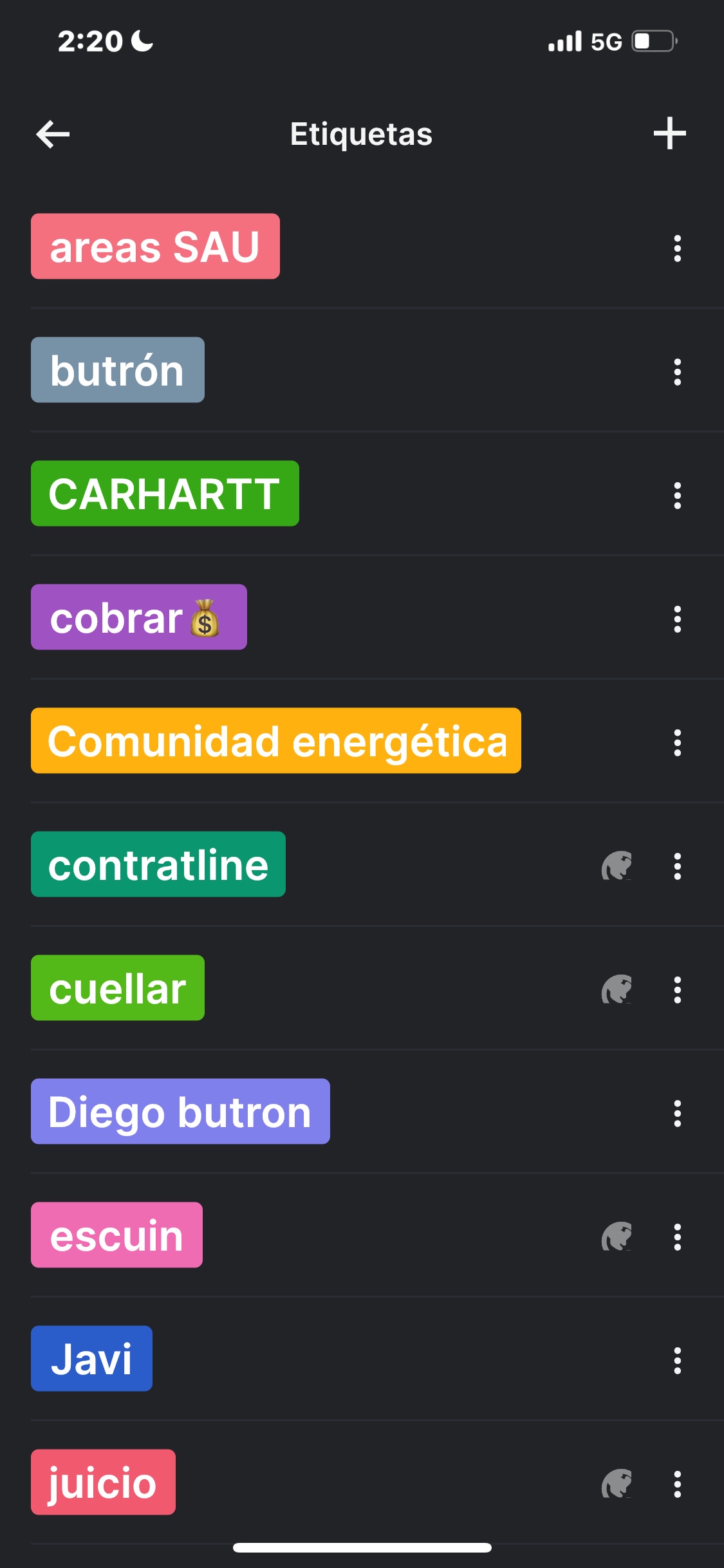
Me Ayudaría mucho tener carpetas para organizarme mejor. Por ejemplo una carpeta de "abogados". También es bueno que las etiquetas aparezcan el la barra izquierda debajo de cada proyecto y que si pulso en la etiqueta de abogados me aparezca todas las tareas que tenga asignada la etiqueta abogado. Saludos
Via Quire iOS
thank you so much . I am very grateful for his comment.
BC, Apr 5, 2023
BC, Mar 27, 2023
No tengo muy claro actualmente la utilidad de las etiquetas. Se asignarlas pero para buscarla lo veo difícil. Saludos
BC, Mar 27, 2023
Gracias por su consejo, pero tenéis que ir a crear un panel con todas las etiquetas y que ahí se pueda pulsar y ver las tareas. Es más fácil e intuitivo
BC, Mar 28, 2023
Hi BC, Thank you for your feedback. I understand your point of view. Currently, you will need to use the filter settings to view tasks with tags. Nevertheless, I will let our team know about your feedback and keep you posted for any updates in the future. Thank you.
Golda, Mar 30, 2023
Hi BC, We only have support in English at the moment. If I misunderstood your questions, please feel free to let me know.
You can create a folder under your organization to organize your projects and group them in the same folder. For more details, please visit our guide here.
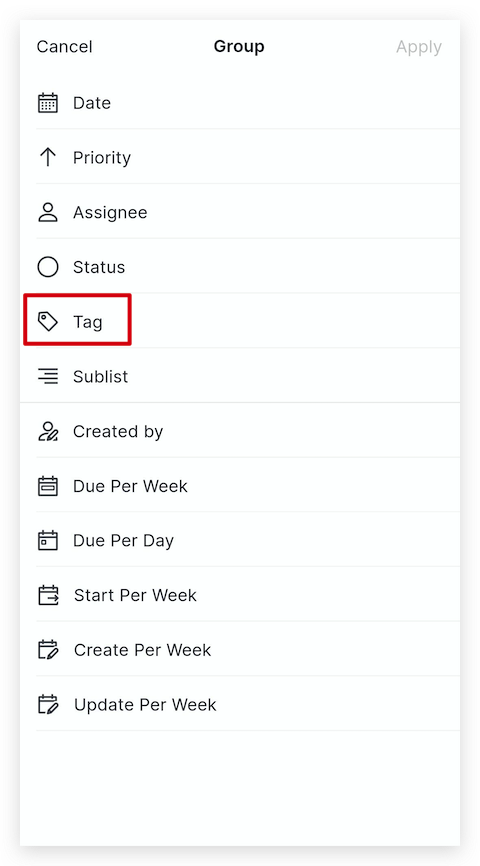
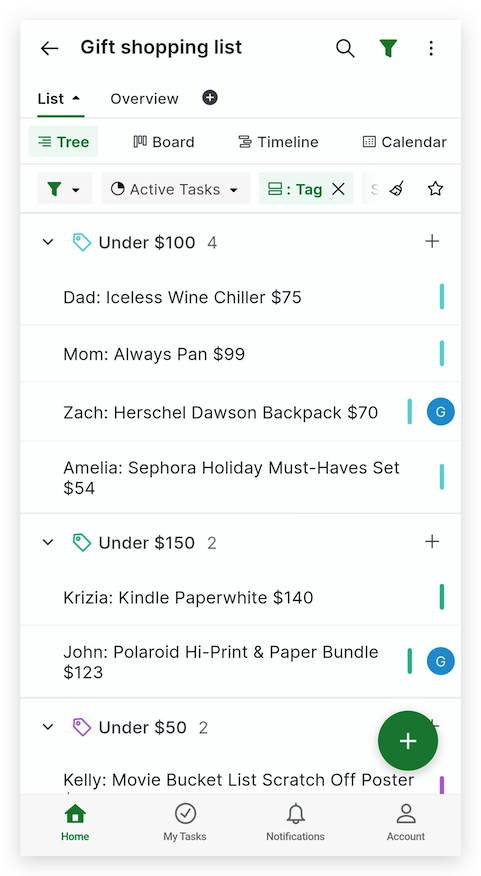
About tags, you can find tasks with tags by using the filter settings. In the mobile app, navigate to the filter icon on the top of your project > Customize > Group > Tag > Apply. This way, your tasks will be grouped by their tag and easier to manage . I have attached screenshots for you.
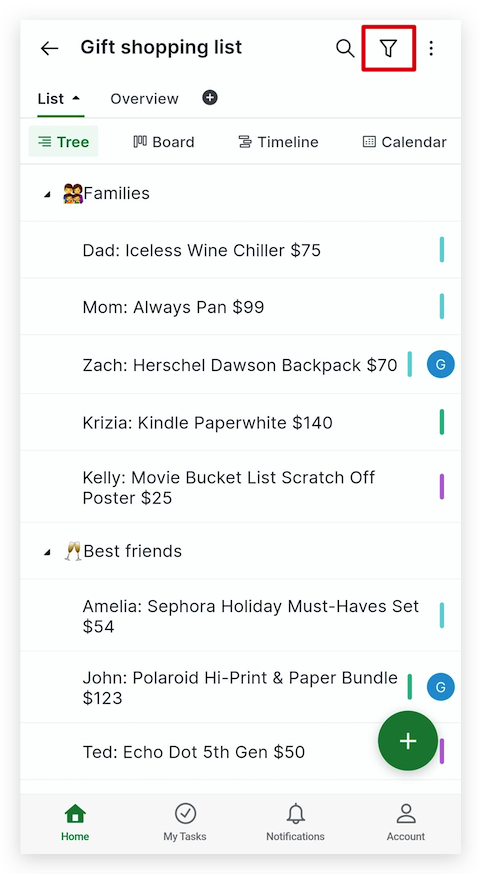
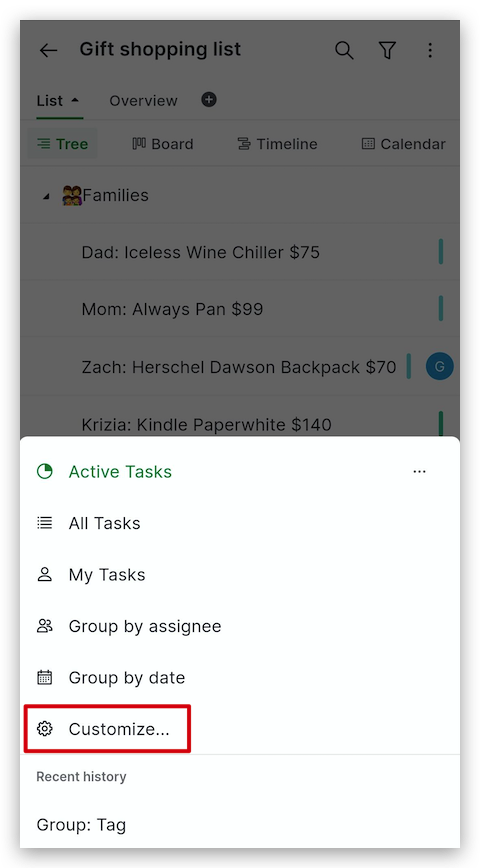
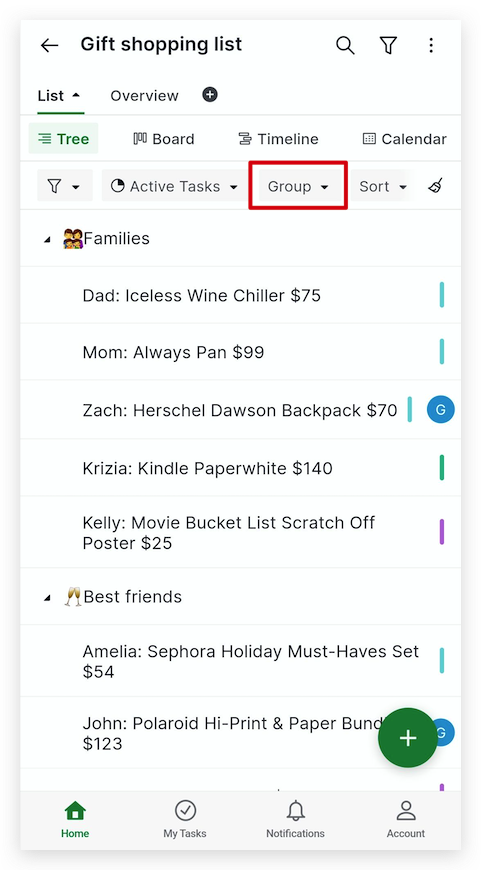
You can also shake your phone to toggle on the Advanced mode to see the breadcrumbs of the tasks. For more details, check out our guide here.
Golda, Mar 28, 2023
Al pulsar en la etiqueta que salga todas las tareas que tenga asignadas.
BC, Mar 27, 2023