
I use Quire a lot as a hierarchical documentation tool.
I.e. it is structured information I collect - not tasks (I do that too but not predominantly).
So: I look for a way to make tasks (notes for me) not possible to delete (usually by accident).
I would like to change a whole subtree of tasks to "notes" - so that nothing under it could be accidently "completed".
Something like "freeze subtree".
Is there a workaround that could accomplish this ?
Hi @asteinarson,
You can use Sections to create tasks that can't be completed, as they don’t have a status.
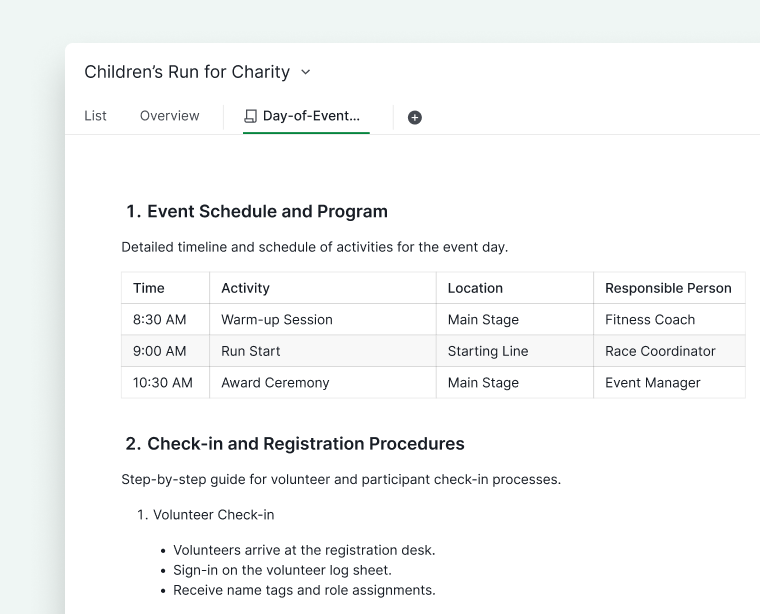
However, if you want to write structured notes or store information, you can use Documents instead. You can add any necessary details and even lock the document to prevent accidental edits. For more information, please check out our guide here.
Golda, Apr 8, 2025
"Not possible to delete" can mean two things here:
- Not possible to complete (as they disappear from view then)
- ... this is actually what happens for me rather often (by clicking a few pixels wrong)
- Not possible to delete
- .more rare - but of course one should be able to delete notes. I think the 7 day retention is good enough there.
Asteinarson, Apr 7, 2025
Hi @Grox,
Todoist used to allow setting
*in front of task name to make it not completable (and it still was something different than sublist), and I would surely find it useful too also for such things like cooking recipes.
Currently, you can use Sections to create tasks that cannot be completed.
It might be also per section. Per project existing option for Read only is not allowing to use completable and non-completable tasks within same project + doesn't block it for admins.
I’m not sure I fully understand what you are referring to. Could you explain a bit more about what you mean by mixing completable and non-completable tasks, and how you’d like it to work within a section or project?
Golda, Apr 8, 2025
Hi @golda,
Thanks for suggestion about Sections - functionally it fulfills what I ask for... but Sections are created and shown in bold text - I don't want to have my documentation all in bold... sorry...
I use the per project option to show a drop-down menu - when clicking the task status - that solves my need for now.
Asteinarson, Apr 8, 2025
Todoist used to allow setting
*in front of task name to make it not completable (and it still was something different than sublist), and I would surely find it useful too also for such things like cooking recipes.It might be also per section. Per project existing option for Read only is not allowing to use completable and non-completable tasks within same project + doesn't block it for admins.
Grox, Apr 8, 2025