milestones · Jun 15, 2017
Quire Mark II, reimagined and rebuilt for your dreams
Last updated: July 22, 2026
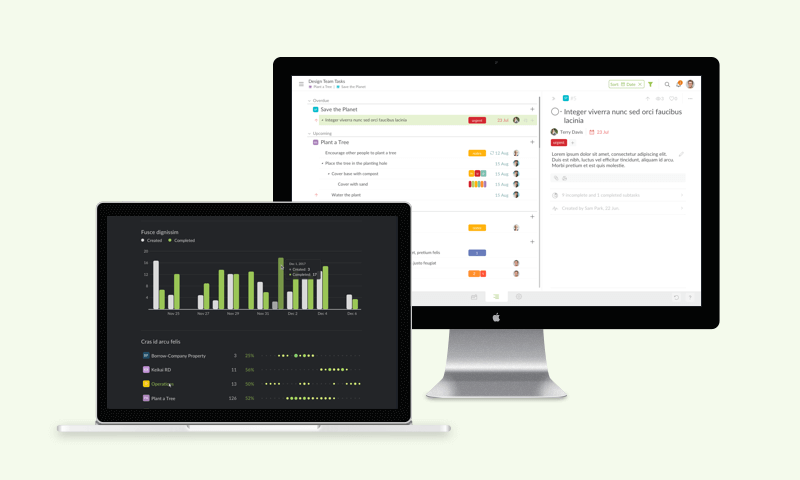
Quire Mark II, launched in June 2017, was a full reimagining of the app. It introduced Smart Folders to see related projects across organizations, Profile View for performance, Blink Search for instant switching, and a Monochrome Dark theme, all in a simpler interface for turning ideas into action.
Today is the day Quire goes big. The day we present Quire Mark II to you, the best-ever-made collaborative task management app to bring your ideas to life.
“Genius is in the idea. Impact, however, comes from action,” said Simon Sinek. Many people have a dream, and they talk about it with every bit of exciting details. What makes it even more exciting is to realize it, to really make a difference. Imagine you adding your own color to the painting called the world!
This is exactly where Quire - Quire Mark II to be more precise - comes in. To help you evolutionize your life, revolutionize the world.
Faster switching is not a small thing. Gloria Mark's team at UC Irvine found it takes about 23 minutes to refocus after an interruption, and features like Blink Search exist to keep you from losing that time hopping between projects.
What’s new in Quire Mark II?
Capturing your ideas, and breaking them down for achievement are what we do best. Now, Quire Mark II sets a new standard for accomplishing them with ease, and a little grace. And it opens up possibilities for anchoring your dreams in reality.
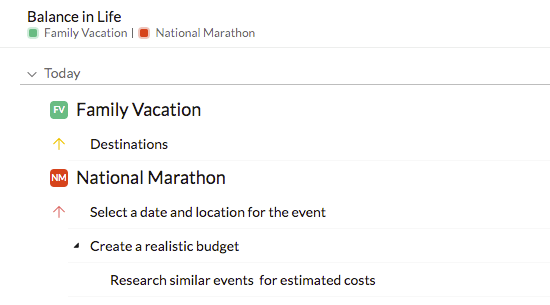
Smart Folders: View all related projects at once
To start off, we have smart folder, a folder of different projects from different organizations where you can review, reorganize your ideas and tasks in them.
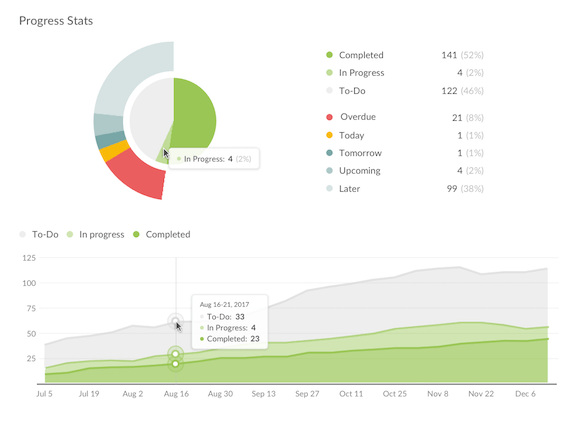
Profile View: Understand the performance of each project and member
Profile view lets you see in a glance how healthy your projects, organizations and team members are with for instance the % of your completed tasks, and the # of tasks your members are responsible for this week.
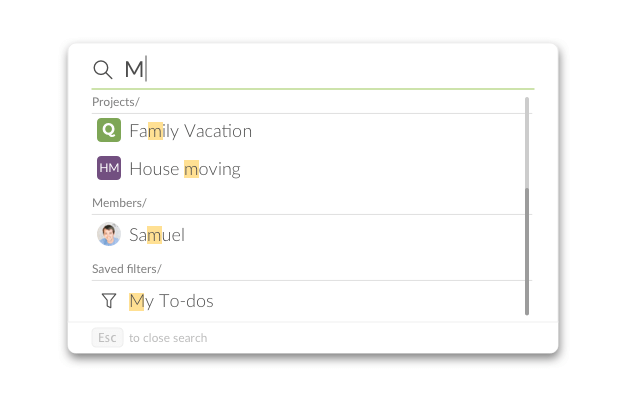
Blink Search: Find exactly what you have in mind in an instant
In addition to full-text search, we also got Blink Search for you to fast find whatever you have in mind, and easily switch between all your projects, organizations and members. Press Ctrl+B or Cmd+B (for Mac), type a few characters and get exactly what you want!
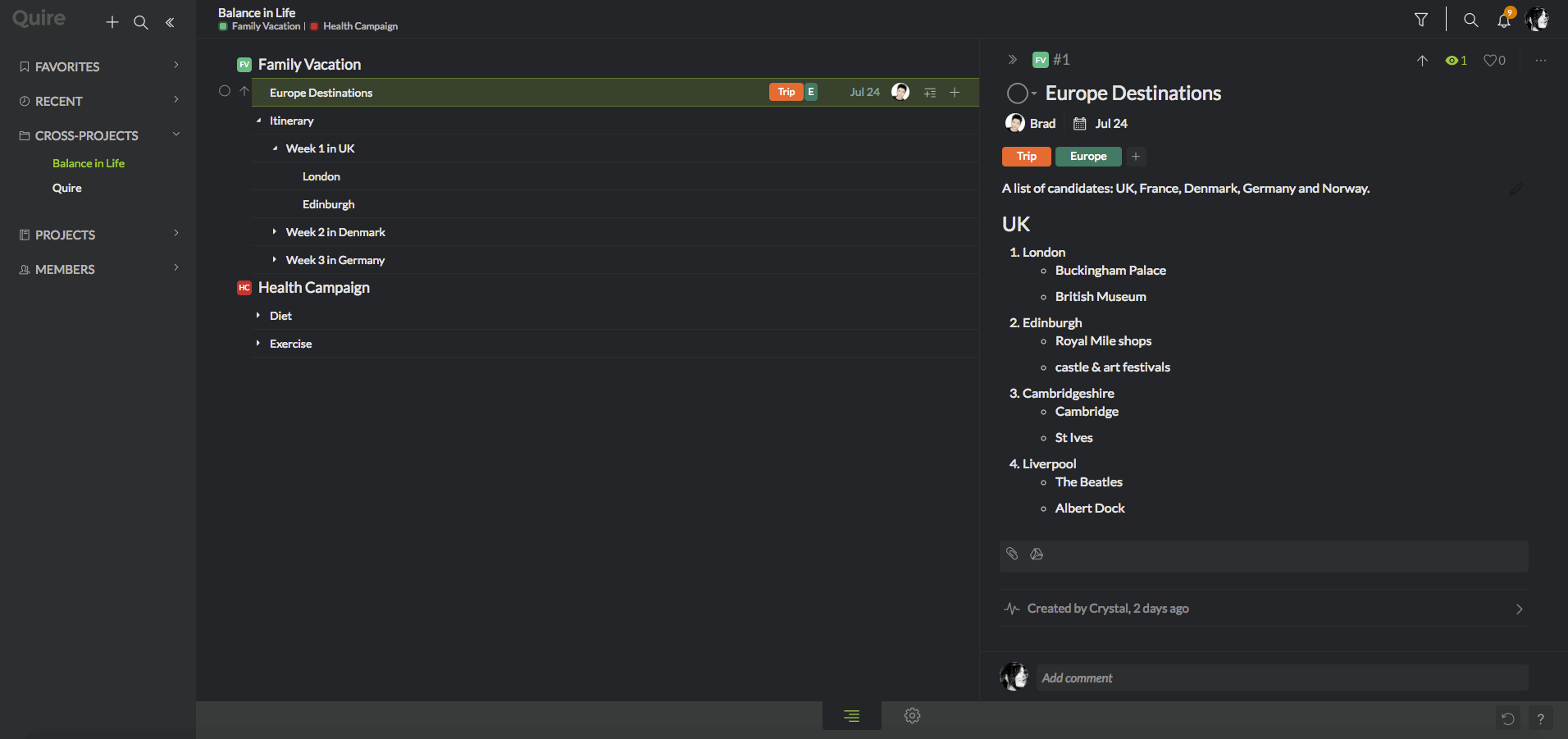
Dark Theme: Feel comfortable even when it is late at night
Bored with the light theme? You can now switch to Monochrome Dark for an amazing contrast in your workspace, and to let your eyeballs rest.
That is not all!
There is so much to enjoy in the all-new Quire. Here are a few little touches we think you are going to love:
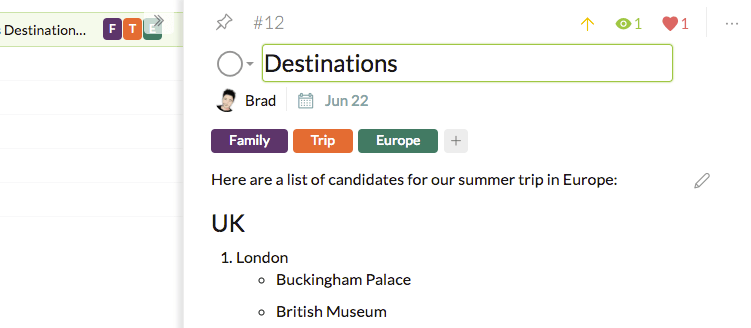
Floating Detail Panel: Keep your workspace clean without any noise
To keep your workspace clean without any clutter, we made the detail panel flippable. And it is easy to flip it open with SPACE if needed.
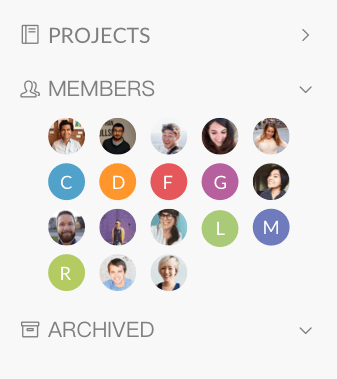
Members in Sidebar: Easily check the status of every one of your members
We got all your members listed in the sidebar, so you can easily click on them to check their status.
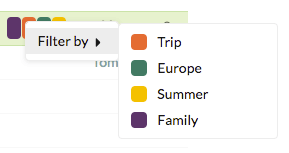
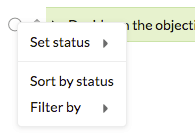
Precise Context Menu: Pinpoint what you need quickly, wherever you need it
When you right-click on the item that needs your attention, we simplified the context menu for you to quickly pinpoint what you need.
For example, when you right-click on tags:
For example, when you right-click on complete icon:
Related: 20 Hidden Quire Features You Should Know — more lesser-known touches like these that can sharpen your daily workflow in Quire.
What is next for Quire after Mark II?
It is wonderful how the existing task tree view helps you see the big picture of your ideas in a nested, hierarchical list. But there is more than one angle to see your project.
We will start with calendar view, where you can see in a timely manner what needs to be done on what day, week and month.
Next, to better focus on your tasks at hand, we will roll out kanban view, so you can easily finish one or two tasks at a time in a visualized, prioritized flow of your work.
What is even more amazing? Intelligent Spotlight, essentially AI that we are currently exploring and aiming to suggest you the most likely important tasks for the day.
These are what we are doing for the next phase of Quire Mark II at the moment. It is going to be better than great!
We were not alone. You made it all possible!
Thanks to your many feedbacks, we made a great leap in Quire Mark II. To name a few, Rafael, Steve, Roman, Philipp, Joshua, Tristan, Andrés and Lee.
With your continuous participation, a new type of collaboration tool for teams with big ideas has been blooming finely.
Now, let’s roll up our sleeves, get ready to make a difference and rock the world!
What did Quire Mark II add?
The relaunch was about power without the clutter.
| Mark II feature | What it does |
|---|---|
| Smart Folders | See related projects from different organizations at once |
| Profile View | Check project and member performance |
| Blink Search | Jump between projects, orgs, and members in a keystroke |
| Monochrome Dark theme | Easier on the eyes for long sessions |
More Quire guides: Turn Your Projects into Customizable Reports in Excel and Pin Quire to Your Smartphone’s Home Screen.

Frequently Asked Questions
What is Quire Mark II?
It's the reimagined, rebuilt version of Quire's task management app, launched in June 2017 with a simpler interface.
What new features came with Quire Mark II?
Smart Folders, Profile View, Blink Search, a Monochrome Dark theme, a floating detail panel, members in the sidebar, and a simplified context menu.
What is Blink Search in Quire?
It lets you jump between projects, organizations, and members. Press Ctrl+B (or Cmd+B on Mac) and type a few characters.
What was Quire planning after Mark II launched?
A calendar view, a kanban view, and an AI-powered Intelligent Spotlight to suggest the most important tasks of the day.