mobile · Jun 14, 2016
Snap your ideas! Introducing Quire for iOS
Last updated: July 22, 2026
Quire for iOS lets you catch an idea the moment it strikes, break a big goal into small to-dos, and work the plan with your team from your pocket. It is free, and it works offline so nothing waits on a connection.
Honestly. How many times have you ditched your ideas?
Or, gone through the trouble of drawing them on a napkin or sketching them on a meeting board, and then simply forgetting where to look or losing them completely on the next day, just to name a few?
We’re proud to present to you Quire app on iOS!
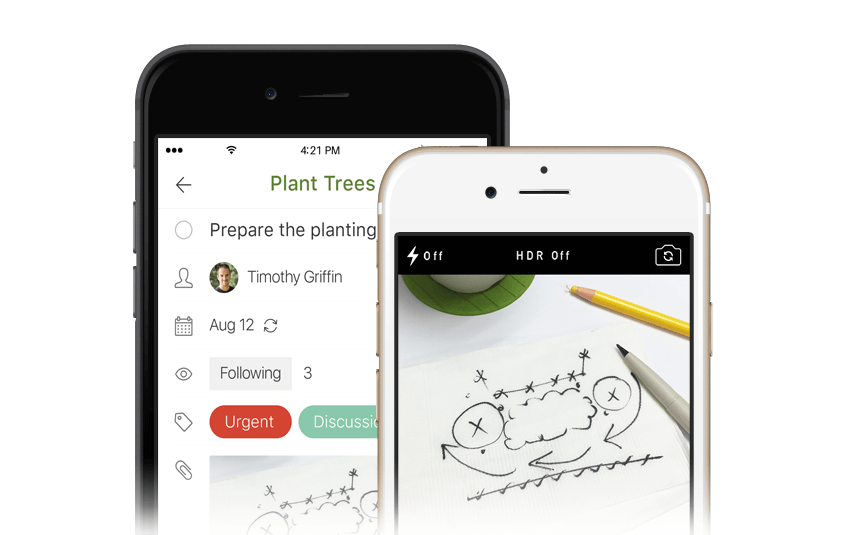
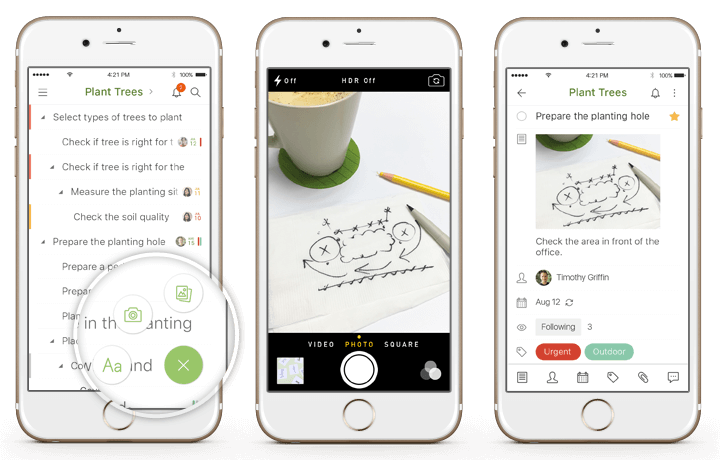
It's the first-ever task manager that snaps your ideas as words or photos in seconds, and sails them smoothly with your team! (We go deeper on the camera, photo, and text capture flows in A photo is worth 1000 words. Your idea worths more!.)
It’s amazing to have a big goal or dream. However, they can be challenging to accomplish in a dynamic world. Whatever you need to realize it, Quire is there to help!
The phone is where ideas strike now. Statista reports that mobile devices generate the majority of the world's web traffic, so capturing them on iOS beats waiting for your desk.
How do you tackle a big goal with small steps?
Break it down into as small a step as you need. That’s how our minds naturally work. No matter how challenging your goal is, Quire lets you map out your thoughts.
How do you turn a growing plan into minimal to-dos?
Pick out a few tasks at a time. That’s how we drive inspirations forward. Instead of being buried in a long list of to-dos, Quire lets you keep it rolling without losing the big picture.
How can you do less and accomplish more with your team?
Keep everyone engaged in real-time collaboration. Quire lets you work smoothly with your team across all of your devices, anytime, anywhere, online or offline. Even remotely, such a harmonious team succeeds together.

That’s it in a nutshell.
We want to thank you for your continued support that has motivated us to make Quire for iOS part of the Quire family. To download it, visit the App Store. You never know when an idea might pop in your head!
Related: Quire iOS 2.0: New Features, Greater Performance — see how the iOS app evolved with new features and performance improvements after this initial launch.
Android users get the same capture flow too: see Introducing: Quire for Android. And if you're on a tablet, there's a dedicated experience in Introducing Quire iPad App.
Related: Introducing Quire Mobile 5.0: Everything You Need to Know — check out the latest major mobile app update spanning iOS, Android, and more.
What can you do with Quire on iOS?
The app is built for the gap between having an idea and losing it.
| You can | How |
|---|---|
| Catch an idea before it's gone | Jot it the moment it appears, wherever you are |
| Break a big goal into steps | Turn a growing plan into small, doable to-dos |
| Do more with your team | Work the plan together, from your pocket |
The point isn't to run all your work from a phone. It's to make sure nothing slips between the moment you think of something and the moment you sit down to plan it. A task you capture on the bus is a task you don't forget by the time you're back at your desk.
And because everything syncs, the idea you jotted this morning is already in the right project when your team logs on. Small habit, real difference over a busy week.
Your best thinking rarely happens at your desk. Your tools shouldn't insist that it does, and a good mobile app is really just a promise that the idea will survive the trip home.

Frequently Asked Questions
Is there a Quire app for iOS?
Yes. Quire's iOS app lets you capture ideas as words or photos, break goals into smaller tasks, and collaborate from your iPhone or iPad.
Can you capture ideas as photos in the Quire iOS app?
Yes. You can save a sketch, whiteboard, or quick photo as a task in seconds, without typing it all out.
Can I keep working across my devices with Quire for iOS?
Yes. You can work with your team across devices anytime, anywhere, online or offline.