milestones · Jul 23, 2018
Quire Mark III: Nested Tasks Meets Board
Last updated: September 3, 2026
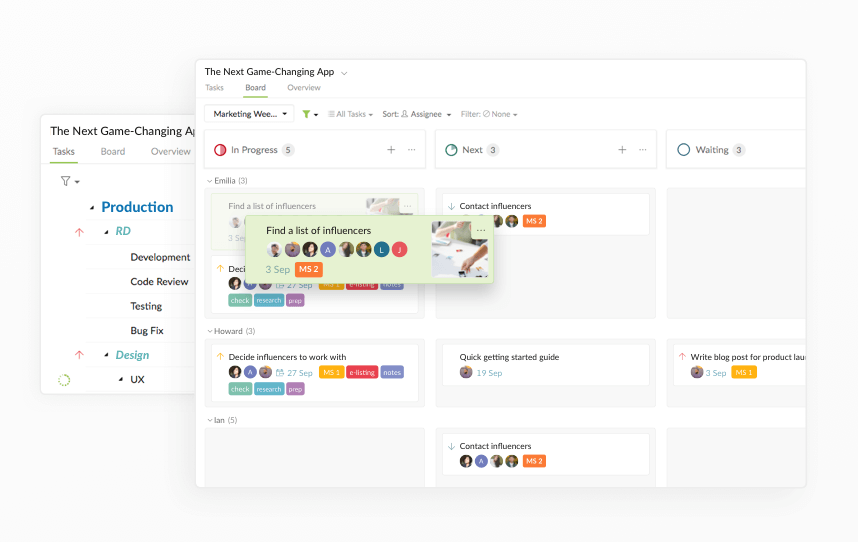
Quire Mark III (Quire 3.0, July 2018) added a Kanban Board view to Quire's nested to-do list. Instead of forcing you to choose between a list and a board like most tools, Quire makes them two views of the same project: plan in the nested Tasks view, then pull a few tasks onto a board to track and finish them.
- What is a nested to-do list?
- What can you do in the Quire Board view?
- How is Quire's nested list and Kanban different from other tools?
- How do you set up nested tasks and a board together?
- When should you use the Tasks view vs the Board view?
- What are common mistakes when combining nested tasks and boards?
- Key Takeaways
- Frequently Asked Questions
Every project has two jobs that quietly fight each other. One is planning: zooming out and breaking a big goal into smaller and smaller pieces until it stops feeling impossible. The other is doing: pulling a handful of those pieces into focus this week and actually finishing them.
Most tools make you pick a side. You either get a deep, nested to-do list that's great for planning and miserable for tracking, or a Kanban board that's great for tracking and useless for outlining anything bigger than a sticky note.
Back in July 2018, Quire Mark III (also known as Quire 3.0) closed that gap. We added a Kanban Board view that sits right on top of the nested task list Quire users already loved, so planning and doing finally live in one project instead of two different apps.
Here's what that looks like, how nested tasks and boards work together, and when to reach for each.
What is a nested to-do list?
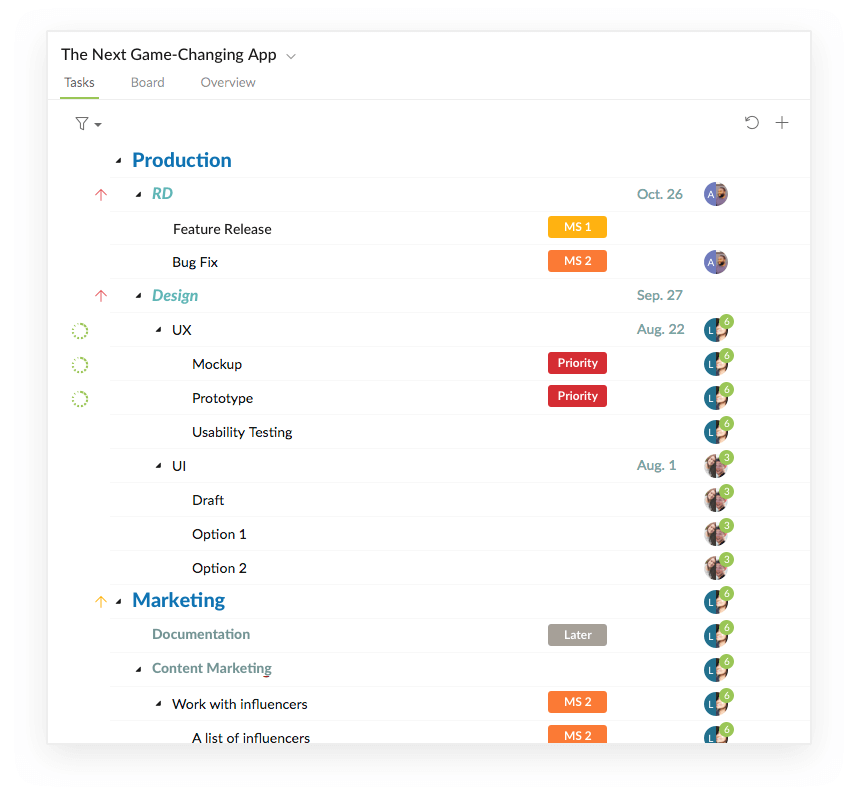
A nested to-do list is a task list where any task can hold subtasks, and those subtasks can hold their own subtasks, as deep as the work actually goes. Instead of one flat row of items, you get an outline you can expand and collapse.
That structure matters more than it sounds. A flat list treats "launch the app" and "fix the typo on the login button" as the same size, which they obviously aren't. Nesting lets you keep the big goal at the top and tuck the messy detail underneath, so the plan reads like a plan instead of a wall of two hundred unranked rows.
In Quire, this nested Tasks view is where you think. You break an idea down, indent the pieces, reorder them, and watch a vague ambition turn into something you could actually hand to a team. It's the planning half of the project.
What can you do in the Quire Board view?
The Board view is the doing half. It lifts tasks out of the outline and lays them out as cards you can move across columns, the classic Kanban setup.
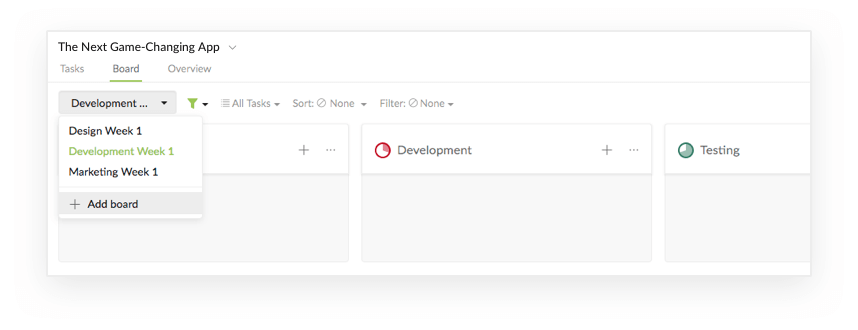
Inside a single project you can add multiple boards, each with its own status columns: To Dos, Development, Testing, Completed, whatever your workflow needs. Drag a card from one column to the next as the work moves, and the same task updates everywhere it lives. No copy-paste, no second source of truth drifting out of sync.
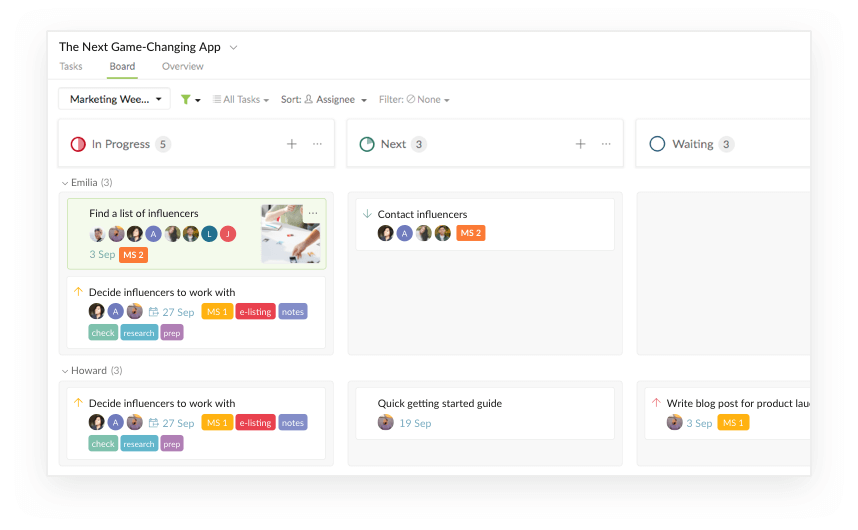
You can also filter a board to cut the noise. Sort by assignee, for instance, and you're looking only at the tasks in your own swimlane instead of the whole team's pile. On a busy project, that's the difference between "I know exactly what's mine today" and quietly drowning. If you want one place that pulls together everything assigned to you across every project, that's what Quire's My Tasks list is for.
How is Quire's nested list and Kanban different from other tools?
Plenty of tools have a to-do list and a Kanban board. The real difference is in how the two relate.
In most tools, the list and the board are separate projects. You commit to one or the other up front, and if you guessed wrong you're rebuilding. A board-first tool like Trello has you fake your outline with checklists buried inside cards. A list-first tool has you fake your board with labels and saved filters. Either way you're working against the grain.
In Quire, the nested to-do list and the Kanban board are two working modes of the same project. You plan in the nested Tasks view, pick out a few tasks, and pull them onto a board to push them to done. Same tasks, two lenses. Change something in one view and the other already knows about it.
| How it works | Most tools | Quire Mark III |
|---|---|---|
| To-do list and Kanban board | Two separate projects; pick one up front | Two views of the same project |
| Switching between them | Rebuild the work or sync two tools by hand | One click, same underlying tasks |
| Breaking work down | Flat cards, or checklists buried in a card | Unlimited nested subtasks |
| Best for | Either planning or tracking, rarely both | Planning in the list and tracking on the board |
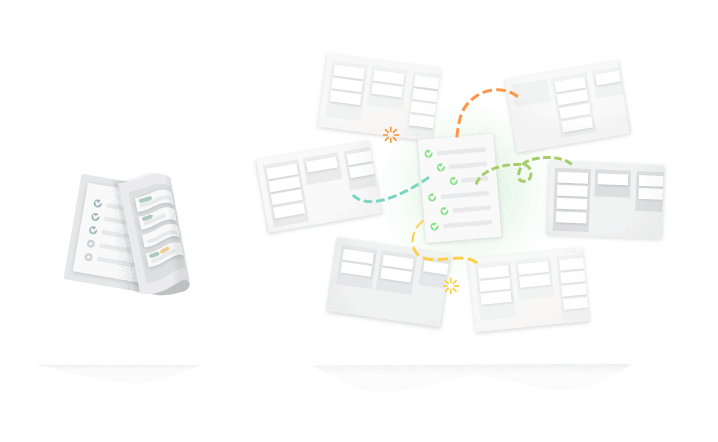
This is the part that answers the question we get most: how does Quire handle nested task lists across complex, multi-project work? You keep the deep outline for planning and a clean board for execution, without choosing between them or syncing two tools by hand.
Read more on why the to-do-list-versus-Kanban split is something project management got wrong.

How do you set up nested tasks and a board together?
Say you and your team want to build a mobile app. Here's the flow from idea to done.
1. Break the idea down in the Tasks view
Start in the nested Tasks view. Turn "build the app" into tasks and subtasks: design, development, marketing, each with its own smaller to-dos underneath. This is your plan and your big picture in one place.
2. Add the boards you need
Switch to the Board view and add a board for each track of work. For the app, that might be three boards named Design, Development, and Marketing, one per team or per phase of the month.
3. Pull a few tasks onto the board
Pick out a couple of tasks from the outline and drop them into status columns like To Dos, Development, Testing, and Completed. You're not moving everything, just the slice you're actively working on, and Quire later added nested Kanban boards so a task's whole bundle of subtasks can move with it as one card.
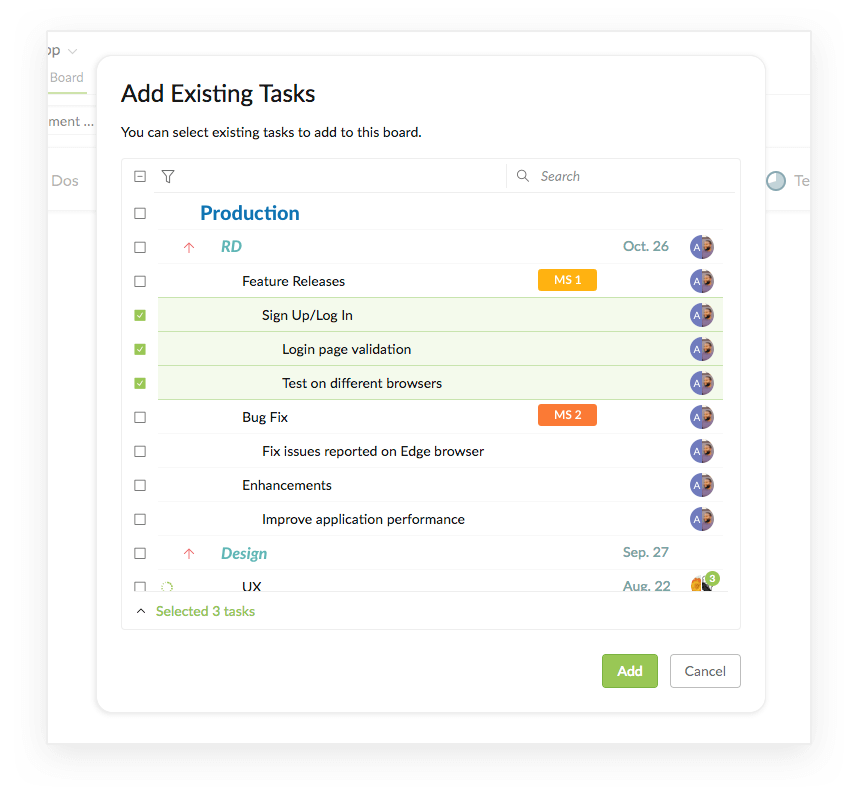
4. Filter to your own swimlane
Set a filter such as sort by assignee so each person sees only their tasks. Less scrolling, less "wait, is that one mine?", more actually doing the work.
5. Move cards as the work moves
Drag each card across the columns as it progresses. Because the board and the outline are the same project, finishing a task on the board checks it off your plan too. No double bookkeeping.
When should you use the Tasks view vs the Board view?
Short version: plan in Tasks, execute in Board.
Reach for the nested Tasks view when you're thinking. It's where you outline a new project, break a goal into subtasks, reorder priorities, and see the whole shape of the work at once. If the question is "what's the plan?", that's the Tasks view.
Reach for the Board view when you're moving. It's where you focus on the handful of tasks in flight this week, watch them slide from To Dos to Completed, and keep the team's progress visible at a glance. If the question is "what's happening right now?", that's the Board.
It works because you never have to choose permanently. A planning week leans on the outline. A delivery sprint leans on the board. Most projects swing between the two, and Quire lets you swing with them instead of migrating your tasks every single time.
Read more on how Kanban swimlanes keep a busy board readable.
What are common mistakes when combining nested tasks and boards?
The model is flexible, which also makes it easy to misuse. A few traps worth dodging.
Dumping the entire outline onto a board. The board is for the slice you're working on now, not all two hundred tasks. Pull a few on, finish them, pull a few more. A board with everything on it is just your to-do list wearing a costume.
Nesting deeper than anyone can follow. Subtasks are powerful, but ten levels down nobody can find anything. If you're scrolling sideways just to read a task title, the outline has stopped helping. Flatten it.
Building a board per person instead of per workflow. Boards work best when their columns map to stages of work (To Dos, Testing, Done), not to individual people. Use the assignee filter for "what's mine", and keep the board itself about the work.
Treating the two views as separate lists. They're not. They're one project. If you ever feel like you're updating things twice, stop, because the entire point of Mark III was to make that unnecessary.
Quire Mark III turned planning and doing into two views of one project, and that's still the heart of how Quire works today. If your team keeps bouncing between an outlining app and a board app, Quire is built to hold both, so the plan and the progress never drift apart.
Key Takeaways
- Quire Mark III (Quire 3.0, July 2018) added a Kanban Board view on top of Quire's nested to-do list.
- A nested to-do list lets any task hold subtasks, so big goals and small details live in one expandable outline.
- Unlike most tools, Quire's list and board are two views of the same project, not two separate projects.
- Plan in the nested Tasks view; track and finish the work in the Board view.
- Pull only the tasks you're actively working on onto a board, and map columns to workflow stages, not people.
For the wider question of when a board beats a list, a timeline or a calendar, read which project view fits the work.
Frequently Asked Questions
What is Quire Mark III?
Quire Mark III (Quire 3.0, July 2018) added a Kanban Board view on top of Quire's nested to-do list.
What is a nested to-do list?
A task list where any task can hold subtasks several levels deep, so the big goal and the small details live in one outline.
What can you do in the Quire Board view?
Add multiple boards with status columns, drag tasks between them, and filter by assignee to see only your own swimlane.
How is Quire different from other to-do-list-plus-Kanban tools?
In most tools the list and board are separate projects; in Quire they're two views of the same project.
When should you use the Tasks view vs the Board view?
Plan and outline in the nested Tasks view; track and finish the tasks in flight in the Board view.
What are common mistakes when combining nested tasks and a board?
Overloading one board, nesting too deep, building boards per person instead of per workflow, and updating both views as if they were separate lists.