
project management · Mar 11, 2026
What Is Project Management Analytics (and Why It Matters)

Last updated: August 19, 2026
Project management analytics is the practice of using data your projects already generate (completion rates, time spent, budget, deadline trends) to make decisions instead of relying on gut feel. Four types compound: descriptive (what happened), diagnostic (why), predictive (what's likely next), and prescriptive (what to do about it). Teams that adopt it consistently catch problems before they escalate, replace vague status updates with defensible numbers, and reduce reactive firefighting.
- What Is Project Management Analytics?
- What Are the 4 Types of Project Analytics?
- Why Does Data Analytics Actually Matter in Project Management?
- What Are the 6 Key Metrics in Project Management Analytics?
- Which Tools Power Project Management Analytics?
- How Do You Put Project Analytics Into Practice?
- Frequently Asked Questions
PMI's Pulse of the Profession 2024 reports that organizations waste roughly 11.4% of investment due to poor project performance, and the Standish Group's CHAOS research has tracked timeline and budget overruns above 50% of projects for two decades. The teams in the smaller percentage who consistently deliver on time and on budget are not working harder. They are using the project data their tools already generate, and most teams are not.
Project management analytics is the discipline of using that data. The rest of this post covers what counts as project analytics, the four types every PM should know, the six metrics that carry the weight, and how to start without a data science background.
What Is Project Management Analytics?
Project management analytics: the practice of collecting and analyzing data produced by your own projects, tasks completed, hours logged, deadlines missed, budgets burned, and using the patterns to make decisions. It differs from reporting in what it is for. Reporting describes what happened. Analytics changes what you do next.
The raw material is already sitting in your project tool. Daily activity such as tasks completed, hours logged, deadlines missed, and budgets burned becomes a pattern the moment somebody looks at it across weeks instead of days.
It sounds fancy, but the concept is pretty grounded. Every project generates data constantly: who's working on what, how long things actually take versus how long you thought they'd take, where work keeps getting stuck. Project analytics is just the practice of paying attention to that data instead of ignoring it until things go sideways.
Common examples of project data that teams track include:
- Task completion rates over time
- Time spent per phase or team member
- Budget consumed vs. budget remaining
- Number of scope change requests
- How often deadlines slip (and by how much)
The goal isn't to turn your project manager into a statistician. It's to create a feedback loop, so your team isn't making the same expensive mistakes on every project.
What Are the 4 Types of Project Analytics?
Project analytics stacks in four layers, each answering a different question. Most teams stop at the first layer and assume that is what analytics is. The compounding value lives in the upper layers.
| Type | Question it answers | Example output | Maturity needed |
|---|---|---|---|
| Descriptive | What happened? | End-of-sprint reports, burndown charts | Basic task data |
| Diagnostic | Why did it happen? | Root-cause analysis on slipped phases | Tagged historical projects |
| Predictive | What is likely next? | Velocity forecast, burnout risk score | 2-3 cycles of clean data |
| Prescriptive | What should we do? | Suggested rebalance, scope-cut options | Predictive layer plus playbook |
1. What Is Descriptive Project Analytics?
This is the "what happened?" layer. Descriptive analytics looks at historical data to summarize past performance. It's your end-of-sprint reports, your burndown charts, your "we completed 78% of tasks on time last quarter" dashboards.
It's the most common type of project analytics, and honestly, a lot of teams stop here. Which is fine as a starting point, you can't improve what you haven't measured. But describing the past doesn't help you prevent future problems.
2. What Is Predictive Project Analytics?
This is where things get genuinely useful. Predictive analytics uses historical patterns to forecast what's likely to happen next. Is this project at risk of slipping based on its current velocity? Is a team member approaching burnout based on their workload trend? Is the budget on track to last through the final phase?
Predictive project analytics gives you a heads-up before the fire starts, not after you're already standing in the ashes.
3. What Is Prescriptive Project Analytics?
Prescriptive analytics takes it a step further and answers: "What should we do about it?" It's the most sophisticated layer, combining past data and predictions to actively suggest courses of action. Think of it as having a very well-informed advisor who says, "Based on everything we know, here's what you should prioritize this week."
This is where modern project management software is heading, tools that don't just show you your data, but help you interpret it and act on it.
4. What Is Diagnostic Project Analytics?
Worth mentioning as a fourth type: diagnostic analytics asks "why did this happen?" Rather than just noting that a project ran late, it digs into the root cause, was it resource constraints? Scope creep? Dependencies that weren't mapped? Understanding why things went wrong is often the missing link between teams that repeat mistakes and teams that actually learn from them.
Why Does Data Analytics Actually Matter in Project Management?
Four concrete failure modes show up on almost every team that runs without analytics. Each one has a direct analytics fix:
Projects run late. According to basically every study ever conducted on the matter, the majority of projects overrun their original timeline. Teams consistently underestimate complexity, over-promise on capacity, and don't catch warning signs until they're already deep in damage control mode. Analytics gives you visibility into velocity trends early enough to actually adjust course.
Budgets balloon. A project that's 20% over budget at the midpoint is almost never going to come in on target. But most teams don't notice the problem until the end. Cost tracking analytics surfaces these trends in real time, not in the post-mortem.
Resources get distributed unevenly. On most teams, there are a handful of people who are always overwhelmed and a handful who always have capacity. This imbalance is invisible without data. Workload analytics shows you exactly where bottlenecks are forming, and which team members might be heading toward burnout before they tell you themselves.
Stakeholder communication stays vague. "The project is going well" is not a status update. Analytics gives you concrete, defensible numbers to bring into stakeholder conversations. It replaces vibes with facts, which is almost always better for everyone.
The broader point: data-driven teams are more efficient, but that's the least of it. They build trust faster, make better decisions under pressure, and spend less time in reactive firefighting mode. That's not a small thing.
The four types are the lens. For picking which numbers deserve a slot on the review agenda, Project Management KPIs covers the selection discipline itself.
What Are the 6 Key Metrics in Project Management Analytics?
So what should you actually be tracking? The right metrics, your project management KPIs, depend on your project type and team structure, but here are the ones that consistently show up in high-performing teams:
1. How Does Timeline Tracking Work?
Are tasks and milestones being completed on schedule? Timeline metrics go beyond a simple "on time / late" binary. You want to track how late things are running, whether slippage is accelerating or stabilizing, and which project phases consistently cause delays. Over time, this helps you build much more accurate estimates.
The step-by-step setup lives in our Guide for Time Tracking Report.
2. How Does Cost Tracking Work?
Budget analytics compares planned spend against actual spend at regular intervals. The goal is to spot the trend early enough to adjust scope, resources, or expectations before the situation becomes critical, not just to know you're over budget.
3. How Does Workload Tracking Work?
Who is doing how much? Workload tracking gives you a view of task distribution across your team. It helps prevent the "hero team member" problem where one person is quietly carrying the weight of three, and helps managers have better conversations about capacity before things fall apart.
4. How Do You Measure Resource Utilization?
Related to workload, but specifically focused on how efficiently your resources (people, tools, time) are being used. Over-utilization leads to burnout. Under-utilization is waste. The goal is to find the sustainable sweet spot where your team is productive without being crushed.
5. What Is Project Velocity?
Borrowed from agile methodology, velocity measures how much work your team completes in a given period. It's one of the most reliable leading indicators of project health, and a sudden drop in velocity is often the earliest signal that something is wrong, long before it shows up in timelines or budgets.
6. What Are Risk Indicators in Project Analytics?
Analytics can help surface early warning signs before they become full-blown problems. Think: tasks that have been "in progress" for suspiciously long, dependencies that haven't been resolved, or patterns from past projects that tend to precede scope creep. The more historical data you have, the better your risk radar gets.
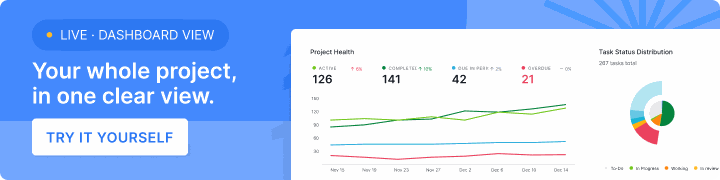
Where these metrics actually live in Quire, from the automatic Overview tab to formula-driven Insight View, is mapped in Quire Reporting: Every Layer, From One Task to the Whole Org.
Which Tools Power Project Management Analytics?
Building custom dashboards from scratch is what kills most analytics initiatives before they produce a single decision. The right project management software handles the data capture and the visualization automatically:
The short answer is that the right project management software does the heavy lifting for you. Modern tools have shifted from simple task trackers to platforms that actively surface insights from your project data, making analytics accessible to teams who don't have a dedicated analyst on staff.
What to look for in a tool:
Centralized data collection. Analytics is only as good as the data feeding it. If your tasks are in one place, your time tracking is in another, and your communication is scattered across email and chat, you'll never get a coherent picture. The best tools consolidate everything in one place automatically.
Built-in reporting and visualization. Raw numbers aren't useful to most people. Good project analytics tools translate data into charts, timelines, and dashboards that your whole team, not just your data-savvy PM, can actually understand and act on.
Real-time updates. Stale data leads to stale decisions. Tools that update in real time let you spot problems as they emerge, not after they've already derailed your timeline.
Workload and capacity views. The most underrated feature in any PM tool. Being able to see team workload at a glance means you can rebalance before someone hits a wall.
This is where Quire comes in. Quire is built around the idea that project management should be clear, collaborative, and actually usable, and its analytics features reflect that.
From workload views that show you exactly how your team's capacity is distributed, to timeline tracking that keeps everyone aligned, it gives teams the visibility they need without drowning them in complexity.
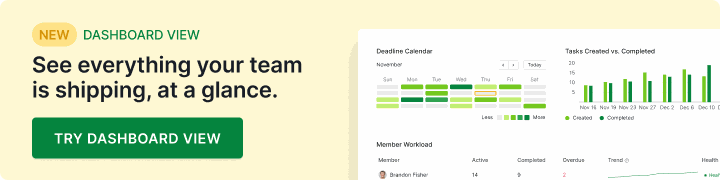
And when you want all of it on one screen, Dashboard View lets you assemble those charts and task panels into a dashboard of your own, scoped to one project or a whole portfolio, kept private or shared with the team.
If you've been managing projects mostly on instinct, or cobbling together updates from weekly standups and hope, it's worth exploring what a data-informed workflow actually feels like. Spoiler: it feels a lot less stressful.
For the applied half, four real scenarios and a seven-step rollout, see Data Analytics in Project Management: How Teams Use It.
How Do You Put Project Analytics Into Practice?
Project analytics isn't about turning your team into data analysts. It's about making sure the information that already exists in your projects, the tasks, timelines, effort, and outcomes, is actually working for you instead of disappearing into a void.
The teams getting the most value from data analytics in project management aren't the ones with the most sophisticated setups. They're the ones who start with a few key metrics, build the habit of checking them regularly, and let the patterns inform their decisions over time.
Start small. Pick two or three metrics that matter most for your team right now, maybe it's timeline tracking and workload distribution. Get consistent with tracking them. Then expand from there.
The goal isn't perfect data. It's slightly better decisions, made slightly earlier, slightly more often. Do that consistently and the compounding effect on your team's productivity, and sanity, is significant.
Pick two metrics this week, not ten. Map them to the pain point that bit you on the last project. Track them for two cycles to set a baseline, then bring the numbers into the planning meetings where decisions already happen. That single loop is the entire practice.
Quire captures the underlying data as a byproduct of normal task work. Workload views surface the hero-team-member problem early. Timeline tracking and velocity charts give you the predictive layer without a separate BI stack. Try Quire free and start the loop on the next project, not three projects from now.
Frequently Asked Questions
What is project management analytics?
It's the practice of collecting and using the data your projects already generate, like completion rates, time spent, and budget, to make decisions instead of relying on gut feel.
What are the types of project analytics?
Four types, stacked: descriptive (what happened), diagnostic (why), predictive (what's likely next), and prescriptive (what to do about it).
Why is data analytics important in project management?
It catches budget overruns, timeline slippage, and uneven workloads before they escalate, and replaces vague status updates with numbers stakeholders can trust.
What metrics matter most in project management analytics?
Six: timeline tracking, cost tracking, workload tracking, resource utilization, project velocity, and risk indicators like stalled tasks or unresolved dependencies.
Does project management analytics make a team more productive at work?
It does when the numbers reach a decision: a sprint re-planned on real velocity, a task moved off an overloaded assignee, a budget flag raised early enough to matter. Quire keeps these metrics on the same dashboard as the tasks, so the review is part of the workday, not a separate exercise.
How do you start using project analytics without a data team?
Pick two or three metrics tied to your worst pain point, capture a baseline for two cycles, then review them on a fixed cadence. Tools like Quire capture most of this data automatically, so no analyst role is needed.
