
features · Jun 25, 2019
Quire Peekaboo and GTD Methodology: A Miracle for Your Productivity Hack

Last updated: July 29, 2026
Peekaboo is Quire's version of the GTD Someday/Maybe bucket: temporarily hide tasks from your active list without deleting them, optionally with a reappearance date. Reduces visible workload, keeps the work tracked, and pairs with Kanban Board (for now-actions) and the nested task list (for planning) to cover all three time horizons. Available on every plan, free included.
It's a Monday morning, you're sitting at your desk trying to recover from your weekend while waiting for the morning caffeine to kick in. You are browsing your task list for the week and suddenly you feel defeated and discouraged by the never-ending list. Well, Monday doesn't suck, you just don't know how to organize your work yet. And we're here to rescue you from the Monday blues.
Researchers have pointed out that incomplete tasks can trigger stress, especially at the workplace. The mechanism has a name in psychology: the Zeigarnik effect. Bluma Zeigarnik found that the mind keeps incomplete tasks active in working memory until they're either done or moved into a trusted external system.
David Allen's Getting Things Done is built on the same observation, which is why GTD's Someday/Maybe bucket is so important to the method. Quire's Peekaboo is Someday/Maybe with a reappearance timer.
Trying to combat an overwhelming list with thousands of unfinished to-dos can drain energy, make you lose motivation, and get tired easily. Sometimes, listing out everything you need to do does more harm than good. Rather than trying to be an overachieving superhero, how about just be an ordinary person with an effective working method?
Years ago, when David Allen first introduced Getting Things Done (GTD) methodology in his book, it immediately became a phenomenon all over the world. Basically, GTD is a productivity method that helps you organize, optimize productivity, reduce stress and save your precious time. The key to GTD is an open loop that includes everything.
In contrast to the myth, GTD doesn’t aim to complete the tasks right away. Instead, the goal is to continuously work to accomplish daily goals and eventually, one day you will check off all of the tasks on the list.
Where do all the incomplete tasks go?
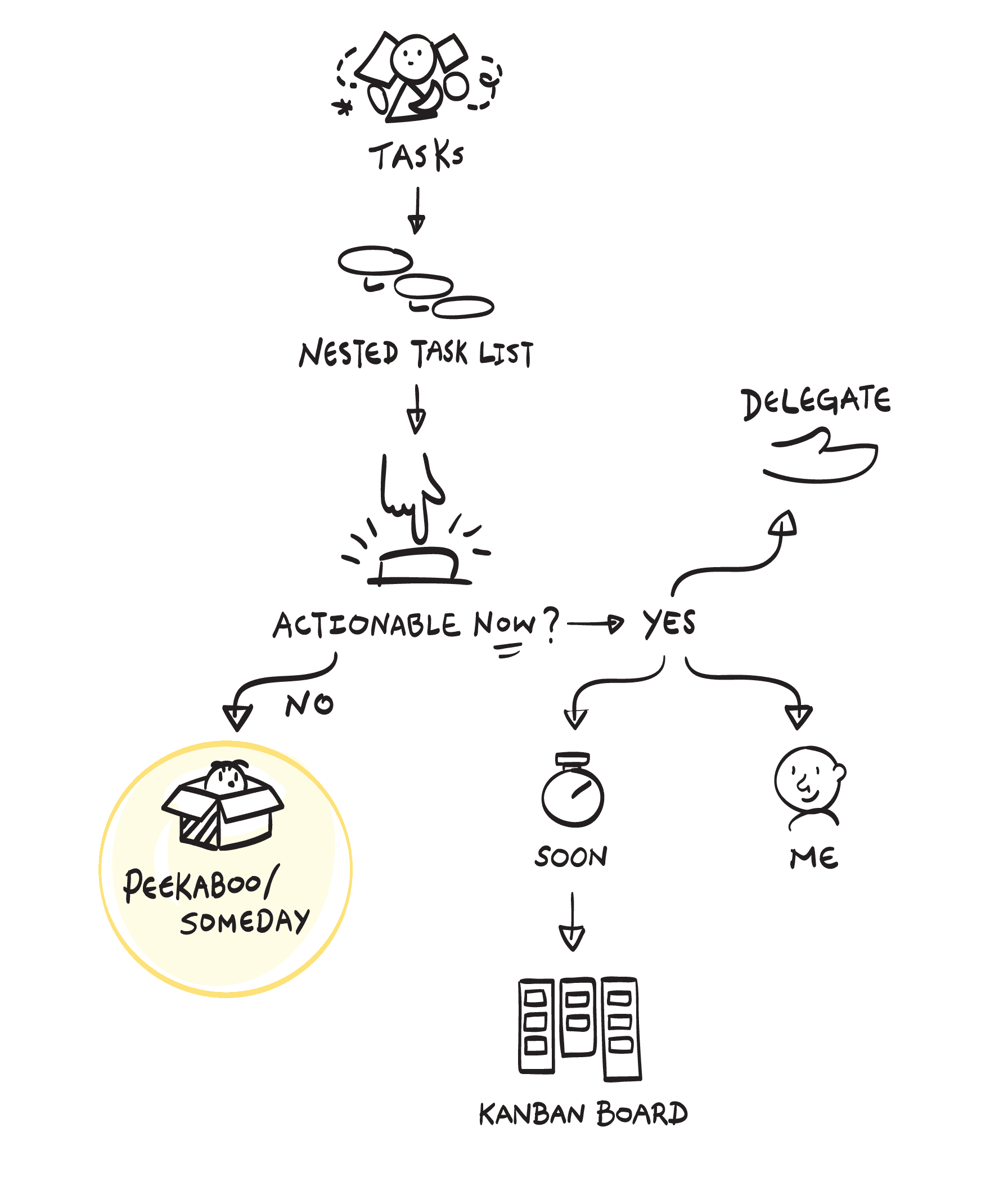
The idea of GTD methodology is to have a place for you to store all the tasks that are not required immediate attention and action. David Allen used the term “Someday/Maybe” for all the tasks that are impossible to move on at the present but you cannot ignore them completely. As you go through the tasks list, you can determine which tasks can be pushed back and revisited in the future.
At Quire, we realize it’s important to keep going forward with your goal instead of getting distracted or pressured by the unrelated tasks. We recently introduced a powerful feature that has the cutest name ever - Peekaboo.
When your list grows a tad overwhelming, you can pick several tasks that are not actionable at the moment or can be worked on in the near future and peekaboo them, meaning moving to a separate folder that will not bother you anymore.
The peekaboo folder will remain inactive until you visit and pick up on the peekaboo-ed tasks that you want to start working on.
We also allow you to set a specific time for the tasks to reshow on the active list so that you will not forget about their existence.
The philosophy behind is that you still have to complete them eventually - just not now - so you can buy some more time to work on something more important.
On the opposite end, for tasks so quick they take less time to do than to file away, that's exactly what the 2-minute rule is for.
It’s all about you and how you would like to digest your task list. You choose which tasks to keep and which tasks should be peekaboo-ed for future exploration. You decide when to pick up on what you’ve left off. You will get reminded about the tasks that you peekaboo-ed so you will never actually forget about them and miss the deadlines.
Peekaboo covers one bucket of GTD. To set up the whole method, the GTD template guide shows how projects, sublists, tags, and Peekaboo fit together across all five steps.
How do Peekaboo, Kanban Board, and Nested Task List work together?
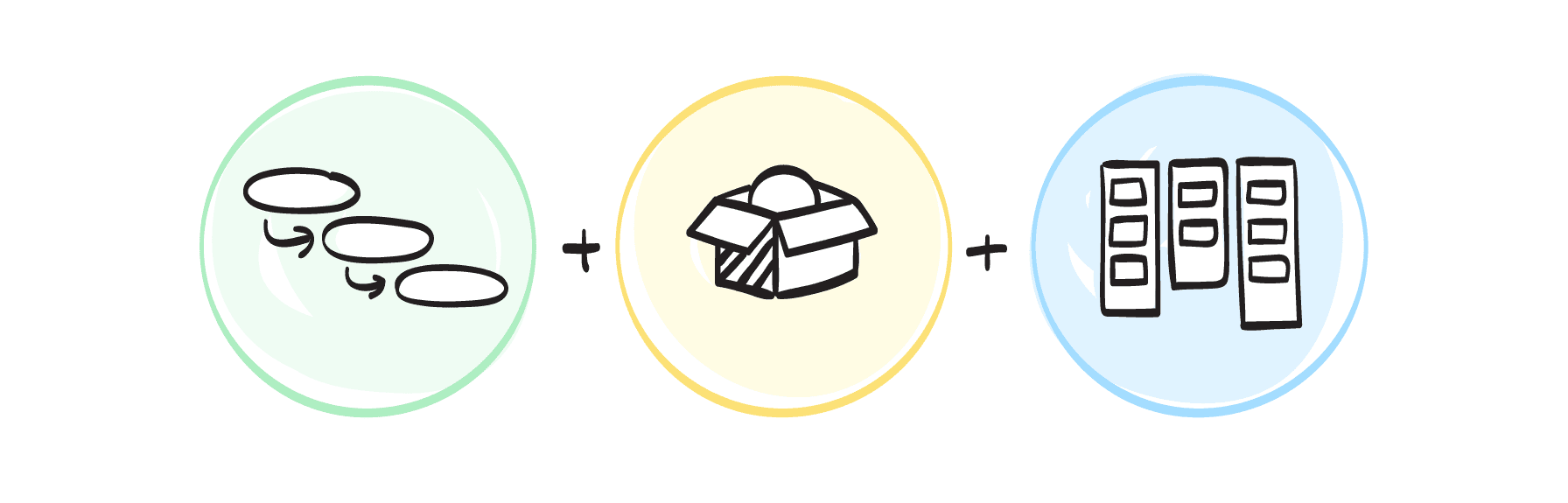
Several years ago, we introduced Kanban board and you all love it. At that time, we explained Kanban board will help you focus and execute the assignments that matter the most at the moment while a nested task list is good for planning and brainstorming. You may ask, so what’s the difference between a Kanban board and Peekaboo folder?
Well, everything you know about Kanban board is correct! Basically, Kanban board is made for the tasks that require immediate action (the same urgent-versus-not distinction behind the Eisenhower Matrix) while Peekaboo folder is for the postponed tasks. You can think of a task that needs to be done someday, not today. Sooner or later, you have to work on the tasks that you’ve peekaboo-ed, but not right now, not at this moment.
David Allen has explained why sometimes setting the pending status to a task can unleash the flow of your creative thinking. You don’t have to worry about too many things at once. Your mind capacity will not be overloaded. You can work on everything that goes smoothly and let the obstacles disappear for a while so it won’t bother you.
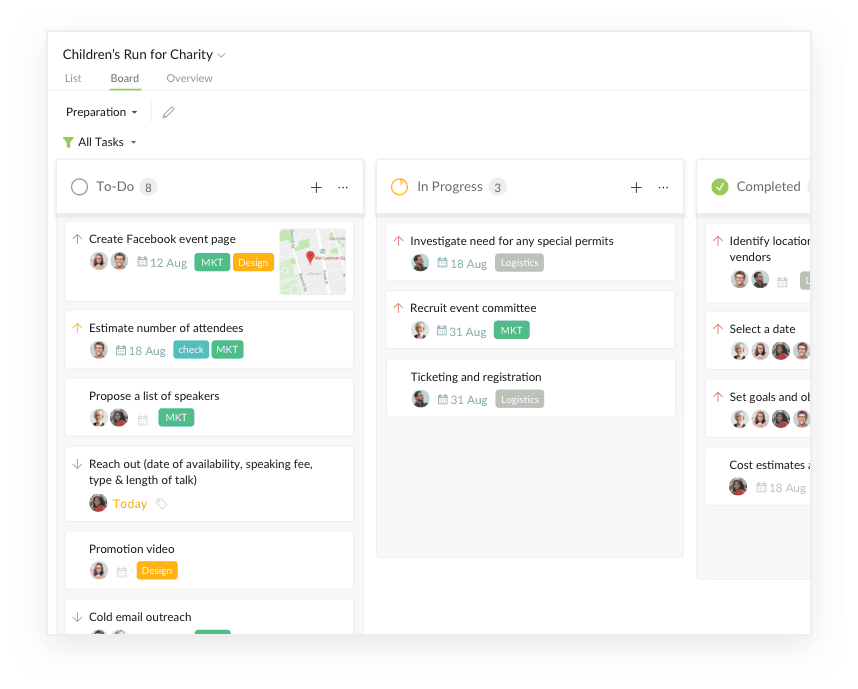
Let’s say you have a list of everything you need to do for a Charity Campaign.
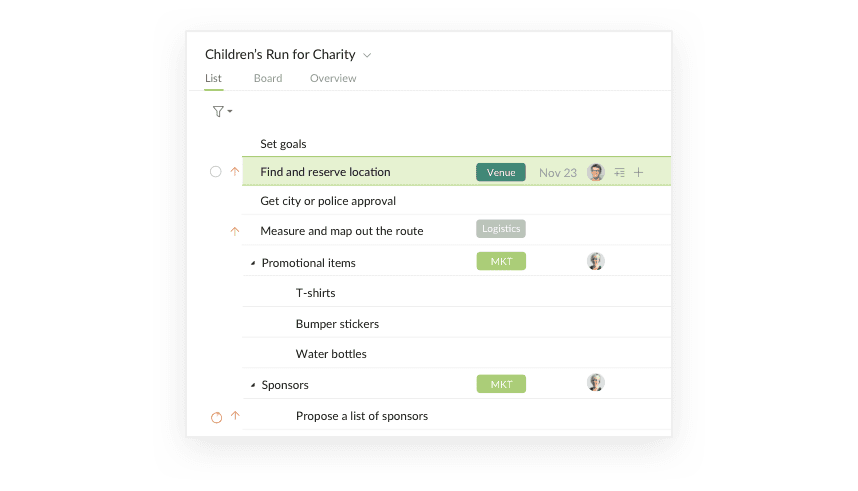
There are several tasks that need to be worked on in the upcoming weeks, so you move them to a board.
There are several tasks that you have to do eventually, but not now, and you don’t want those tasks to distract you and your workflow.
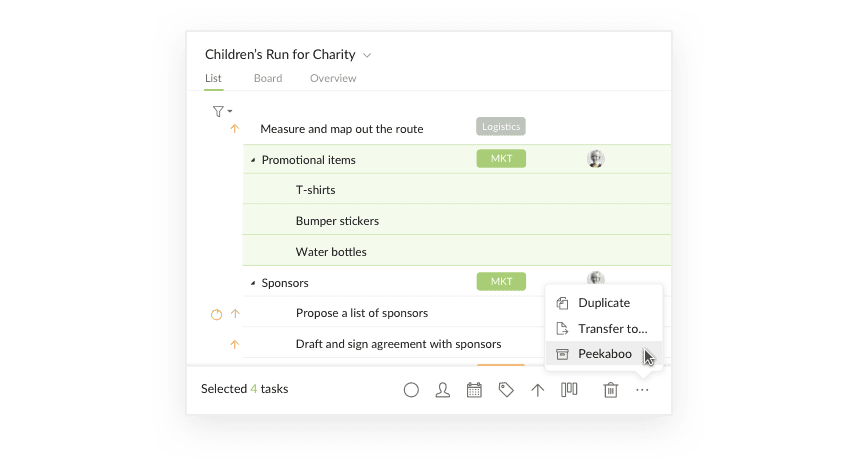
So you can select those tasks and peekaboo them.
You can set the time for these tasks to reappear again on your list so you can get your attention to them. Or if those tasks are meant for reference only, you can just leave them in the peekaboo folder.
Peekaboo! Work hard but never forget to have fun!
We always hope Quire is not only a platform for you to organize your work and boost up the productivity, Quire should also be a tool to inspire you every day!
Follow your passion, love your job and you will never have to work another day in your life! We hope you all have fun with Quire!
If you still have any question or concern, reach out to us at feedback@quire.io

Frequently Asked Questions
What is Peekaboo in Quire?
Peekaboo lets you temporarily hide tasks from your active list without deleting them. They sit in a separate folder until you bring them back manually or on a scheduled date, Quire's version of GTD's Someday/Maybe bucket.
What is GTD (Getting Things Done) methodology?
GTD is David Allen's productivity system for capturing every commitment in an external system, sorting it into clear categories, and reviewing on a regular cadence. The goal is freeing your mind to focus on the work in front of you.
How does Peekaboo fit into the GTD workflow?
Peekaboo mirrors GTD's Someday/Maybe bucket. Tasks you can't act on now move out of your active list, optionally with a reappearance date, so they stay tracked without adding to your mental load.
How is Peekaboo different from archiving or deleting tasks?
Archiving and deleting are end states; Peekaboo is a pause. A peekaboo'd task is still yours and will resurface, either when you check the folder or when its reappearance date hits.
Is Peekaboo available on the free Quire plan?
Yes. Peekaboo is included on every Quire plan, including free, with no upgrade required.
