
features · Feb 16, 2024
Introducing Task Dependency: Draw a Map Among Your Tasks
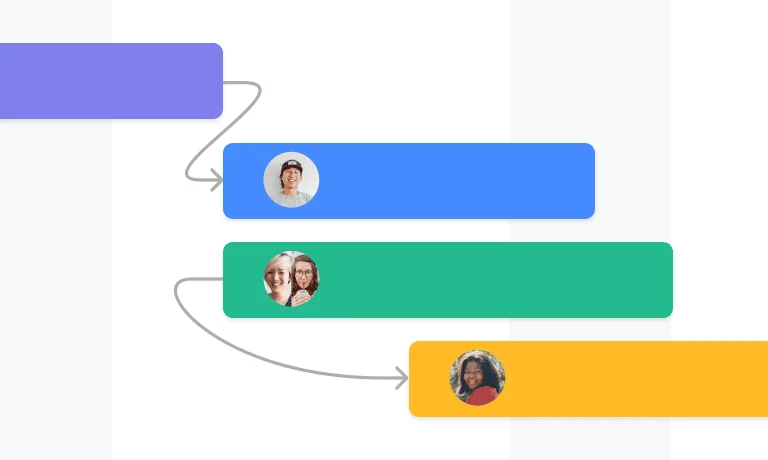
Last updated: July 20, 2026
Task Dependency in Quire lets you mark "this task can't start until that one finishes," turning a flat task list into a real schedule. Drag a connector between tasks in Timeline view, or set it from the task detail panel. Quire supports Finish-to-Start dependencies and a task can wait on multiple predecessors. Available on Professional and higher plans.
Project management runs on knowing what depends on what. A flat task list says "do these in any order." A real project says "design has to ship before development starts, and beta launches only after security review signs off." That second shape, the one that reflects how work actually flows, is what a task dependency captures.
Dependency mapping isn't new. The Critical Path Method was developed at DuPont in 1957, and PMI's PMBOK Guide still treats dependency identification as one of the core processes in project schedule management. Quire's Task Dependency feature is what happens when you bake that practice into a modern PM tool instead of leaving it in a Gantt chart from 1980.
What is task dependency in Quire?
Task Dependency lets you mark one task as blocked by another, so your task list becomes an ordered schedule instead of a flat checklist. You assign one task to wait on the completion of another, and Quire reflects that order across your project views.
A single task can depend on multiple predecessors, so you can express the kind of interlocking work that real projects have. Batch mode sets several dependency links at once, so you can wire up a whole sequence in a single action instead of one connector at a time.
Task Dependency is exclusively made for Professional and higher subscription tiers. More information can be found on our Pricing page.
How do you create task dependencies in Quire?
It’s very straightforward to create dependencies in Quire.
- Switch to Timeline view for your project.
- Hover over the task and drag the line(s) to interconnect the tasks, establishing a relationship among them.
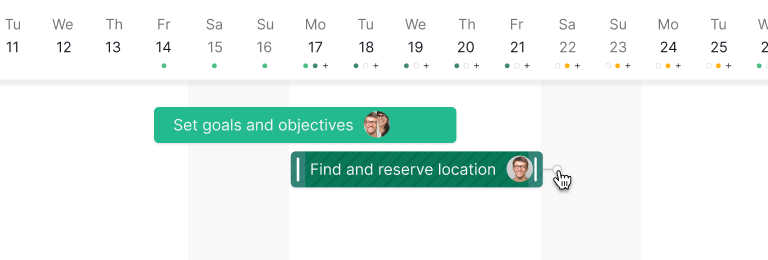
Please note that Quire only supports FS (Finish to Start) dependencies at the moment, which means that one task must be finished before the next task can start.
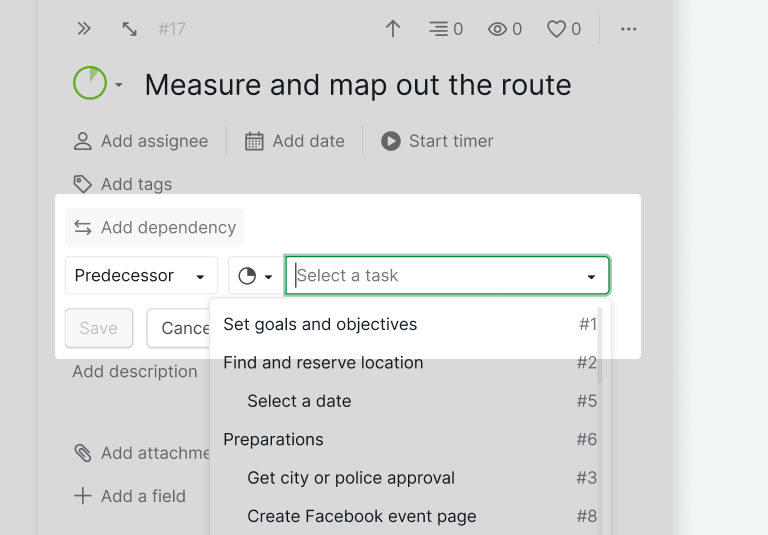
An alternative method to establish dependencies in Quire is to open the detail panel of a task and select Add dependency. From there, you can designate the other task as either its predecessor or successor.
A helpful tip for managing Task Dependencies in Quire is that, in Table View, you have the option to display either the predecessors or successors of a particular task. This provides a convenient way to visualize and organize task relationships.
For a step-by-step guide on how to get started with Task Dependency, please visit our guide.
Why does task dependency matter for project planning?
1. Realistic scheduling
Mapping dependencies turns guesswork into a schedule you can defend. When teams see which tasks must finish before others can start, deadlines reflect the real order of work rather than an optimistic wish list.
2. Fewer hidden bottlenecks
Each person can see how their task feeds the next one. That visibility surfaces the choke points early, so a stalled task doesn't quietly hold up three others before anyone notices, and the team stops relitigating the same blocker in every daily standup.
3. Ordered resource allocation
Dependencies show which tasks have to come first, so you can assign people and budget in the right sequence instead of staffing work that can't start yet.
4. Earlier risk visibility
A dependency map shows the knock-on effects of any delay. When one task slips, you can see exactly which downstream tasks move with it and intervene before the whole timeline shifts. Tie the critical links to a Milestone and a slip becomes visible as a missed goal, not just a moved date on a chart.
5. Real-time progress
Because the links are live, completing one task updates what's now unblocked. You track progress against the actual flow of work, not a static plan that drifted out of date weeks ago. Kanban teams track this same signal as blocked time, the hours a card sits stuck waiting on something else to finish.
How does the Quire team use Task Dependency in real work?
How does our marketing team sequence a campaign?
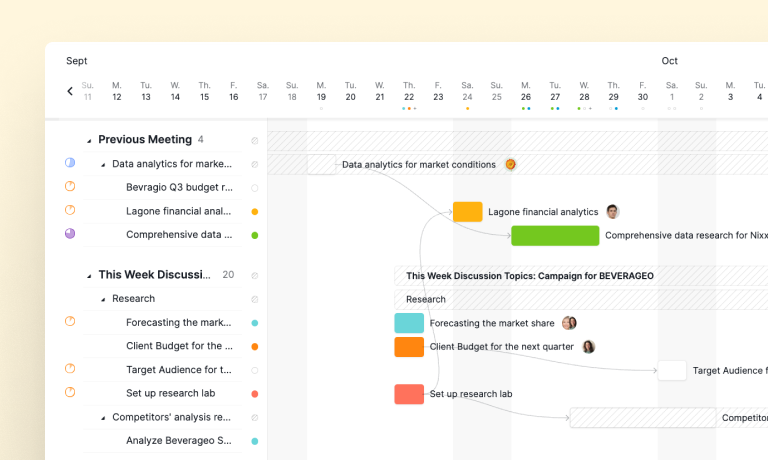
For the marketing team, timing decides whether a campaign lands. Our marketing manager links every task from creative assets to scheduled social posts, so each one waits on the work it actually depends on.
When a task slips, the team sees the campaign's flow shift and adjusts the downstream dates the same day. Nothing goes live before the asset it needs is ready.
How does our business analyst team manage data projects?
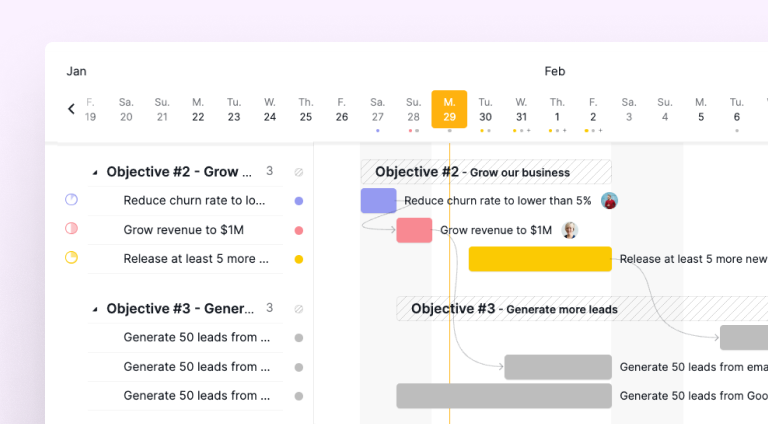
The business analyst team works through data projects with a lot of moving parts. They define each link up front, so data collection, analysis, and reporting run in the order the work requires.
That ordering keeps the plan accurate and lets the team re-sequence quickly when requirements change. The dependency map shows what has to move when a step gets added or dropped.
How does our finance team build budgets?
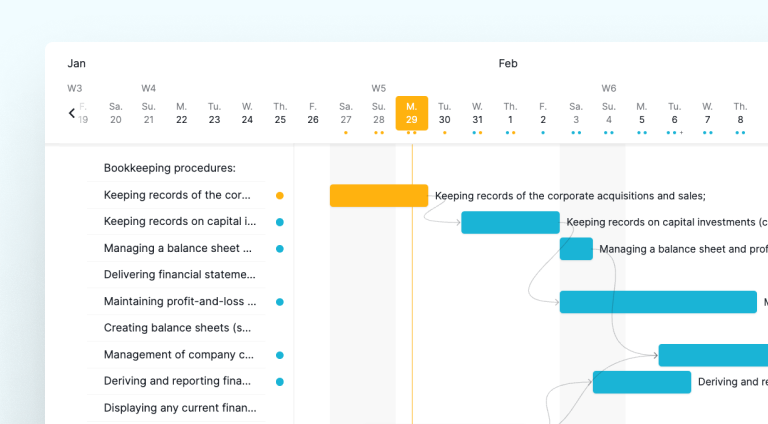
The finance team links every budgeting task, from forecasting expenses to reconciling statements, so each step waits on the data it needs.
Mapping those dependencies makes cash-flow forecasts more accurate and surfaces bottlenecks before they hit a deadline. The team adjusts the sequence rather than discovering a missed handoff after the fact.
Related: What Is Agile Project Management? A Remote Team Guide — the same Finish-to-Start sequencing works whether your team plans in sprints or a classic waterfall timeline.
Ready to map your project's dependencies?
Switch one of your in-flight projects to Timeline view in Quire, hover over the first task, and drag the connector to the task that has to wait. The first time you do it on a real project, you'll usually find at least one dependency you weren't tracking, and one or two that turn out to be assumptions rather than actual blockers. That's the point.
Task Dependency is available on Professional and higher Quire plans. Full details on the pricing page.

Frequently Asked Questions
What is task dependency in project management?
Task dependency is the logical link between tasks where one must reach a defined state before another can start or finish. It turns a flat task list into a realistic sequence.
How do I create task dependencies in Quire?
In Timeline view, drag a connector between two tasks; alternatively, open a task's detail panel and use Add dependency to set a predecessor or successor.
What types of task dependencies does Quire support?
Quire supports Finish-to-Start (FS) dependencies, where the predecessor must finish before the successor starts. A task can depend on multiple predecessors.
Why does task dependency matter for project planning?
It captures which work actually blocks which, making schedules, resource decisions, and risk forecasts far more accurate than treating tasks as independent.
Which Quire plan includes task dependency?
Task Dependency needs a Professional plan or above. The Quire pricing page lists what each tier includes.
