
milestones · Dec 10, 2024
Quire's 2024 Year in Review: Where Productivity Meets Possibility!

Last updated: July 28, 2026
Quire's 2024 shipped Task Dependency, the Approval feature, an Outlook add-in, Google Calendar two-way sync, sharper Filters and Sublists, a cleaner Notifications panel, and ISO/IEC 27001:2022 certification. The quick way to absorb it all: pick one feature, run it on one project for two weeks, then expand. Document, Chat, and IFTTT are on deck for 2025.
Yes, this is a year-in-review post. You know the genre. We'll try to make ours short on confetti and long on things you can actually use on Monday morning. Here's what Quire shipped in 2024, what changed for you, and what's worth turning on first if you missed any of it.
A quick reality check before we recap. Gallup's 2024 State of the Global Workplace report found that only 23% of employees are engaged at work, and unclear expectations are one of the top three culprits. Most of what you're about to read is, in some form, an attempt to make expectations less fuzzy: who owns what, what's blocked, what's approved, and when it's due.
What did Quire ship in 2024?
This year was about listening to your feedback, sharpening the features you already use, and adding a few new ones that close real gaps. Here's the short version, then we'll go feature by feature.
| Area | What changed in 2024 | What it replaces |
|---|---|---|
| Task sequencing | Task Dependency links tasks and blocks downstream work | Comment threads asking "is X done yet?" |
| Sign-off | Approval feature with named approvers and audit trail | Slack pings and "approved!" emails |
| Email-to-task | Outlook add-in turns messages into Quire tasks | Copy-paste from inbox into a task title |
| Calendar | Google Calendar two-way sync | One-way exports that drifted out of date |
| Filtering | Enhanced Filters and Sublists with saved views | Scrolling a long list and squinting |
| Notifications | Revamped Notifications panel, real-time, filterable | A noisy bell icon you eventually ignored |
| Security | ISO/IEC 27001:2022 certification | Long vendor questionnaires you filled by hand |
Task Dependency: link tasks together
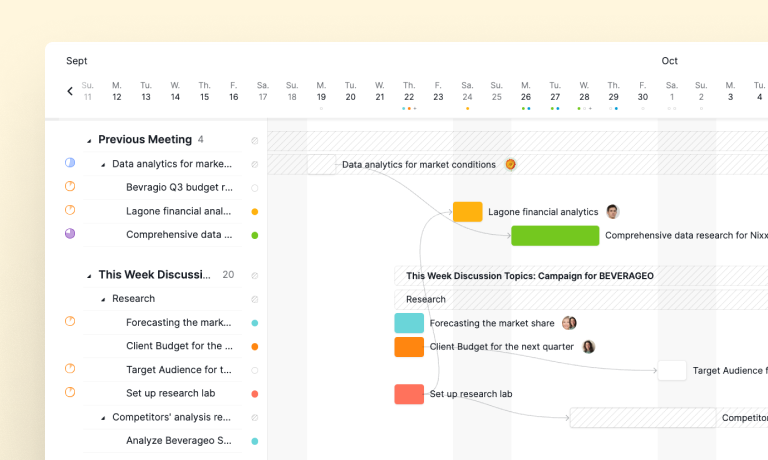
With Task Dependency, you can now link tasks together and set the order they need to finish in. No more guessing which task comes next or chasing teammates to ask if a blocker has cleared. Quire surfaces the relationships for you.
It's most useful on projects with multiple stages, like a launch, a client onboarding, or anything with a hand-off between teams. Set the chain once and you stop relitigating the sequence in every standup. Bottlenecks become visible the moment they form, which is the only way you can act on them in time.
For a detailed guide on how to use the Task Dependency feature, please visit our guide.
Approval feature: decisions made easy
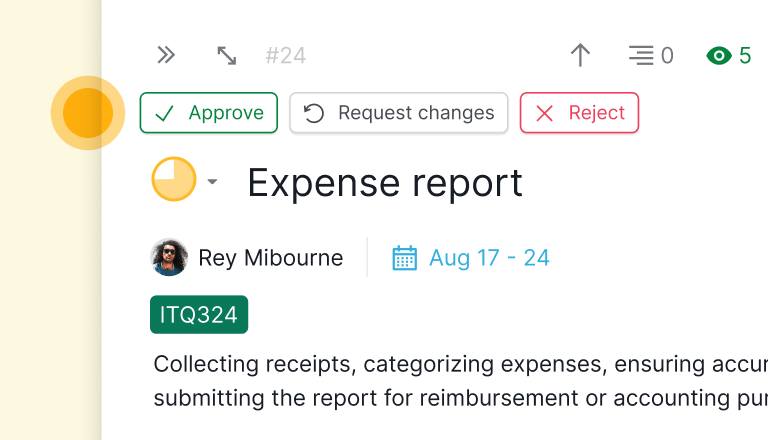
Ever waited a week for someone to give the thumbs up on a task? Same. That's why we rolled out the Approval feature. It's for the moments when you need a formal "yes, go ahead" before work continues, like a design check, a budget sign-off, or a milestone gate.
No more email chains or Slack threads asking, "is this approved yet?" The approver, the artifact, and the timestamp all sit on the task itself. Auditors love it. So do you, the next time someone asks who signed off on what.
For a detailed guide on how to use the Approval feature, please visit our guide.
Outlook add-in: turning emails into tasks
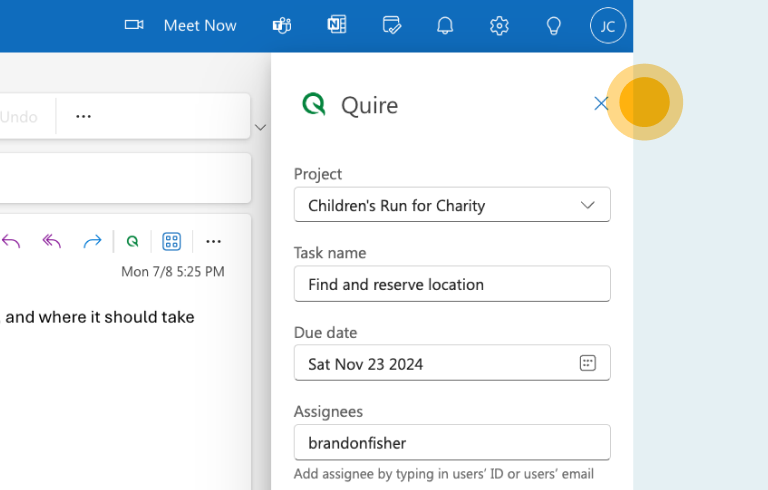
Email is both a blessing and a curse. We made it a touch less cursed this year by shipping the Outlook add-in. It turns an email into an actionable Quire task in two clicks, with the original message attached for context.
Got an email with five deliverables buried in a thread? Pop them straight into your project as tasks, assign owners, and leave the inbox where it belongs. The reply chain stays for the record. The work moves to where you actually track it.
For a detailed guide on how to integrate your projects with Outlook, please visit our guide.
Google Calendar two-way sync: keep everyone in the loop
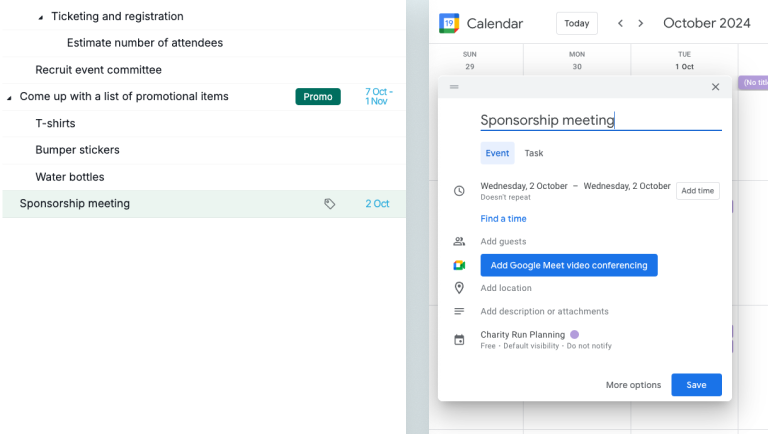
If you're juggling projects and meetings, you know how much a well-tended calendar matters. That's why we brought two-way sync with Google Calendar to Quire. Now task due dates and calendar events stay aligned without anyone updating both sides by hand.
Reschedule a meeting in Calendar, and the linked task moves. Push a task's due date in Quire, and your Calendar reflects it. The end of "I thought we moved that" is a small thing, but you'll feel it every week.
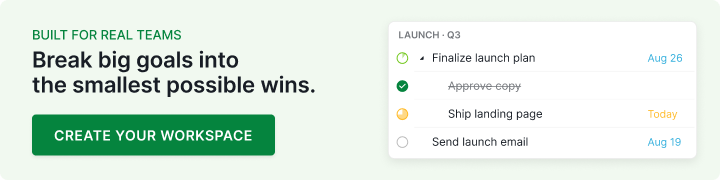
For a detailed guide on how to sync your tasks to Google Calendar and get live updates, please visit our guide.
Enhanced Filters and Sublists: your workflow, your way
Sometimes you just need to see exactly what you're working on, without the noise. That's where the enhanced Filters and Sublists come in. Save the views you open every day. Build the ones you need for a specific phase. Hide the rest.
Whether you're running a personal to-do list or a 400-task project, the new saved-view behavior cuts the time between opening Quire and actually starting work. That's the metric we care about.
Notifications panel: stay in the know
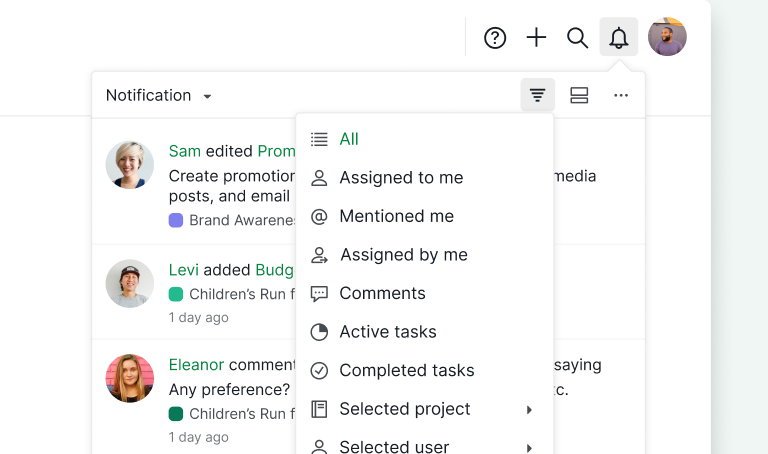
Keeping track of team updates shouldn't feel like a chore. So we rebuilt the Notifications panel to be cleaner, smarter, and filterable. You'll get updates in real time, scoped to the projects and people you care about.
Mute what you don't need. Pin what you do. It's a personal assistant that only tells you the stuff that actually changes what you'll do next. (We took it even further in 2026: see the full notifications revamp for the filterable, full-page version.)
For a detailed guide on how to get notified, please visit our guide.
ISO/IEC 27001:2022 certification: your data, our priority
We're thrilled to share that Quire earned the ISO/IEC 27001:2022 certification this year. This globally recognized standard signals our commitment to safeguarding your data with strong security and risk-management practices.
From encryption to internal controls and incident response, we've put every measure in place to keep your information protected. Your trust matters, and this milestone reinforces our promise to keep your data safe. If procurement asks, we have the paperwork ready.
Performance work: faster, better, stronger
This one's not flashy, but it's the kind of work you feel even when you can't name it. We spent the year shortening load times, smoothing navigation, and trimming the small lags that add up over a workday. You should notice fewer half-second pauses and zero of the "wait, did that save?" moments.
Our Summer Edition webinar from June 2024 walks through the updates from the first half of the year.
How should you adopt the 2024 updates without overwhelming your team?
The trap with year-in-review posts is leaving you with a shopping list and no order to shop in. So here's the sequence that works for most teams we've watched roll these features out.
Start with Task Dependency on one project that has a clear order of operations. Live with it for two weeks before you do anything else. Once the team trusts the chain, layer Approval onto the work that already needs a formal sign-off. After that, turn on Google Calendar two-way sync so deadlines stop drifting between tools.
The Outlook add-in is a personal install rather than a team rollout, so leave it to the inbox-heavy people on your team to pick up at their own pace. Notifications and Filters tuning happens last, because by the time you've adopted three new features, you'll know exactly which views and pings you actually need.
If your team rolls all of this in at once, you'll get the same result you always get when you change five things in a week: nothing sticks. One thing at a time, two weeks per thing, is a boring schedule that actually works.
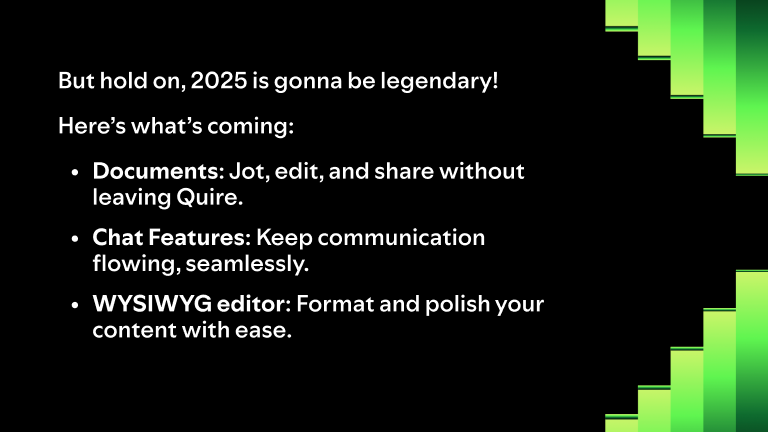
What's coming in 2025?
If you think this year was busy, just wait. Three big projects are in flight, and each one closes a different gap people have been asking about.
Document: your ideas, all in one place
We know how much you need a space for brainstorming and shared writing. So we're building a Document feature that lets you write, edit, and share project documents directly in Quire. Meeting notes, briefs, and proposals will live next to the tasks they describe instead of in a separate tab you forget to open.
Chat: real-time conversations
Sometimes you just need to talk things out. The upcoming Chat feature will bring real-time conversation into Quire so you can brainstorm, share updates, and solve problems without bouncing between four apps. The thread stays attached to the project, which means new teammates can read history instead of asking for it.
IFTTT automation: work smarter, not harder
Automation fans, this one is for you. We're exploring an integration with IFTTT so you can connect Quire to the rest of your tool stack with no code. Create a Quire task from a starred email. Get a notification in your favorite messaging app when a high-priority task closes. The shape of the workflow becomes yours to design.

Key takeaways: thank you for an amazing year
None of this would exist without you. Your feedback, your bug reports, and the screenshots you sent us at midnight are the reason every one of these features is in your account today.
We're already deep into 2025, and we can't wait to keep building with you. Here's to another year of fewer status meetings and more finished work. ✨
So, what was your favorite update this year? And what would you love to see next? Drop us a note. We're all ears. 👏
More Quire history: Quire's 2023 Roundup: A Year of Wins and Workflows and Quire Rewind 2022: What Happened? What’s Next?.
Frequently Asked Questions
What were Quire's biggest 2024 releases?
The big ones were Task Dependency, the Approval feature, the Outlook add-in, Google Calendar two-way sync, a revamped Notifications panel, deeper Filters and Sublists, and ISO/IEC 27001:2022 certification.
Did Quire get any new security credentials in 2024?
Yes, Quire earned ISO/IEC 27001:2022 certification in 2024, covering encryption, access controls, and incident response. Request the paperwork from support if procurement needs it.
What is coming to Quire in 2025?
A Document feature for notes and proposals next to the tasks they describe, a Chat feature for real-time conversation inside a project, and an IFTTT integration, all rolling out in phases.
How do I start using the 2024 features without disrupting my team?
Pick one feature, scope it to one project, and run it two weeks before rolling wider. Most teams start with Task Dependency, then Approval, then Google Calendar sync.
Is the Outlook add-in available on every Quire plan?
It works for any Quire user who can install Outlook add-ins via Microsoft 365. The projects you push tasks into still follow your normal Quire plan limits.
