
Clear Browser Cache Permalink
If Quire is not working properly and logging out does not solve the issue, clearing your browser cache may help resolve loading or display problems.
See Mobile & Integrations for more troubleshooting guides and how to connect Quire to other apps.
Clear Browser Cache
Google Chrome
- Open your Quire workspace in Google Chrome.
- Right-click on a blank area of the page.
- Select Inspect.
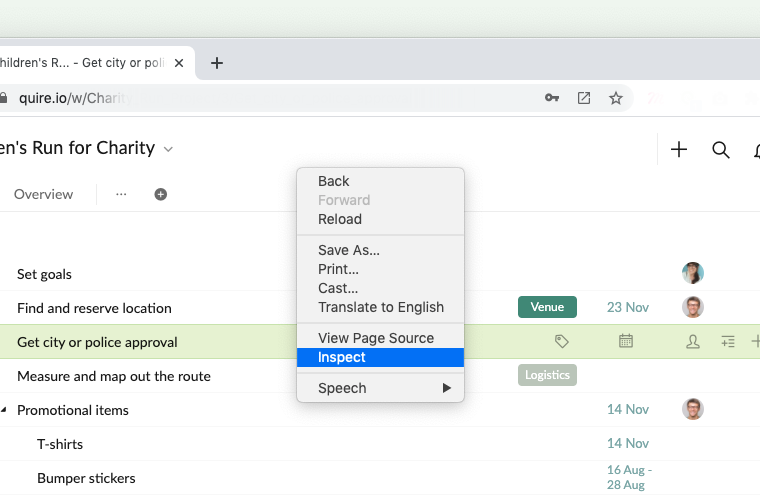
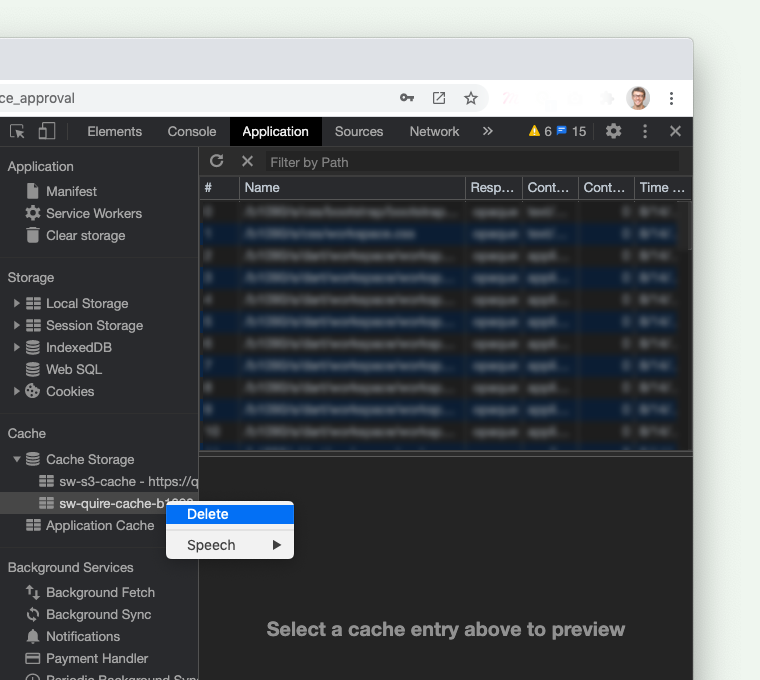
- Click the Application tab.
- In the sidebar, go to the Cache section.
- Under Cache Storage, right-click on
sw-quire-cache-bxxxx. - Click Delete.
- Refresh the page.


Safari
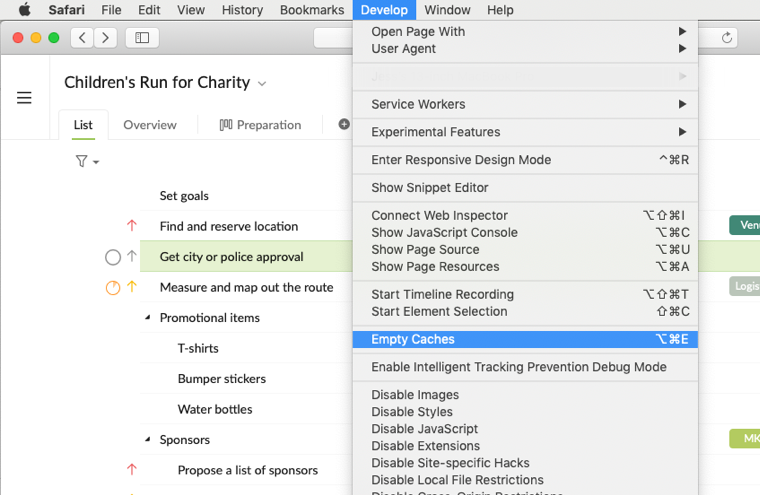
- Click Develop in the top menu bar.
- Select Empty Caches.

Firefox
- Click the menu button in the upper-right corner.
- Select Preferences.
- Go to the Privacy & Security tab.
- In the Cookies and Site Data section, click Clear Data.
- Click Clear to confirm.
Microsoft Edge
- Click the More Options icon in the upper-right corner.
- Select Settings.
- Go to the Privacy and services tab.
- In the Clear browsing data section, click Choose what to clear.
- Select the data you want to remove.
- Click Clear Now.
Unregister Service Worker
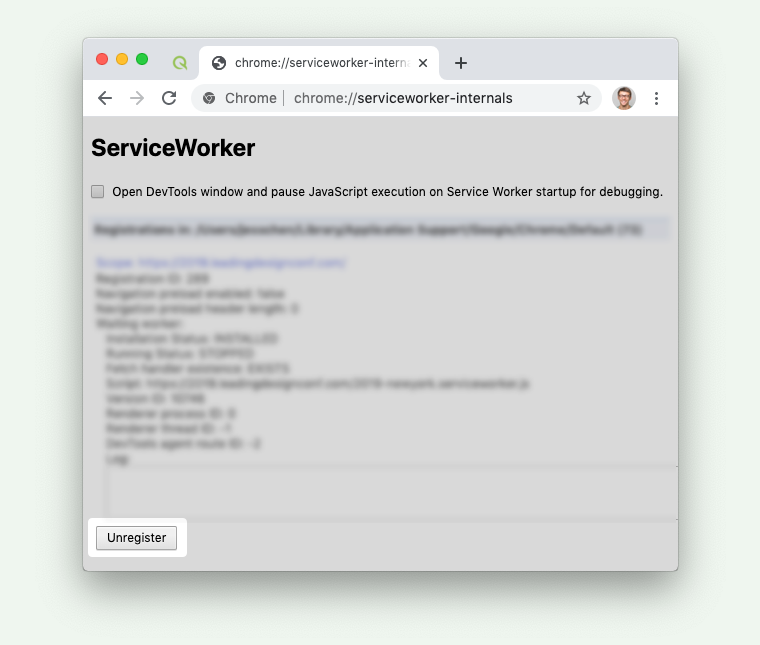
If clearing the cache does not solve the issue, try unregistering the service worker in Chrome.
- Open Chrome.
- Enter this URL in the address bar:
chrome://serviceworker-internals/
- Locate all Service Workers related to Quire.
- Click Unregister for each one.
- Refresh the page using:
- Windows: Ctrl + Shift + R
- Mac: ⌘ + Shift + R


Still stuck? Double-check you’re on a compatible browser, or contact Quire Support.
Frequently Asked Questions
How do I clear the Quire cache in Google Chrome?
Right-click a blank area, select Inspect, go to the Application tab, find sw-quire-cache-bxxxx under Cache Storage, click Delete, then refresh.
How do I clear the Quire cache in Safari?
Click Develop in the top menu bar and select Empty Caches.
How do I clear the Quire cache in Firefox?
Click the menu button, select Preferences, go to Privacy & Security, click Clear Data under Cookies and Site Data, then click Clear.
How do I clear the Quire cache in Microsoft Edge?
Click More Options > Settings > Privacy and services tab, click Choose what to clear under Clear browsing data, select the data, and click Clear Now.
How do I unregister the Quire service worker in Chrome?
Enter chrome://serviceworker-internals/ in the address bar, locate Quire-related service workers, click Unregister for each, then hard-refresh with Ctrl+Shift+R (Windows) or ⌘+Shift+R (Mac).