
Customer Relationship Pipeline Template Permalink
Use this template to manage all your customer information and sales pipeline in one place with Quire.
You can visit the Customer Relationship Pipeline project and duplicate it to your workspace, so you don’t need to build everything from scratch.
You can also explore more ready-to-use templates to speed up your workflow.
Set Up Your Customer Database
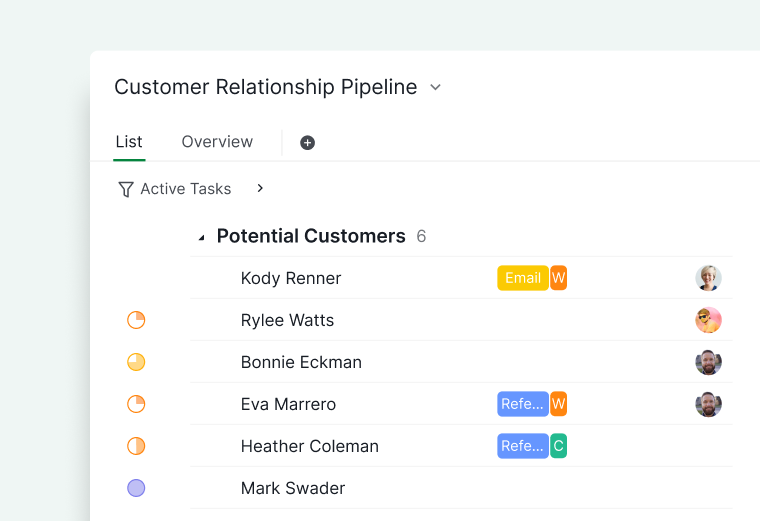
The List tab serves as your central database of customers.
- Create one task per customer
- Use the task title as the customer name or company
-
Store all customer-related activities under each task

Build Your Sales Pipeline View
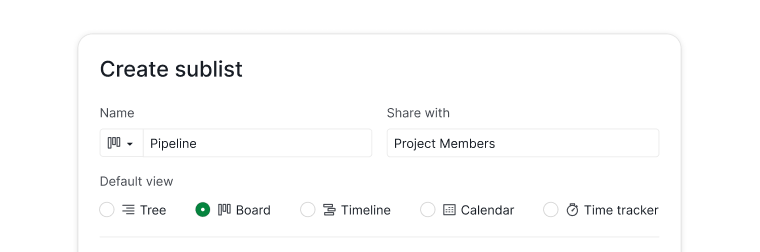
- Create a sublist and name it Pipeline.
- Set the view to Board view.
- Add relevant customer tasks to this sublist.
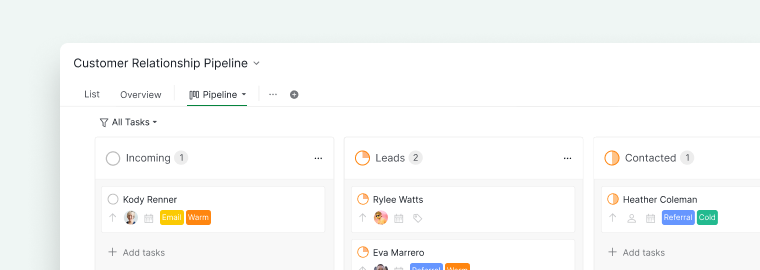
- Create status columns to represent each stage.

Common pipeline stages include:
- Incoming
- Leads
- Contacted
- Meeting scheduled
- Proposal delivered
- Follow up
- Closed
-
Lost

Manage Customer Information
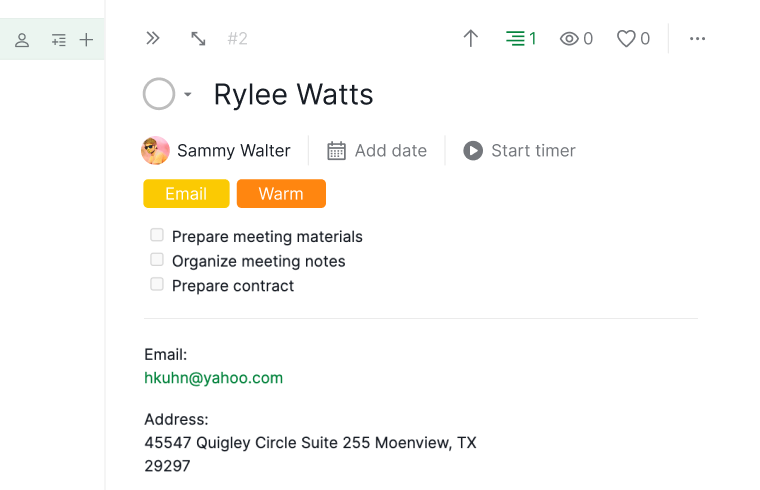
Each customer task can include detailed information in the detail panel.
You can add:
- Contact details (email, phone, address, company)
- Customer replies or notes
-
Meeting preparation checklists

Organize and Segment Customers
Tags
Tags help you segment and analyze your customers.
Some popular segmentations for customers:
- Lead temperature (Cold, Warm, Hot): This can help you see who is close to being a customer.
- Source (Email, Referral, Support Message): This can help you determine which channels are more effective than others.
- Company size (1-10, 10-50, 50-100, etc): This can help you tailor your messages for small or large businesses.
Filter Views
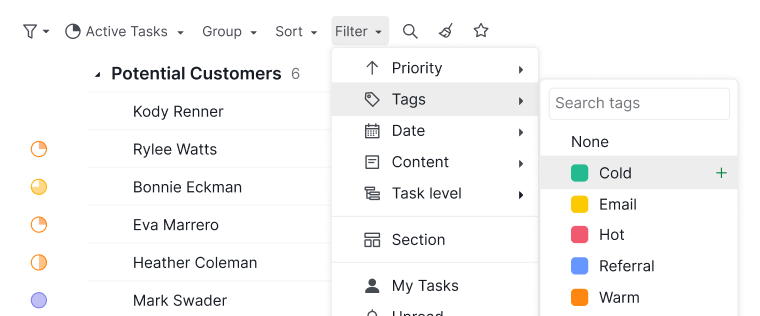
Use the filter bar to narrow down your customer list.
You can filter by:
- Tags
- Status
- Assignees
-
Other attributes

Dashboard View
Dashboard view is only available in the Professional, Premium, Enterprise plans. More information can be found on our pricing page.
Dashboard view turns your pipeline data into a visual overview using widgets, without opening individual customer tasks.
Add widgets to track your pipeline:
- Task Status Distribution: charts every customer task by status, so you can see the size of each pipeline stage at once.
- Member Workload: each member’s active, completed, and overdue counts, with a health badge that flags risk early.
- Upcoming Tasks: lists tasks due today or later, so scheduled follow-ups do not slip.
Learn more about Dashboard view and its widget types.
Capture Customer Data Automatically
You can send emails directly into Quire so they become tasks automatically.
This helps you:
- Capture inquiries
- Centralize communication
- Reduce manual entry
Frequently Asked Questions
How do I use Quire as a CRM pipeline?
Create one task per customer in the main List tab, then create a Pipeline sublist in Board view with status columns for each sales stage. Add customer tasks to the sublist to track their progress through the pipeline.
How do I store customer contact details in Quire?
Open the customer’s task detail panel to add contact info (email, phone, address, company), notes, meeting checklists, and customer replies.
How do I use tags to segment customers in Quire?
Assign tags to categorize customers by lead temperature (Cold, Warm, Hot), source (Email, Referral), or company size. Tags let you filter and analyze your pipeline by any segment.
How do I filter customers to create a focused view in Quire?
Use the filter bar to narrow your customer list by tags, status, assignees, or other attributes. This lets you build views like all hot leads or tasks assigned to a specific rep.
How do I turn customer emails into Quire tasks automatically?
Use the Email to Quire feature to forward emails directly to your project. Incoming emails become tasks automatically.
Is there a ready-made CRM pipeline template in Quire?
Yes. Visit the Customer Relationship Pipeline project and duplicate it to your workspace to start immediately.