
Chart Types Permalink
Quire offers six chart types: Line, Area, Bar, Pie, Donut, and Nested Donut. Each highlights a different aspect of project data. Line and Area charts track change over time, Bar charts compare categories at a single point in time, and Pie, Donut, and Nested Donut charts break a whole into proportional parts, with Nested Donut adding a second ring for hierarchical data.
Every chart type embeds directly in a document view or a task description, so visual data stays next to the discussion around it instead of living in a separate reporting tool.
Charts are only available in the Professional, Premium, Enterprise plans. More information can be found on our pricing page.
Line Chart
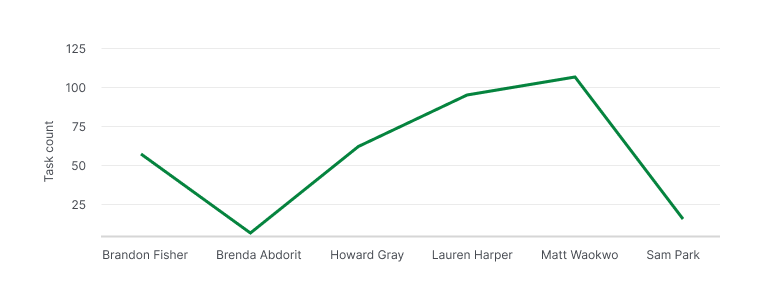
Line charts are useful for tracking project trends over time or analyzing data based on specific criteria, such as assignees.
You can use line charts to:
- Visualize progress, e.g., the number of tasks completed within a specific timeframe.
- Compare completed vs. pending tasks per team member.
-
View task distribution among team members.

Area Chart
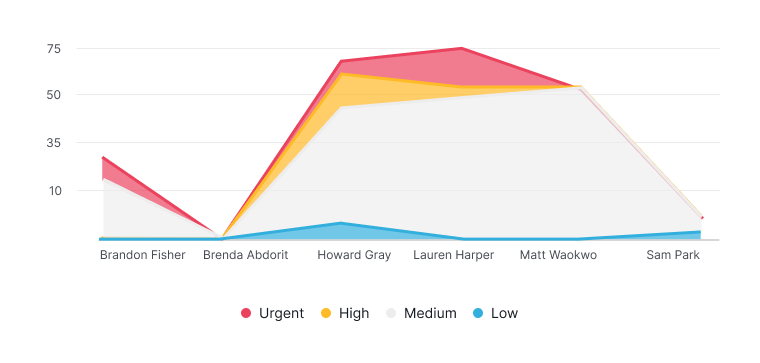
Area charts provide a clear view of how totals evolve over time or based on specific criteria, such as assignees. They are particularly effective for comparing multiple stacked categories.
Area charts are ideal for:
- Visualizing cumulative data, e.g., total tasks per member grouped by task priority.
- Showing total time each member has spent on tasks in a timeframe.
-
Assessing overall progress and monitoring individual contributions.

Bar Chart
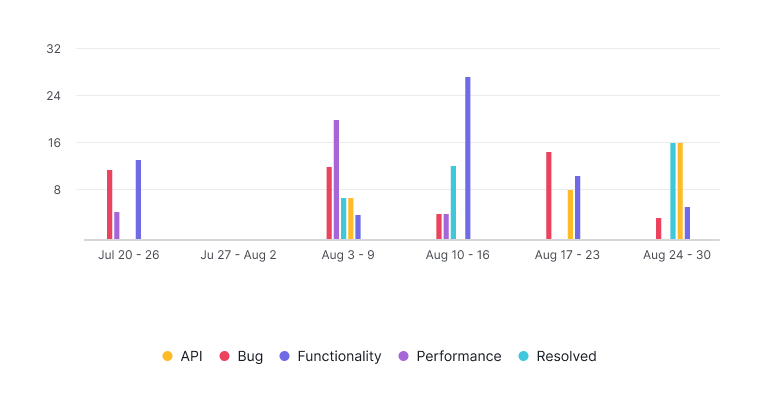
Bar charts are designed to compare values across different categories at a specific point in time.
They are useful to:
- Visualize the number of tasks completed by various members.
- Group tasks by status or other attributes.
-
Identify workload distribution and make informed decisions on resource allocation.

Pie and Donut Chart
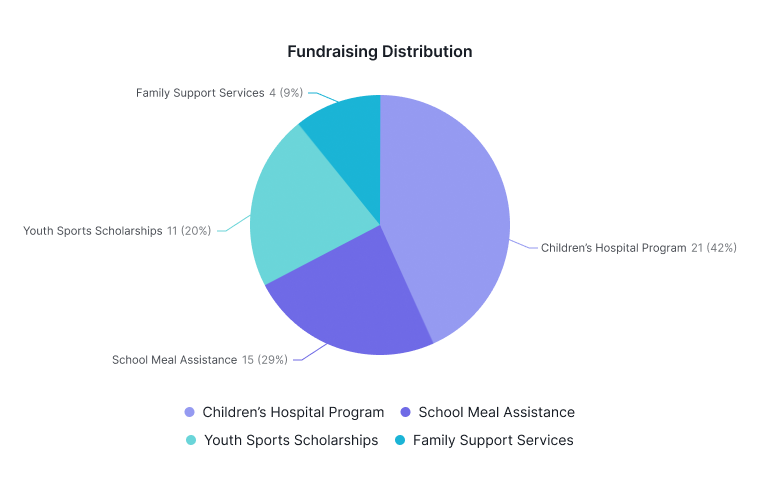
Pie and donut charts show the proportional breakdown of a whole into different categories at a specific moment.
You can use them to:
- Visualize the percentage of a project completed in different phases.
- Show resource distribution categorized by tags.
-
Quickly understand how components contribute to overall project progress.

Nested Donut Chart
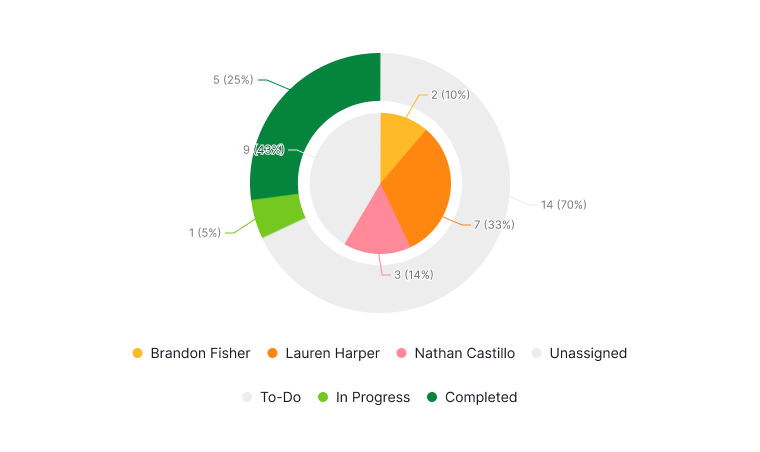
Nested donut charts provide a multi-level visualization of hierarchical data, showing proportions within a whole.
- Outer ring: Represents a primary category
- Inner ring: Offers a secondary breakdown
Common use case:
- Outer ring shows scheduled dates.
- Inner ring shows assignees.
-
Quickly identify unscheduled or in-progress tasks for efficient task reallocation.

Frequently Asked Questions
What chart types are available in Quire?
Quire offers six chart types: Line, Area, Bar, Pie, Donut, and Nested Donut. Each is designed to visualize different aspects of project data such as trends, totals, comparisons, proportions, and hierarchical breakdowns.
Which Quire plans include chart types?
All chart types are available on the Professional, Premium, and Enterprise plans only.
Where can Quire chart types be embedded?
Chart types can be embedded directly in a document view or within a task description.
What is a Line Chart in Quire?
Line charts track project trends over time or analyze data by criteria such as assignees. Use them to visualize task completion progress, compare completed vs. pending tasks, or view task distribution among team members.
What is an Area Chart in Quire?
Area charts show how totals evolve over time or by criteria like assignees, and are effective for comparing multiple stacked categories. Use them to visualize cumulative data, such as total time spent per member.
What is a Bar Chart in Quire?
Bar charts compare values across different categories at a specific point in time. Use them to visualize tasks completed by member, group tasks by status, or identify workload distribution for resource allocation.
What are Pie and Donut Charts in Quire?
Pie and Donut charts show the proportional breakdown of a whole into categories at a specific moment. Use them to visualize project phase completion percentages or resource distribution by tag.
What is a Nested Donut Chart in Quire?
Nested Donut charts provide a two-layer hierarchical breakdown. the outer ring shows a primary category (such as scheduled dates) and the inner ring shows a secondary breakdown (such as assignees), making it easy to identify unscheduled or in-progress tasks.