
Subtask Stats in Quire Permalink
View Subtask Progress and Statistics
How do Subtask Stats work in Quire?
The subtasks indicator bar displays statistics for first-level subtasks only, giving you a clear snapshot of progress at a glance.
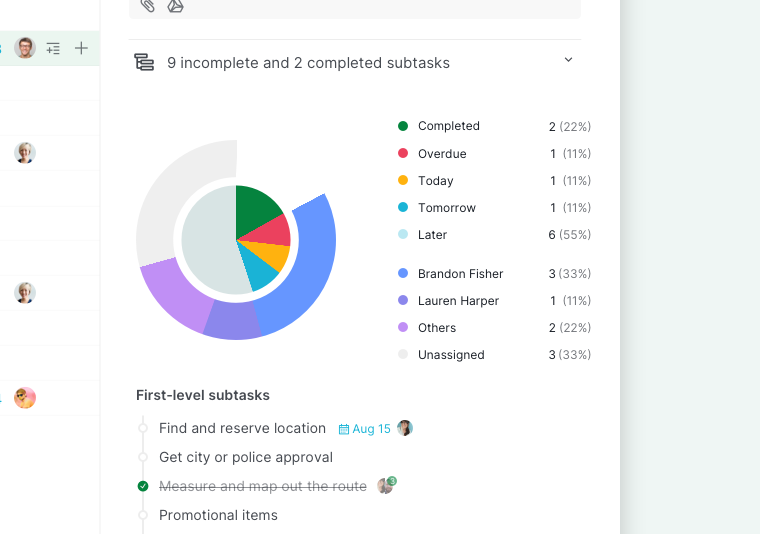
When you click the indicator bar, Quire shows:
- A progress breakdown of first-level subtasks
- A pie chart visualizing overall completion
- A summary of assignees contributing to the task
This allows you to quickly assess how much work is done and who is responsible for the remaining tasks.
Navigate Between Subtasks
How do you open a subtask from Subtask Stats?
You can jump directly to a specific subtask from the Subtask Stats view:
- Click the subtasks indicator bar on the parent task.
- In the statistics panel, click the subtask name.
- Quire will automatically open the selected subtask.
This makes it easy to review details or update progress without manually searching through the task list.
Please contact us if you need more assistance.