
Edit an Organization Permalink
You can customize your organization in Quire by updating its name, description, icon, website, and URL. These details help your team better understand the purpose and identity of the organization and are visible on the Organization Overview page.

Note: You must be an Organization Admin to edit organization settings.
Organization Appearance and Basic Settings
Icon and Profile Picture
The organization icon starts with a default image. You can replace it with a custom image or choose a preset icon and color.
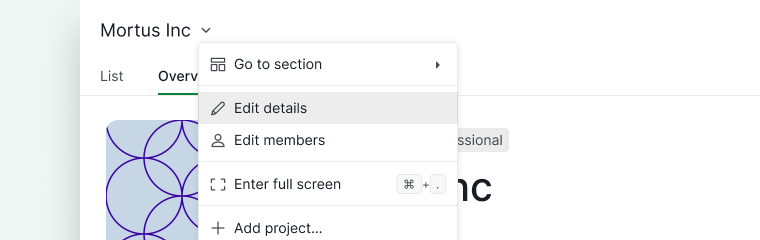
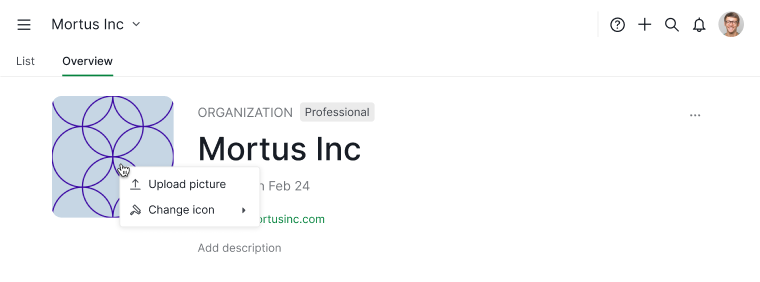
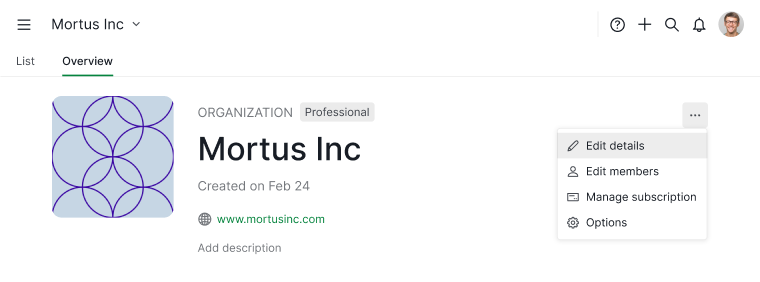
- Open Edit details using either:
- The organization name dropdown menu, or
- Directly from the Overview tab, or
- The More Options menu in the Overview tab
- The organization name dropdown menu, or
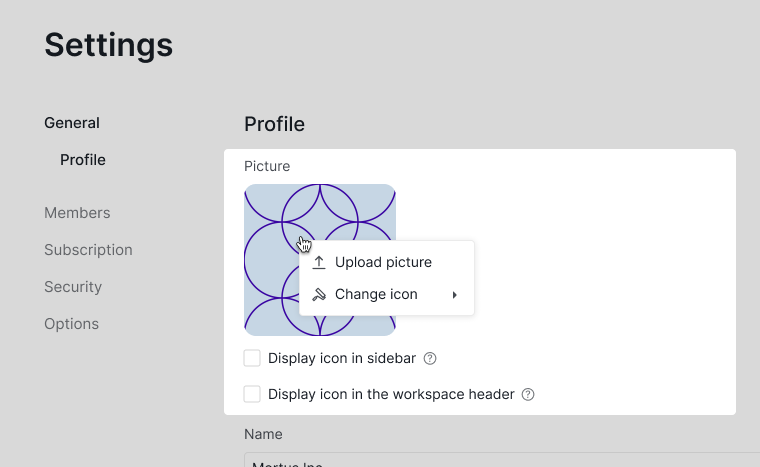
- From the Edit details panel, upload an image from your device, drag and drop a file, or select an icon and color from the available options.


Organization Name
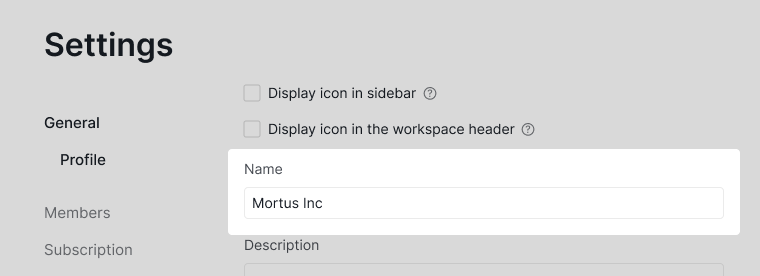
You can rename your organization at any time from the Edit details panel.
- Open Edit details using either:
- The organization name dropdown menu, or
- The More Options menu in the Overview tab
- The organization name dropdown menu, or
- From the Edit details panel, enter the new organization name. Click Save to apply the change.

Organization Description & Information
Organization Description
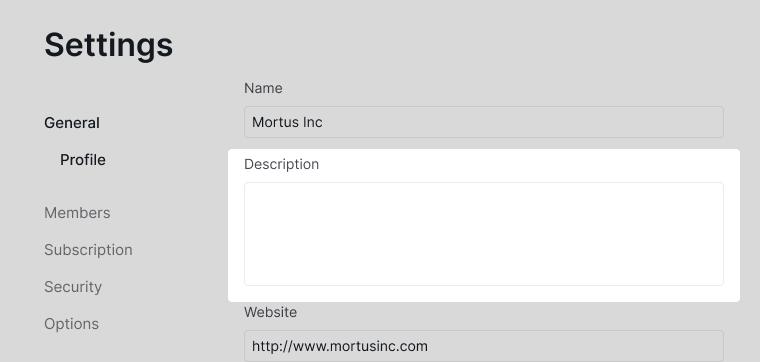
The organization description helps members understand the purpose, scope, or status of the organization. It appears on the Organization Overview page and is visible to all members.
- Open Edit details using either:
- The organization name dropdown menu, or
- Directly from the Overview tab. Changes are saved automatically when you switch organizations or close the browser tab.
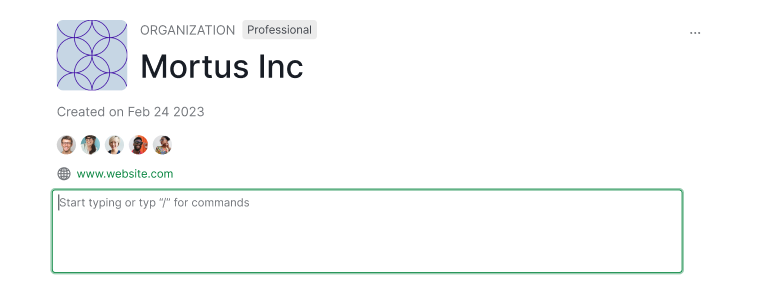
- Or the More Options menu in the Overview tab
- The organization name dropdown menu, or
- Update the description and click Save.


Formulas in Descriptions
You can embed formulas inside organization descriptions to display dynamic data, such as task counts or total time spent.
- Place your cursor in the description field.
- Type the slash command /.
- Select Formula from the command menu.
- Enter your formula.
Example: calculate total time spent on tasks in a project
SUM(#{project_name_here}.tasks.timeSpent)

Organization Links & URL
Website URL
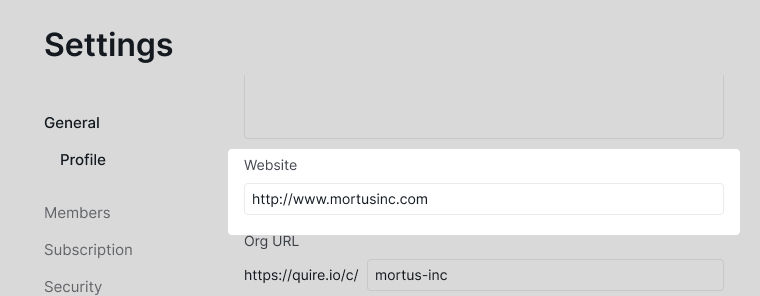
You can add your company or team website URL so members can quickly access it from the Organization Overview page.
- Open Edit details using either:
- The organization name dropdown menu, or
- The More Options menu in the Overview tab
- The organization name dropdown menu, or
- From the Edit details panel, enter the website URL. Click Save.

Custom Organization URL
Changing the organization URL is only available in Professional, Premium, Enterprise plan. More information can be found at our pricing page.
- Open Edit details using either:
- The organization name dropdown menu, or
- The More Options menu in the Overview tab
- The organization name dropdown menu, or
- From the Edit details panel, customize the organization URL. Click Save to confirm.
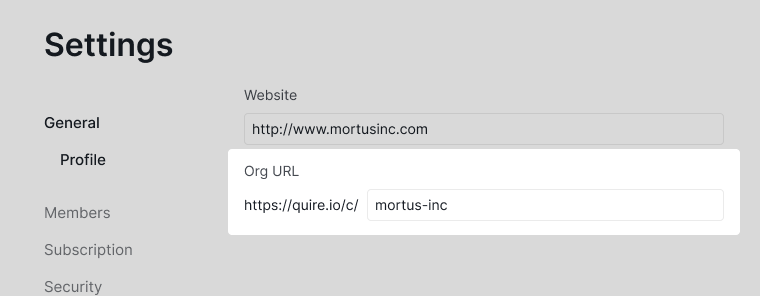

After updating the URL:
- All organization members will be affected
- The old URL will automatically redirect to the new one
Frequently Asked Questions
How do I change my organization name in Quire?
Open Edit details from the organization dropdown menu or the More Options menu in the Overview tab, enter the new name, and click Save. Only organization admins can edit.
How do I change the organization profile picture or icon in Quire?
Open Edit details from the organization dropdown, the Overview tab directly, or the More Options menu. Upload a custom image, drag and drop a file, or choose a preset icon and color.
How do I add or edit an organization description in Quire?
Open Edit details or click directly in the description field on the Overview tab. Changes edited directly on Overview save automatically.
Can I use formulas in Quire organization descriptions?
Yes. Place your cursor in the description field, type /, select Formula, and enter your formula.
How do I add a website URL to my Quire organization?
Open Edit details from the organization dropdown or Overview More Options menu, enter the website URL, and click Save.
How do I change the organization URL in Quire?
Open Edit details, customize the URL field, and click Save. Requires a Professional, Premium, or Enterprise plan. The old URL automatically redirects to the new one.