
Insight Field Column Calculations Permalink
How do I calculate values for an Insight column?
You can calculate values directly from the Insight view:
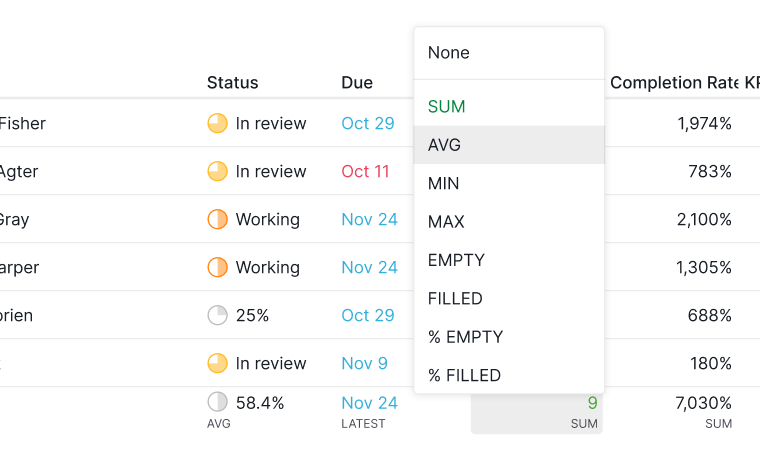
- Scroll to the bottom of the Insight table.
- Click the last row of the column you want to analyze.
- Select the calculation type you want to apply.
The calculated result will appear at the bottom of the column, giving you an instant summary of the data in that field.
Why use column calculations in Insights?
Column calculations are useful when you want to:
- Review overall workload or effort
- Summarize numeric custom fields
- Quickly analyze project data without exporting to CSV
They provide a fast way to turn task data into actionable insights directly inside Quire.
Please contact us if you need more assistance.