
Export Quire Projects to CSV or JSON Permalink
You can export your Quire data as CSV or JSON files to create backups, share project data, or build custom reports in spreadsheet tools like Excel or Google Sheets.
Export a Single Project
How do I export a Quire project to a CSV or JSON file?
- Open the project you want to export.
- Click the dropdown menu icon next to the project name.
-
Select Export CSV or JSON.
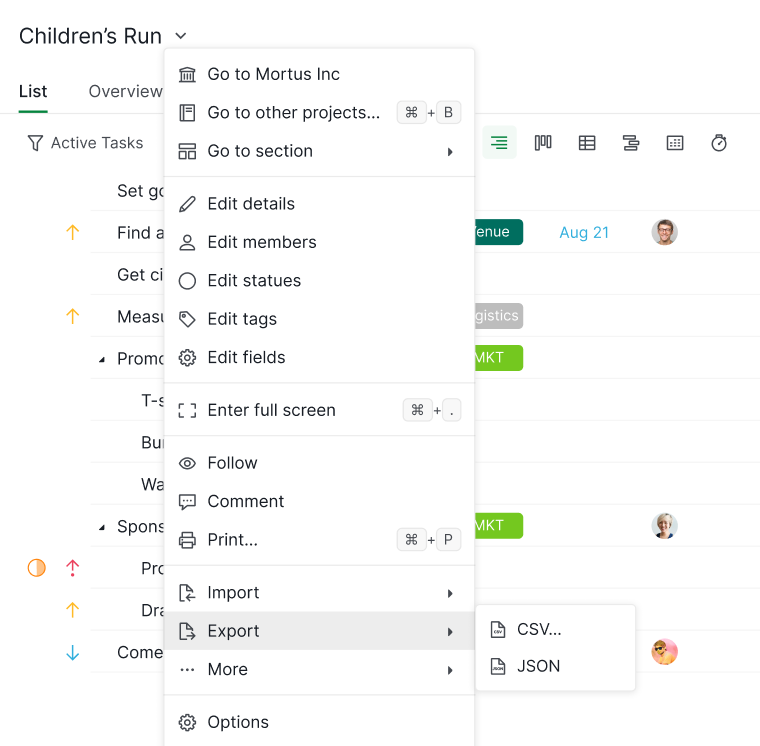
- Choose your preferred file format and download the file.
Exporting to CSV is ideal for reporting and analysis, while JSON is better suited for data migration or developer use.
Read more on our blog about exporting Quire project to CSV file.
Export All Projects from an Organization
How do I export all projects from a Quire organization?
Exporting all the projects at the organization level is only available in the Professional, Premium, Enterprise plans. More information can be found on our pricing page.
- Go to the organization you want to export.
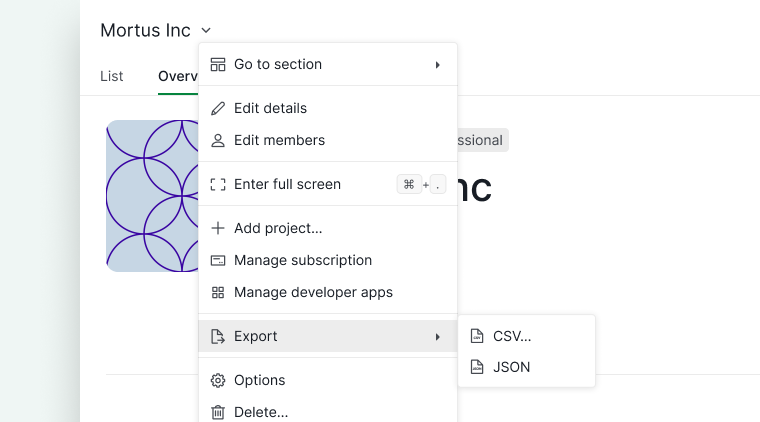
- Click the dropdown menu icon next to the organization name.
- Select Export CSV or JSON.
- Download the exported file containing all projects in the organization.
Please contact us if you need more assistance.