
Desktop App with Chrome Permalink
Using Google Chrome, you can install Quire as a desktop app. This allows you to launch Quire directly from your desktop or taskbar, giving you a focused, app-like experience without opening a browser tab.
See Quire on Mobile and Integrations for related guides.
Install Quire as a Desktop App
Follow these steps to create a Quire desktop app with Google Chrome:
- Open Quire in Google Chrome.
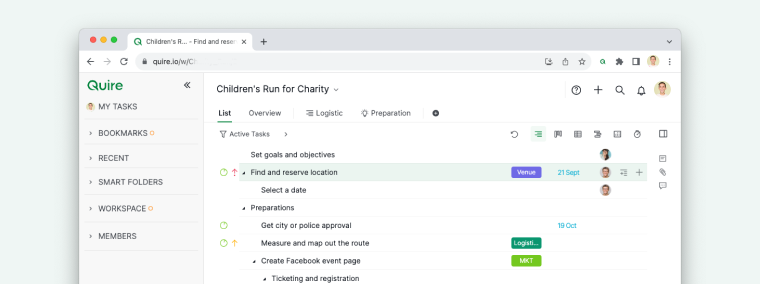
- Click the Chrome menu (⋮) in the upper-right corner of the browser.
- Select Install Quire.
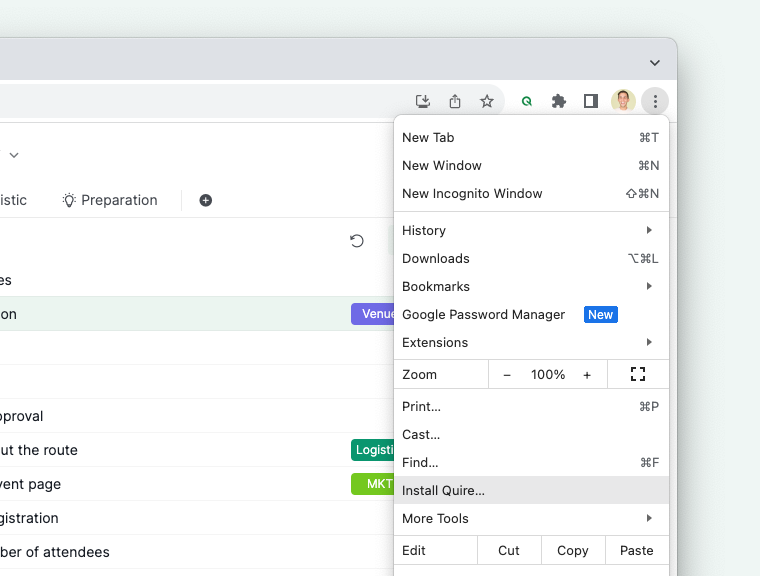
- Launch Quire from your desktop or applications folder.
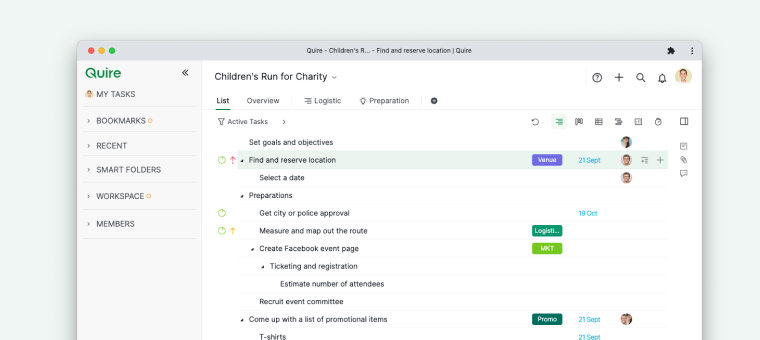


Once installed, Quire will open in its own window, just like a native desktop application.
Read more on our blog about desktop app using Google Chrome. Want to connect other third-party apps or AI assistants instead? See Install Apps or Connect to AI Assistants with Quire MCP.
Frequently Asked Questions
How do I install Quire as a desktop app using Chrome?
Open Quire in Google Chrome, click the Chrome menu (⋮) in the upper-right corner, and select Install Quire. Then launch Quire from your desktop or applications folder.
What does the Quire Chrome desktop app experience look like?
Quire opens in its own dedicated window without browser tabs or the address bar, giving you a focused, native app-like experience.